What Exactly is aiPDF?
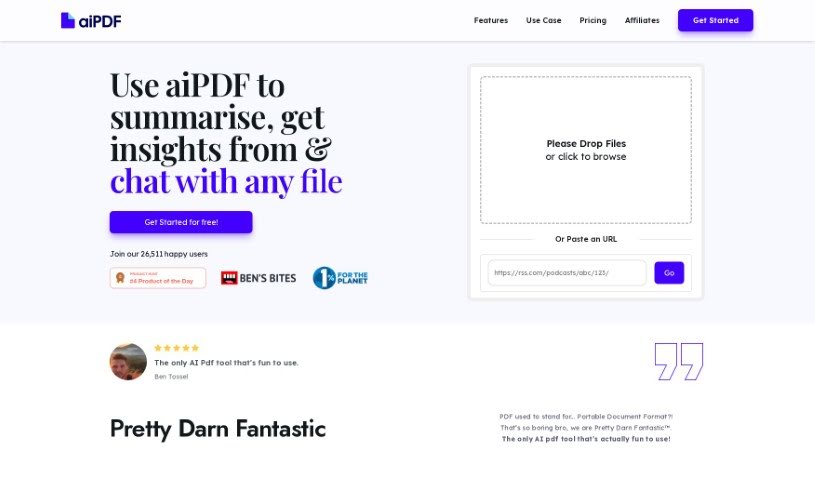
aiPDF is a handy online tool that lets you upload your PDF documents and really dig into them. It is a way to have a conversation with your files. You can ask it questions, pull out specific pieces of information, and get neat summaries, all straight from the documents you’ve uploaded. What’s great is that they really focus on keeping your data safe, and they even provide detailed references for the answers you get. Plus, they support environmental charities, which is a nice touch. You don’t need to download or install anything; it all happens right in your web browser. The responses you receive are accurate and come directly from the materials you’ve uploaded. You’re always in charge of your documents, too – you can delete them from aiPDF’s system whenever you want.
Who’s Behind aiPDF?
AiPDF was actually created by three people: Cata, Rishi, and Theo. They met online back in early 2023 and really hit it off because they all share a passion for technology and doing things ethically. They officially launched the tool on November 24, 2023. The company that runs AiPDF is called Ethical Network, and they’re based in London, United Kingdom.
What Can You Actually Do with aiPDF?
Here’s a rundown of what aiPDF is great for:
- Summarizing Documents: Get quick overviews of lengthy PDFs.
- Secure Data Handling: Your uploaded information is kept confidential.
- Interactive Engagement: Chat with your documents to explore their content.
- Asking Questions: Get answers directly from your PDFs.
- Exporting Responses: Save the AI’s answers for your records or research.
- Deleting Data: You have full control to remove your documents anytime.
- Supporting Good Causes: Your use helps environmental charities.
- Handling Many File Types: It’s not just for PDFs; it works with various document formats.
- User Control: You manage your uploaded files.
- Extracting Insights: It’s excellent for pulling out key takeaways.
- Summarizing: Condense complex information easily.
- Online Only: No need for downloads or installations.
- Detailed References: See where the answers come from.
- Generating Insights: Discover new information within your files.
- File Chats: Have conversations with your documents.
- Asking Questions: Get specific information extracted.
- Document Q&A: A dedicated feature for asking questions.
- Charity Support: Contributing to environmental causes.
- Various Document Types: Works with many kinds of files.
- Academic Support: Helpful for research and study.
- Getting Insights: Uncover valuable information.
- Document Chatting: A conversational way to interact.
- Information Extraction: Ask questions to get what you need.
- Interacting with Files: Engage with different document formats.
- Financial Report Insights: Extract key data from financial documents.
- Essay Summaries: Get quick summaries of academic essays.
- Student Study Aid: Helps students grasp material more easily.
Who Would Find aiPDF Useful?
This tool is particularly helpful for:
- Researchers looking to quickly analyze sources.
- Students needing to understand course materials better.
- Academics working with extensive research papers.
- Professionals across many different fields who deal with documents regularly.
How Do I Actually Use aiPDF?
Using AiPDF is pretty straightforward. Just follow these simple steps to get the most out of it:
- Upload Your Document: Start by uploading your PDF file to the AiPDF website. It’s a simple drag-and-drop or file selection process.
- AI Analysis: Once uploaded, AiPDF’s smart technology gets to work. It’ll analyze your document, pull out the most important information, and prepare to generate summaries for you.
- Chat Interface: You can then interact with your PDF through a chat-like interface. Just ask questions about the content you’re interested in.
- Extract Specifics: Need a particular detail? Ask a precise question, and AiPDF will find and provide the accurate answer directly from your document.
- Summarization Feature: Take advantage of the summarization tool to condense lengthy or complex data into a more digestible, shorter version.
- Export Answers: You can export the AI’s responses. This is super useful for referencing, further research, or just keeping track of the insights you’ve gained.
- Data Security: Rest assured, AiPDF prioritizes the confidentiality of your uploaded data, ensuring it’s handled securely.
- User Control & Eco-Friendly: Enjoy managing your documents yourself, engaging interactively with PDFs, and supporting environmentally friendly practices.
- Subscription Plans: Explore the different subscription options available. These plans offer varying features, like how many documents you can upload, how long they’re saved, and how many questions you can ask.
- Delete Anytime: To keep your data private and maintain control, you can delete your documents from the AiPDF database whenever you wish.
Following these steps should help you really make the most of AiPDF for analyzing, interacting with, and extracting information from your documents.