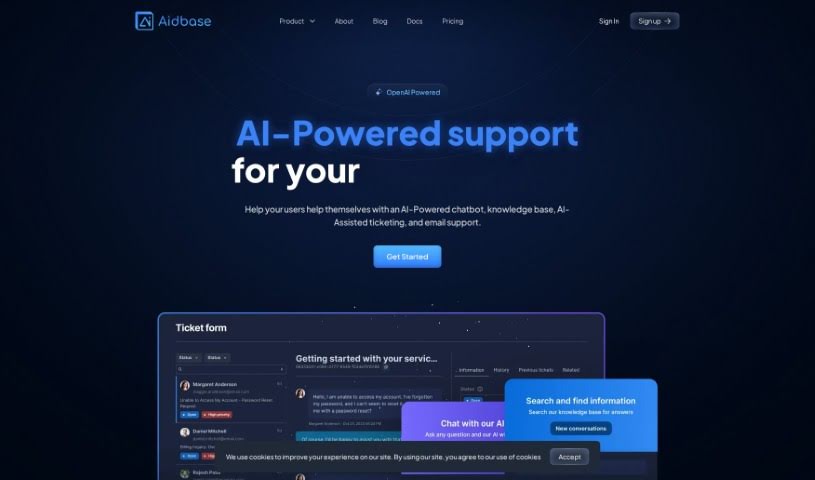
What is Aidbase?
Aidbase is a smart, AI-driven support system designed specifically for startups that want to boost their customer service with artificial intelligence. It is a complete package for handling customer interactions. It offers features like live AI chat, managing your email support, and an AI ticket system to sort out issues quickly. Plus, with its No Code Form Builder, you can easily create custom ticket forms that fit right into your apps. Aidbase also plays nicely with other tools you might already use, like Discord, WhatsApp, and Slack, making integration a breeze. The best part? It’s super fast to set up, needs zero coding, and is perfect for teams of any size, no matter their tech skills.
Who created Aidbase?
Aidbase was started by someone who’s really passionate about helping startups improve their customer support using AI. The company’s main goal is to offer a full support system that includes AI chat, email management, and AI-powered ticketing. They founded Aidbase to make customer interactions smoother, providing flexible solutions that don’t require any coding, so teams of all sizes can use them.
What is Aidbase used for?
- Live AI Chat Support: Your AI chatbot can be trained on your own data to give customers personalized help.
- AI-Powered Email and Ticket Support: Get AI assistance to handle emails and resolve tickets much faster.
- No Code Form Builder: Easily create custom ticket forms without needing to write any code.
- Smart Suggestions: The AI can suggest solutions for tickets by looking at similar past issues.
- Flexible Integration: Connect with lots of different third-party tools easily for a smooth experience.
- Figure out where the AI chatbot needs more information to perform better.
- Build a knowledge base that both users and your support team can use to find answers.
- Pinpoint gaps in the AI models so you can keep improving them.
- Remove Aidbase branding from your chatbots, tickets, and emails.
- Access and manage the chat knowledge base, making corrections or excluding certain information for future replies.
- Making customer support better with AI chatbots.
- Training AI chatbots using your user data so they can offer personalized help.
- Handling customer emails with AI power.
- Using an AI-powered ticket system to resolve issues quickly.
- Building custom ticket forms using the No Code Form Builder.
- Connecting with various third-party tools like Discord, WhatsApp, Slack, and more.
- Watching how users interact to help improve the chatbot’s performance.
- Finding and fixing knowledge gaps within the AI models.
- Taking off branding from chatbots, ticket forms, and emails.
- Developing SaaS AI applications using OpenAI and Next.js.
Who is Aidbase for?
- Startups
- Customer support teams
- Content creators
- Agencies
- SaaS Startups
- E-commerce businesses
- AI developers
- Technical Teams of All Sizes
- Teams of any size and with any level of technical skill
How to use Aidbase?
Here’s how you can get the most out of Aidbase:
- Sign Up: Head over to the Aidbase website at
https://app.aidbase.ai/signup to create your account.
- Set Up Your AI Chatbot: Train your AI chatbot using your own data sources. This helps it give personalized support for your products.
- Improve Chatbot Performance: Keep an eye on how users interact with the integrated tools. You can then retrain the chatbot to make it more accurate over time.
- Use the Features:
- AI-Powered Email and Ticket Support: Let AI help you handle emails and tickets efficiently.
- No Code Form Builder: Build custom ticket forms easily, no coding needed.
- Flexible Integration: Connect seamlessly with tools like Discord, WhatsApp, and Slack.
- Smart Suggestions: Get AI-powered ideas for resolving tickets based on similar past issues.
- Access the Knowledge Base: Build a knowledge base that your users and support staff can easily search for answers.
- Branding and Customization: Make Aidbase look like your brand by customizing the branding, colors, logos, and styles.
- Team Collaboration: Invite your team members to work together on tickets, emails, and managing your knowledge base.
- Stay Informed: Keep up with the latest AI news and updates by checking out the Weekly AI newsletter.
- Monitor Metrics: Keep track of things like AI usage, how much data you’ve trained, team member limits, and other important metrics to use Aidbase efficiently.
By following these steps, you can really make the most of Aidbase and significantly improve your customer support services.