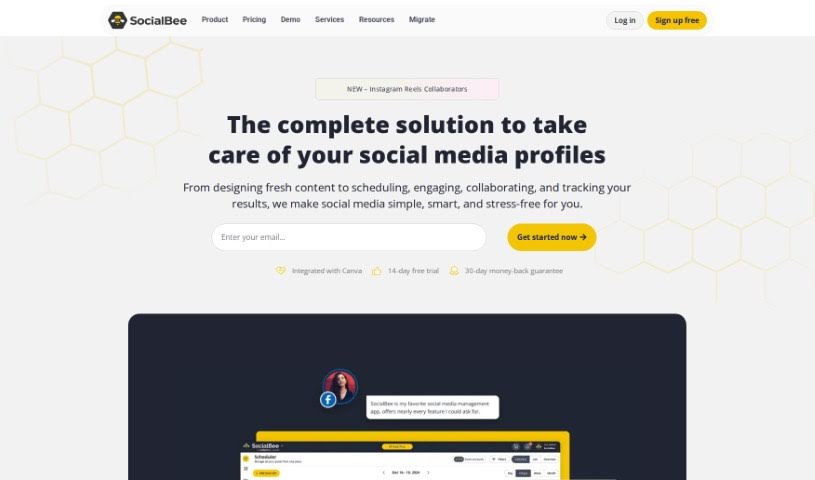
What is SocialBee?
SocialBee is a smart tool designed to help you create really engaging social media content. It uses AI to whip up eye-catching captions and graphics for platforms like Facebook, Instagram, Twitter, and many others. You can easily tweak the AI-generated captions to perfectly match your style and brand voice. Plus, it handles all sorts of social media tasks, from scheduling your posts and creating images to even repurposing your existing content.
Curious to see what it can do? You can try it out for free for 14 days before picking a pricing plan that suits you best. If you ever get stuck for ideas, SocialBee’s AI is a fantastic resource, constantly offering up new post concepts, images, and captions. The platform makes content creation and curation a breeze, drawing from various sources, and they’ve got your back with support via chat, email, and even phone calls.
Who created SocialBee?
The AI Social Post Generator you’re hearing about is actually part of SocialBee, a platform that’s all about making social media management easier with AI. It officially launched on June 17, 2024. The team behind SocialBee developed this tool, and the company offers a range of pricing options to fit different needs. You can start with their Bootstrap plan at $29 per month, or go all the way up to the Pro150 plan for $449 per month. SocialBee’s AI Social Post Generator is designed to help you create content for a wide array of social media channels – think Facebook, Instagram, TikTok, Twitter, Google My Business, LinkedIn, Pinterest, and YouTube – by generating smart captions and attractive graphics.
What is SocialBee used for?
- Performance Analysis: Keep an eye on how your posts are doing.
- Image Generation: Create custom visuals for your content.
- Generating Captions: Craft catchy text for your posts.
- Supports Multiple Platforms: Works with Facebook, Instagram, TikTok, Twitter, Google My Business, LinkedIn, Pinterest, and YouTube.
- Engagement Optimization: Helps you connect better with your audience.
- Profile Management: Keep your social media profiles organized.
- Post Scheduling: Plan and schedule your content in advance.
- Post Publishing: Directly publish your content to your chosen platforms.
- Personalized Visuals: Create unique images that fit your brand.
- Automatic Additions: Automatically adds relevant emojis and hashtags.
- Content Repurposing: Easily adapt existing content for different uses.
- Link Conversion: Turn links into engaging social media posts.
- 14-Day Free Trial: Try out all the features risk-free.
- Catchy Caption Generator: Get creative and witty captions.
- Centralized Tasks: Manage all your social media activities in one place.
- Accelerated Content Creation: Speed up and simplify the process of making social media content.
- Captivating Captions & Graphics: Generate engaging text and visuals for your posts.
- Customizable Captions: Tailor AI-generated captions to your brand voice and preferences.
- DALL-E 3 Graphics: Create visually appealing graphics powered by DALL-E 3.
- Overcome Writer’s Block: Get a constant flow of ideas, images, and captions.
- Analyze Inputs: Develop engaging posts by analyzing what you provide.
- Schedule & Publish: Plan and directly post content across platforms.
Who is SocialBee for?
- Social media managers
- Marketers
- Content creators
- Business owners
- Marketing professionals
- Digital marketers
- Small business owners
- Digital marketing agencies
- Marketing managers
- Entrepreneurs
How to use SocialBee?
Ready to dive into SocialBee’s AI Social Post Generator? Here’s a simple breakdown of how to get started:
- Get Started: Head over to the SocialBee website and sign up for an account. This will give you access to the AI Social Post Generator.
- Explore What It Offers: Take some time to look around and see all the cool features. You’ll find tools for generating captions, scheduling posts, creating images, and publishing directly.
- Create Your Content: Use the step-by-step guide to build your posts. Pick a prompt for your social media, adjust it so it sounds like you and your brand, and then generate as many posts as you need.
- Make It Yours: Customize the captions the AI creates. This ensures they sound just right for your brand and keep your social media looking consistent.
- Platform Support: Remember, this tool works with lots of platforms – Facebook, Instagram, Twitter, LinkedIn, and more. So, you can create content for all your channels.
- Check Out the Plans: SocialBee has different pricing plans, from Bootstrap to Pro150. Take a look to see which one fits your budget and needs best.
- Discover Extra Features: There’s more than just caption generation! Explore profile management, growth analysis, and integrations with handy tools like Canva, Unsplash, and GIPHY.
- Try the Free Trial: Don’t forget to use the 14-day free trial. It’s a great way to test out everything the tool can do before you decide to pay.
- Curate Your Content: You can also use SocialBee to organize your content, find great visuals from places like Unsplash and GIPHY, and even create different versions of posts for various social networks.
- Get Support: If you ever have questions or need a hand, SocialBee offers great support. You can reach them via chat, email, or phone, and they also have a helpful knowledge base.
By following these steps, you’ll be able to use SocialBee’s AI Social Post Generator like a pro, making your content creation much smoother and giving your social media presence a real boost.