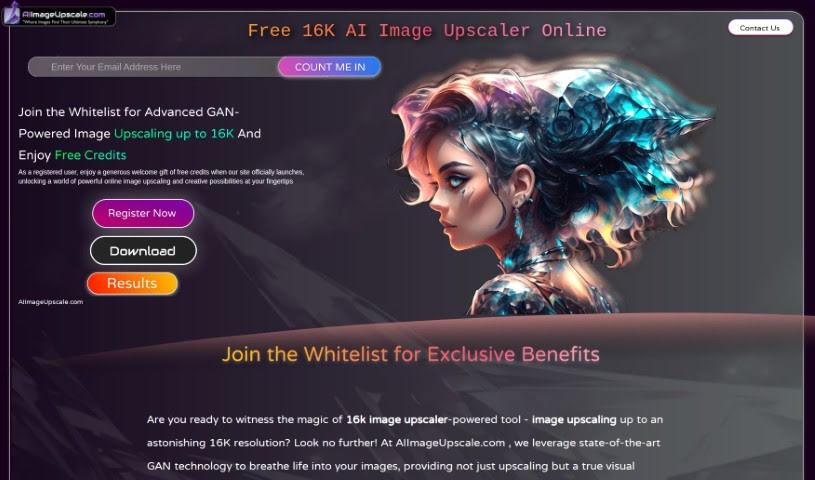
Screenshot of AI Image Upscale

AI Image Upscale

Discover what AI Image Upscale is and how to use it effectively in 2025. We'll explore its features and compare it to other Image Enhancer & Upscalers.

Screenshot

What is AI Image Upscale?

AI Image Upscaler is a really advanced tool that uses the latest AI technology to make your pictures look much better when you increase their size. It’s a game-changer for upscaling images. This tool uses Generative Adversarial Networks (GAN) technology, which is a fancy way of saying it’s really smart at making images bigger while improving their quality significantly. You can expect features like smart color correction, AI Art Generation, and the ability to boost your images all the way up to an incredible 16K resolution. Plus, you get free usage credits, early access, and special perks. It’s perfect for creating artistic masterpieces or just making your photos look sharper. While it’s capped at 16K and you’ll need to sign up, the results are high-quality, opening up a whole new world of visual enhancement. This AI Image Upscaler can really bring your photos to life, making every pixel clearer and sharper, even when you enlarge them up to 16K. It’s especially helpful for 3D artists who need to improve the quality and realism of their textures. This makes virtual worlds feel more immersive and helps them create stunningly realistic renders. Essentially, AI Image Upscaler wants to make top-notch image upscaling accessible to everyone, offering straightforward solutions with its AI tools.

Who created AI Image Upscale?

AI Image Upscale was brought to life by a team of experienced machine learning engineers. They developed a special GAN-based model designed to make complex technology easier to understand. The main goal here is to give everyone access to excellent image upscaling services, providing simple solutions through their AI image upscaler tools. The platform officially launched on March 13, 2024. It comes packed with features like GAN-powered upscaling, smart color correction, and an AI Art Generator. When it first launched, they also offered free usage credits. These credits are great for improving those low-resolution images or even creating new artwork from your upscaled photos.

What is AI Image Upscale used for?

  • Making textures for 3D artists look better and more real.
  • Helping both pros and beginners improve their photo resolution.
  • Creating incredibly realistic renders.
  • Boosting low-resolution images for the metaverse as it develops.
  • Smartly correcting colors.
  • Generating unique artistic pieces.
  • Making images more vibrant and lifelike.
  • Turning low-resolution pictures into high-resolution textures.
  • Allowing for smooth image upscaling and enhancement.
  • Improving image quality for immersive virtual worlds.

Who is AI Image Upscale for?

  • Professional photographers
  • Artists of all kinds
  • Businesses
  • 3D Artists
  • Experienced professional photographers
  • Those new to photography
  • Individuals and agencies
  • Large e-commerce companies

How to use AI Image Upscale?

Here’s how you can get the most out of AI Image Upscaler:

  1. Sign Up First: To start using the platform’s features, you’ll need to register. You can sign up as a VIP whitelisted user by clicking the ‘Register’ button, or simply enter your email and hit ‘Count Me In’.
  2. Explore What It Can Do: Take some time to get familiar with all the cool things the tool can do. This includes enhancing resolution, generating creative art, intelligent color correction, and much more.
  3. Upload Your Images: Once you’re registered, you can upload your photos to the platform to get them upscaled. The tool uses advanced techniques, including Generative Adversarial Networks (GAN), to boost image resolution up to 16K.
  4. Get Creative with Art: Use the AI Art Generator feature to turn your upscaled images into amazing works of art. It really opens up creative possibilities.
  5. Fine-Tune Colors: Make your images even better with the intelligent color correction feature. It goes beyond basic upscaling to make your photos look more lifelike and vibrant.
  6. Perks for Whitelisted Users: If you’re whitelisted, you get special benefits, like free credits when the tool officially launches and early access.
  7. Using It for Business: While the tool seems geared towards individual users, its use for commercial projects isn’t explicitly stated. It’s a good idea to check the platform’s terms and conditions for any guidelines on commercial use.
  8. Keep an Eye Out for Updates: Stay tuned for future updates on the platform. They might introduce new features or improvements that could be even more helpful.

By following these steps, you can really make the most of AI Image Upscaler to improve your image resolution, create unique art, and explore all the innovative features it offers.

Related AI Tools

Discover more tools in similar categories that might interest you

123RF AI Image Generator

Creative Image Generation
Learn More

Stay Updated with AI Tools

Get weekly updates on the latest AI tools, trends, and insights delivered to your inbox

Join 25,000+ AI enthusiasts. No spam, unsubscribe anytime.