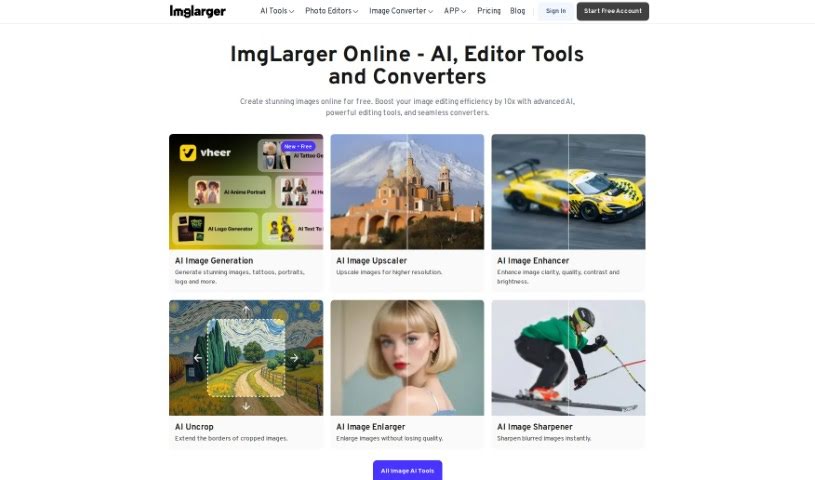
Screenshot of AI Image Enlarger

AI Image Enlarger

Discover what AI Image Enlarger is and how to use it effectively in 2025. We'll explore its features and see how it stacks up against other photo editors.

Screenshot

What is AI Image Enlarger?

AI Image Enlarger is a really neat tool that uses artificial intelligence to make your images bigger and better. It is a smart way to boost the resolution and quality of your pictures. It uses advanced technology, kind of like a digital wizard, to enlarge images without making them look blurry or pixelated. This is super handy if you want to improve how photos, artwork, or graphics look, by increasing their size and bringing out more detail. You just upload your image, pick how much you want to enlarge it, and the AI does the rest. It’s a straightforward way for anyone, whether you’re an individual or a business, to make their visual content look its best, perfect for printing, online use, or anything in between.

Who created AI Image Enlarger?

A team of software engineers and AI specialists developed AI Image Enlarger. While we don’t have specific details about the founder, the company behind it is all about using AI to improve images without losing quality. They’re really focused on being innovative in how they handle image processing and are known for making AI-powered image enlargement easy for everyone to use.

What is AI Image Enlarger used for?

  • Upscale and Enhance: You can increase image resolutions by up to 400% while keeping the quality sharp.
  • Create 4K Wallpapers: It’s perfect for turning anime and cartoon images into amazing 4K wallpapers.
  • Remove Image Noise: There’s an AI tool specifically for cleaning up grainy or noisy images.
  • Sharpen Images: It also has a feature to make your images look crisper.
  • Add Color: You can bring black and white photos to life by adding color.
  • Remove Backgrounds: Easily get rid of backgrounds from your images.
  • Remove Objects: This feature lets you take out unwanted items from pictures.
  • Graphic Design: Designers can use it to really boost the quality of images they work with.
  • Photography: Photographers will find it helpful for improving the resolution and overall look of their shots.
  • Artwork Enhancement: It’s great for making artwork look even better.
  • Anime & Cartoon Upscaling: Specifically, it’s great for enhancing and upscaling anime and cartoon images to create stunning 4K wallpapers.
  • Quality Preservation: You can increase image resolutions by 400% while maintaining excellent image quality.
  • Ideal Users: It’s a fantastic tool for anime fans, graphic designers, and photographers.
  • Easy Uploads: The drag-and-drop feature makes uploading and processing images super simple.
  • Extra AI Tools: It offers more than just upscaling, with tools for denoising, sharpening, and colorization.
  • Cross-Platform Use: You can use it on Windows, Mac, iOS, and Android, so it works wherever you do.
  • More Than Just Upscaling: It provides a variety of AI-powered image enhancement options, going beyond simple enlargement.
  • Trusted by Many: Over a million users from 60 countries trust it, and reputable sources have endorsed it.
  • Upload Formats: You can upload images in JPG or PNG format, with a maximum size of 1MB or 1200px.
  • Free Credits: New users get free enlargements and 10 free credits each month.
  • Revolutionary Tech: It’s changing digital art with its advanced AI upscaling technology.
  • Outperforms Competitors: It’s said to be better than tools like Waifu2x.
  • Intuitive Platform: The platform is easy to use, with straightforward tools.

Who is AI Image Enlarger for?

  • Photographers
  • Graphic designers
  • Digital artists
  • Advertising professionals
  • Web Developers
  • Marketing specialists
  • Content creators
  • Social media managers
  • Print Media Designers
  • Illustrators

How to use AI Image Enlarger?

Using AI Image Enlarger is pretty straightforward. Here’s how you do it:

  1. Upload Your Image: First, just drag and drop the image you want to make bigger right into the AI Image Enlarger tool. It works with common formats like JPG, PNG, and WebP.
  2. Choose How Big You Want It: Pick the enlargement ratio you need – options like 200%, 400%, or even 800% are available. Once you’ve chosen, click ‘Upload and Start’ to let the AI work its magic.
  3. Download or Edit: When the process is finished, you can either fine-tune the image a bit more by clicking the ‘Edit’ icon (it’s in the top right corner) or just download the enlarged image directly by clicking ‘Download’.

Following these simple steps will help you enlarge your images efficiently with AI Image Enlarger.

Related AI Tools

Discover more tools in similar categories that might interest you

123RF AI Image Generator

Creative Image Generation
Learn More

Stay Updated with AI Tools

Get weekly updates on the latest AI tools, trends, and insights delivered to your inbox

Join 25,000+ AI enthusiasts. No spam, unsubscribe anytime.