04-X
Text Generation Chatbots
Learn more
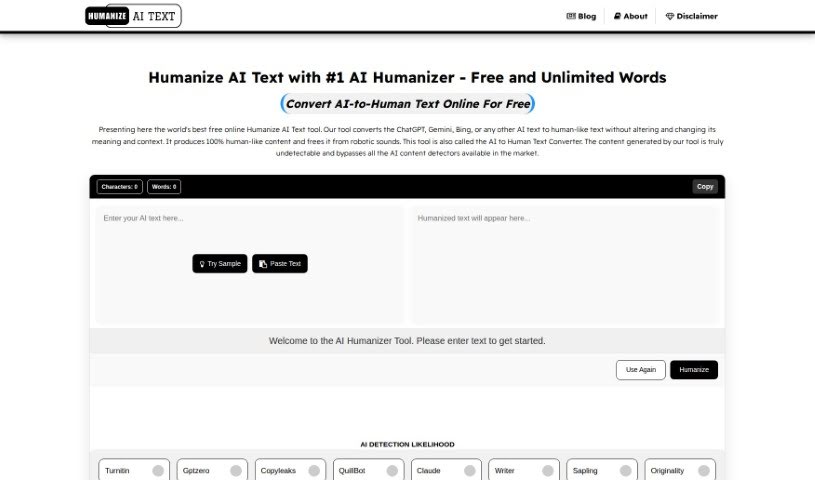
Discover AI Humanizer, a free online tool that rewrites AI-generated text to sound human and avoid AI detector flags.
AI Humanizer is a free online tool that rewrites AI-generated text so it reads as human-written. Its goal is to keep content from being flagged by AI detectors while producing plagiarism-free, engaging output. It works by smoothing AI patterns using natural language processing, with attention to empathy, engagement, clarity, varied vocabulary, grammar, cultural nuance, and emotion.
The tool was created by AIhumanizer.org, which describes it as a free tool for converting AI writing into text that AI detectors cannot distinguish from human-written content — engaging, relatable, and free of a robotic feel.
Common uses include humanizing AI-generated content, avoiding AI detector flags, producing plagiarism-free text, improving SEO, boosting productivity, and increasing reader engagement through a stronger emotional connection.
The tool targets anyone who works with text: students and academics; content creators, authors, and freelance writers; marketing, advertising, and PR professionals; business innovators; web developers and designers; social media influencers; bloggers and journalists; e-commerce specialists; educators and coaches; nonprofits; podcasters and video creators; legal and HR professionals; and storytellers.
Visit aihumanizer.org, paste or type your AI-generated text into the text box, complete the Captcha, and click “Humanize AI.” The tool processes the text and returns the humanized version; click “Clear” to start over.
Related
Discover more tools in similar categories
Weekly picks of the best AI tools we've researched and added — no spam, unsubscribe anytime.
Join 25,000+ AI enthusiasts. No spam, unsubscribe anytime.