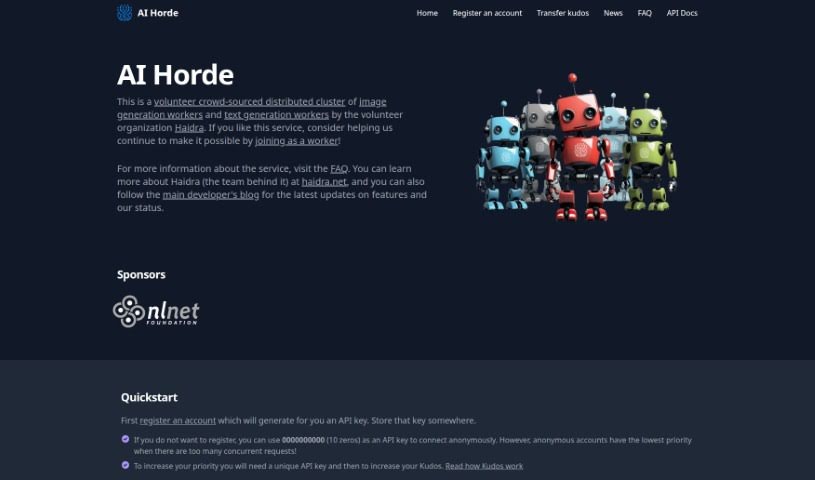
Screenshot of AI Horde

AI Horde

Curious about AI Horde? Discover what this crowdsourced platform is, how to use its image and text generation tools effectively in 2025, and how it stacks up against other AI chatbots.

Screenshot

What is AI Horde?

AI Horde is a massive, community-powered network for creating images and text using AI. It’s essentially a distributed cluster where people contribute their computing power to run various AI generation models. This means you can create all sorts of images and text without needing any special technical skills or powerful hardware yourself. The platform is designed to be really easy to use, it’s impressively fast at generating content, and it’s constantly getting better thanks to a dedicated community of developers who work together to improve it.

Who created AI Horde?

AI Horde was started by a single individual who also developed the client software called Lucid Creations, which is a key part of the project. This platform offers a broad spectrum of services for generating AI content, and it’s built with a user-friendly interface specifically for creating images and text. It’s already shown some really strong performance in what it can do, and it boasts an active community that’s always adding new features and tools, like various web interfaces and mobile apps.

What is AI Horde used for?

AI Horde is incredibly versatile and integrates with a lot of different creative tools:

  • Krita plugin
  • Unreal Engine plugin
  • Automatic1111 plugin
  • Blender plugin
  • Photoshop plugin
  • Chrome accessibility features
  • Node.js SDK
  • GIMP plugin
  • Discord Bot
  • Reddit bot

Who is AI Horde for?

This platform is a great fit for a wide range of users and needs:

  • Anyone looking for Automation solutions.
  • Professionals in Data Science.
  • Creators focused on Content Creation.
  • Teams working in Sales.
  • Individuals managing Branding.
  • Anyone involved in Education.
  • Businesses in E-Commerce.
  • People managing Project Management.
  • Developers building Chat Bots.
  • Users needing a Code Assistant.

How to use AI Horde?

Getting the most out of AI Horde is pretty straightforward. Just follow these steps:

  1. First, you’ll want to sign up for an account on the AI Horde platform. This is where you’ll get your own API key – make sure to save it somewhere safe, as you’ll need it.
  2. If you prefer to use the service without registering, you can simply enter ‘0000000000’ as your API key for anonymous access. Just a heads-up, though: anonymous accounts get lower priority when lots of people are using the platform at the same time.
  3. Want to speed things up? You can get a unique API key and boost your priority by earning more Kudos on the platform.
  4. Next, check out the different ways you can access AI Horde. For desktop use, there’s Lucid Creations. If you prefer web-based options, Artbot, HordeNG, and AI Scribbles are excellent choices. And for your Android device, AI Painter is a great pick.
  5. Make sure to use the official tools and integrations AI Horde offers to keep your workflow smooth. This includes handy plugins for popular software like Krita, Unreal Engine, Blender, and Photoshop, plus even accessibility features for Chrome.
  6. It’s a good idea to stay connected with the active community of developers and users. By engaging with them, you can take advantage of collaborative improvements and help expand what the platform can do.
  7. You can also keep an eye on what’s happening in real-time by checking out the Grafana dashboard. It shows you current statistics and horde activity, along with past stats.

By following these tips, you’ll be well on your way to fully utilizing AI Horde’s powerful image and text generation capabilities.

Related AI Tools

Discover more tools in similar categories that might interest you

Stay Updated with AI Tools

Get weekly updates on the latest AI tools, trends, and insights delivered to your inbox

Join 25,000+ AI enthusiasts. No spam, unsubscribe anytime.