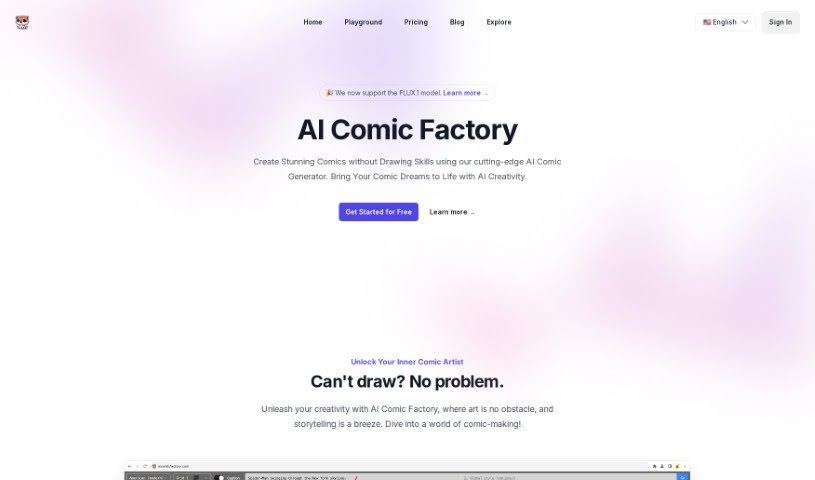
Screenshot of AI Comic Factory

AI Comic Factory

Discover what AI Comic Factory is and how to use it effectively in 2025. We'll explore its features and see how it stacks up against other AI drawing generators.

Screenshot

What is AI Comic Factory?

AI Comic Factory is an online platform designed to help you create your very own comic books using artificial intelligence. It is your personal AI assistant for comic creation. You can generate entire comics just by describing your characters, the art style you like, and the scenes you imagine – no drawing skills needed whatsoever! The platform comes with a variety of art styles to choose from, different ways to lay out your panels, adjustable captions to tell your story, and the ability to tweak the AI’s generated images. If a drawing isn’t quite right, you can use the ‘Redraw Image’ feature to get a fresh take, or edit your prompts to guide the AI closer to your creative vision.

Here are some of the key things that make AI Comic Factory stand out:

  • It’s built for everyone, whether you’re just starting out with comics or you’re an experienced artist looking for a faster way to bring your ideas to life.
  • You’re in charge of the story. You can guide the narrative with captions and by editing the AI’s responses, ensuring your comic unfolds exactly how you want it to.
  • Seriously, you don’t need to know how to draw. The AI takes your text descriptions and turns them into visual content, panel by panel.
  • You’ll find a wide range of comic styles available, and you can customize your layouts. Plus, they’re planning to add even more features down the road to make your experience even better.

Who created AI Comic Factory?

While the specific company behind AI Comic Factory isn’t publicly detailed, and founder information isn’t readily available, the platform itself launched on July 22, 2024. Essentially, AI Comic Factory is an online tool that uses artificial intelligence to help you generate custom comic books. You describe your characters, styles, and scenes, and the AI does the drawing. It offers a range of art styles, layout options, and ways to control your story, making it a great tool for both people who don’t draw and artists who want to speed up their workflow.

What is AI Comic Factory used for?

  • Effortless Comic Generation: Create comics easily without needing artistic talent.
  • Diverse Comic Styles: Explore and use a wide variety of artistic looks for your comics.
  • Varied Layout Options: Arrange your comic panels in different creative ways.
  • Captivating Captions: Add text to your panels to tell your story.
  • Redraw Image: Get new versions of AI-generated images if the first one isn’t perfect.
  • Edit Prompt: Refine your text descriptions to get better results from the AI.
  • Control Narrative: You guide the story through your descriptions and edits.
  • Non-artists Usage: Perfect for anyone who wants to make comics but doesn’t draw.
  • Generate based on Descriptions: The AI creates visuals directly from your text.
  • AI Tool for Storytelling: Use AI to help visualize and tell your stories.
  • Multiple language support: (Assuming this is a feature, if not, it can be removed or rephrased as a future possibility).
  • Transformation of text to panels: Turn your written ideas into comic book panels.
  • Visualization of creative vision: Bring your unique ideas to life visually.
  • Aids in digital storytelling: A helpful tool for creating stories online.

Who is AI Comic Factory for?

  • Artists
  • Non-artists
  • Experienced artists
  • Writers

How to use AI Comic Factory?

Getting started with AI Comic Factory is pretty straightforward. Just follow these steps:

  1. Describe Your Vision: Start by writing down what you imagine for your comic – think about the characters, the art style you’re going for, and the scenes you want to depict.
  2. Explore Art Styles: Pick from a wide selection of comic styles, like American, Japanese, Nihonga, and many others, to give your comic its unique look.
  3. Customize Layout: Choose different layout options to arrange your images in a way that best suits your story.
  4. Add Captions: Make your comic come alive by adding captions that provide context and move the narrative forward in each panel.
  5. Edit Prompt: If the AI’s output isn’t quite hitting the mark, you can easily tweak or refine your initial description to guide it better.
  6. Redraw Images: Not happy with an image? Just use the ‘Redraw Image’ feature to have the AI generate a completely new version.
  7. Narrative Control: You’re the director here. You can control the story by adding more context through captions and editing the AI’s responses to perfectly match your storyline.
  8. Enjoy Diverse Styles: Take advantage of the platform’s broad range of comic styles, which cater to different cultural influences and personal preferences.
  9. Effortless Generation: You can generate comics without needing any drawing skills at all – just describe your ideas!

AI Comic Factory offers a really user-friendly interface, and it’s great for both people who don’t draw and experienced artists. You get complete control over your narrative just by using text descriptions. It makes creating comics much simpler and accessible to a lot more people. Plus, they’re planning future updates that will offer even more layout customization options, giving you even greater creative freedom.

Related AI Tools

Discover more tools in similar categories that might interest you

123RF AI Image Generator

Creative Image Generation
Learn More

Stay Updated with AI Tools

Get weekly updates on the latest AI tools, trends, and insights delivered to your inbox

Join 25,000+ AI enthusiasts. No spam, unsubscribe anytime.