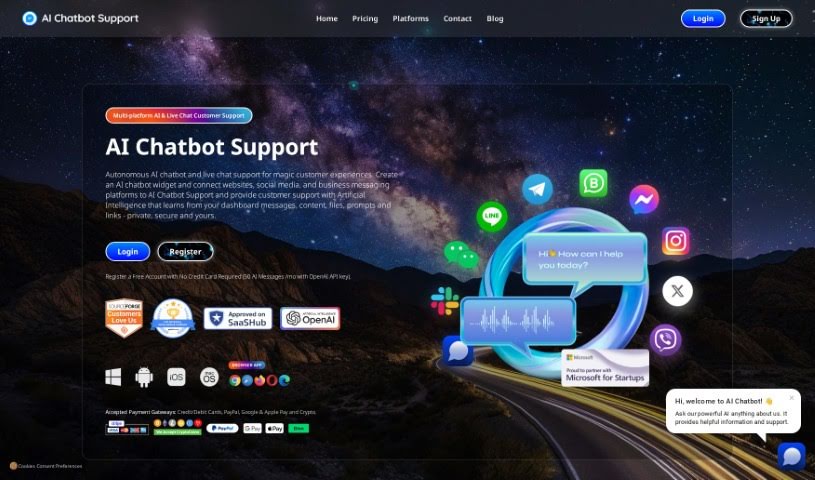
Screenshot of AI Chatbot Support

AI Chatbot Support

Discover what AI Chatbot Support is and how to use it effectively in 2025. We'll explore its features, compare it to other customer service tools, and show you how it can help your business.

Screenshot

What is AI Chatbot Support?

AI Chatbot Support offers a complete customer service solution by bringing together AI-powered chatbots and live chat support. You can use it across many places your customers are, like your website, social media, and messaging apps. It comes with handy features such as smart reply suggestions, spelling correction, and the ability to instantly regenerate messages. Plus, setting up both AI and live chat support is a breeze. What’s more, AI Chatbot Support is totally customizable, speaks multiple languages, and keeps your data private and secure.

Our AI chatbots are built to handle everyday questions 24/7, giving customers instant answers. This not only cuts down on operational costs but also makes your support more scalable. You can easily train your chatbot using content from your website, PDFs, or plain text – no coding skills needed! The software includes everything you need for smooth customer interactions: website integration, live chat, social media connections, and deployment on messaging platforms. You’ll also see benefits like cost savings, valuable data insights, and the ability to scale up, all while enjoying robust security features like data encryption and privacy compliance.

When it comes to pricing, AI Chatbot Support offers a range of options. There’s a free plan with message limits, and then higher-tier plans that give you more messages. You don’t need any coding experience to use it, and it even works with mobile apps. It connects with popular platforms like Google Business Manager and various social media sites, and it supports multiple languages with automatic translation. Plus, you get a unified CRM dashboard to manage all your customer support tasks efficiently, access to analytics for making smart, data-driven decisions, and productivity boosters like typing animations and AI suggestions.

Who created AI Chatbot Support?

AI Chatbot Support first launched on October 5, 2023. The company behind it was founded by a team passionate about creating top-tier, multi-platform customer experience technology. This platform provides autonomous AI and live chat for customer support, connects with social media, and offers customization options like your own branding, logo, and colors. The whole idea behind AI Chatbot Support was to help businesses connect better with their customers by giving them quick answers and support across all their favorite platforms.

What is AI Chatbot Support used for?

  • Always Available: Offers support 24/7.
  • Global Reach: Auto-translation makes messages effective across different languages.
  • Smooth Relationships: Manages customer relationships seamlessly using both autonomous AI and human agents.
  • Smart Insights: Provides valuable insights through CRM analytics and reports.
  • Boosted Productivity: Includes features like typing animation and AI suggestions.
  • Independent AI Management: Autonomous AI handles customer interactions efficiently with minimal human input.
  • Platform Integration: Connects with platforms like Instagram, Facebook, WhatsApp, and Viber for effective customer support.
  • Website Support: Integrates with your website for a smooth customer support experience.
  • Smart Replies: Offers Smart Reply Suggestions for handling customer interactions efficiently.
  • Desktop Compatibility: Works with desktop applications for efficient support.
  • Latest AI Models: Uses the newest AI models to improve customer support.
  • Multilingual: Supports multiple languages.
  • Website Integration: Connects with your website.
  • Website Learning: Learns directly from your website content.
  • Multi-Platform AI Support: Provides AI customer support across various platforms.
  • AI Chatbot Core: Features an AI customer support chatbot.
  • Unified Dashboard: Offers a single dashboard for all support.
  • Autonomous Chat & Live Chat: Combines autonomous AI chat with live chat capabilities.
  • Social Media Ready: Integrates with social media platforms.
  • Messaging Platform Support: Works with various messaging platforms.
  • Relationship Management: Helps manage customer relationships using autonomous AI and human support agents.
  • Unified CRM: Provides a unified CRM dashboard for efficient customer support task management.
  • Data-Driven Decisions: Uses CRM analytics and reports to support informed decision-making.
  • Productivity Boosters: Includes features like typing animation, AI suggestions, and easy access to user information.
  • Independent Interaction Handling: Manages customer interactions autonomously with minimal human intervention.
  • Efficient Messaging: Integrates with platforms like Instagram, Facebook, WhatsApp, and Viber for efficient message management.
  • Custom Chatbots: Lets you create custom chatbots with autonomous AI, smart replies, and spell check.
  • Multilingual Interactions: Supports multilingual communication with auto-translation.
  • Secure Data: Handles data securely and complies with regulations.
  • Seamless Cross-Platform Support: Delivers smooth customer support on websites, social media, and messaging platforms.

Who is AI Chatbot Support for?

  • Customer Experience Specialists
  • Sales Managers
  • Business Development Executives

How to use AI Chatbot Support?

To get the most out of AI Chatbot Support, here’s a simple guide:

  1. Set Up Your Unified Dashboard: Start by connecting your apps, like your website’s chatbot widget, Facebook Messenger, WhatsApp, Slack, and others, to the central customer support dashboard AI Chatbot Support provides.
  2. Use the AI Features: Take advantage of AI tools like Regenerate Message, Smart Reply, and Spelling Correction. These AI helpers really boost the quality of your live chat messages.
  3. Configure Across Platforms: Connect all your messaging platforms and your website’s chatbot to the customer support dashboard. This makes managing everything across different channels much smoother.
  4. Train and Personalize: Train your AI using your website content, PDFs, and other sources to make its responses and prompts feel just right. You can also customize your AI with your own branding, like your logo, colors, and images.
  5. Explore New Features: Check out newer features such as automatic language translation, marketing tools, rich message formats, and voice chat understanding to really enhance how you interact with customers.
  6. Prioritize Security and Privacy: Rest assured, your data is handled privately and securely. We ensure your information stays confidential and isn’t shared with third parties.
  7. Leverage Dashboard Insights: Use the unified support dashboard to manage customer interactions efficiently. You can view analytics, invite more agents, and get valuable insights to help you make better decisions.
  8. Boost Customer Engagement: Create a custom chatbot widget for your website, complete with your own colors, logos, welcome messages, and more, to really improve the customer experience and keep them engaged.
  9. Consider Cost and Scaling: Pick the pricing plan that best fits your needs based on message volume. Options range from free plans to premium ones with higher messaging limits.
  10. Keep Improving: Use the feedback and insights you gather from AI Chatbot Support to continuously fine-tune your chatbot’s performance and your overall customer service strategy.

By following these steps, you can really make AI Chatbot Support work for you, improving customer support experiences across all your platforms and leading to happier, more engaged customers.

Related AI Tools

Discover more tools in similar categories that might interest you

Stay Updated with AI Tools

Get weekly updates on the latest AI tools, trends, and insights delivered to your inbox

Join 25,000+ AI enthusiasts. No spam, unsubscribe anytime.