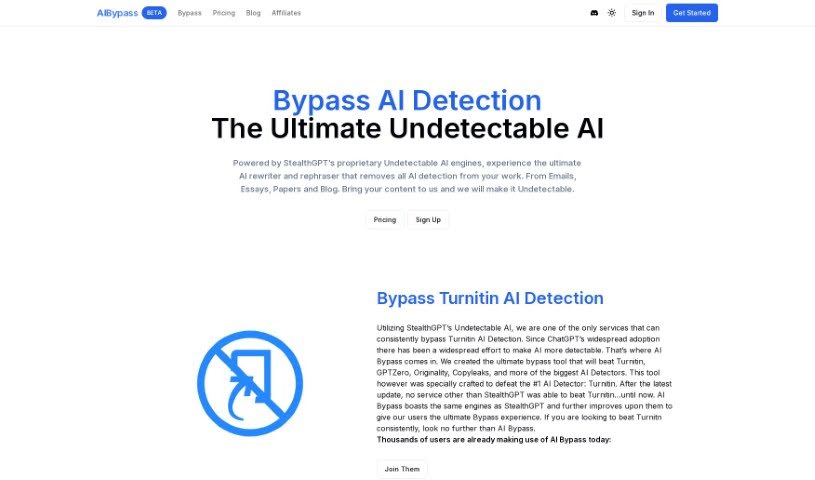
Screenshot of AI Bypass

AI Bypass

Curious about AI Bypass? We'll break down what this tool is, how it works to make your content sound human, and how you can use it effectively in 2025. We'll also touch on how it stacks up against other AI humanizers.

Screenshot

What is AI Bypass?

AI Bypass is a sophisticated tool from StealthGPT, designed to remove those tell-tale AI signatures from your writing. Think essays, emails, academic papers, or blog posts – anything you’ve written with AI assistance. Its main job is to make your content sound like a real person wrote it, using smart AI rephrasing and paraphrasing techniques. The result? High-quality, coherent text that AI detectors can’t flag. It’s specifically built to get past Turnitin’s detection, but it’s also great at bypassing other major AI detectors like GPTZero, Copyleaks, and Originality. Essentially, AI Bypass helps you humanize your text, giving you peace of mind that your work won’t be penalized for sounding too much like a machine.

Who created AI Bypass?

AI Bypass comes from StealthGPT, a company that focuses on creating AI tools. They launched it on January 15, 2024. People know AI Bypass for its knack for getting around AI detection and producing writing that feels genuinely human, all while keeping the content original and easy to follow. It’s engineered to beat Turnitin’s AI detection and can also bypass other big names in AI detection, including GPTZero, Copyleaks, and Originality.

What is AI Bypass used for?

  • It helps you beat Turnitin detection.
  • Your content will sound like it was written by a human.
  • You get high-quality, coherent writing.
  • It’s super useful if you handle large amounts of text.
  • It’s perfect for SEO specialists.
  • Researchers will find it very helpful.
  • Content creators will love it.
  • Small businesses can really benefit from it.
  • It’s great for blog editors too.
  • It makes sure your content stays original.

Who is AI Bypass for?

  • SEO specialists
  • Blog editors
  • Researchers
  • Content creators
  • Small businesses

How to use AI Bypass?

Want to get the most out of AI Bypass? Just follow these simple steps:

  1. Pick the right plan: AI Bypass offers a few options, like the Standard Bypasser, Enhanced Bypasser, and Ultimate Bypasser. Each has different features and monthly word limits, so choose the one that best fits what you need.
  2. Sign up for an account: Head over to the AI Bypass website and create your account to get access to the tool.
  3. Upload your content: You can upload your text in various formats, including .txt, .docx, pdf, and even png files. Just upload the content you want to make AI-undetectable.
  4. Choose your bypassing option: Depending on the plan you’re on, select the specific option designed to bypass AI detectors effectively.
  5. Get an instant response: AI Bypass works quickly! You’ll get an immediate response showing how your content has been updated to sound more human.
  6. Review the changes: It’s always a good idea to give the revised content a quick read. Make sure it still makes sense and meets your quality standards after the AI bypassing process.
  7. Download or use your content: Once you’re happy with how it looks, you can download the updated content and start using it right away.

By following these steps, you can effectively use AI Bypass to get past detectors like Turnitin and make your content more original and coherent.

Related AI Tools

Discover more tools in similar categories that might interest you

Stay Updated with AI Tools

Get weekly updates on the latest AI tools, trends, and insights delivered to your inbox

Join 25,000+ AI enthusiasts. No spam, unsubscribe anytime.