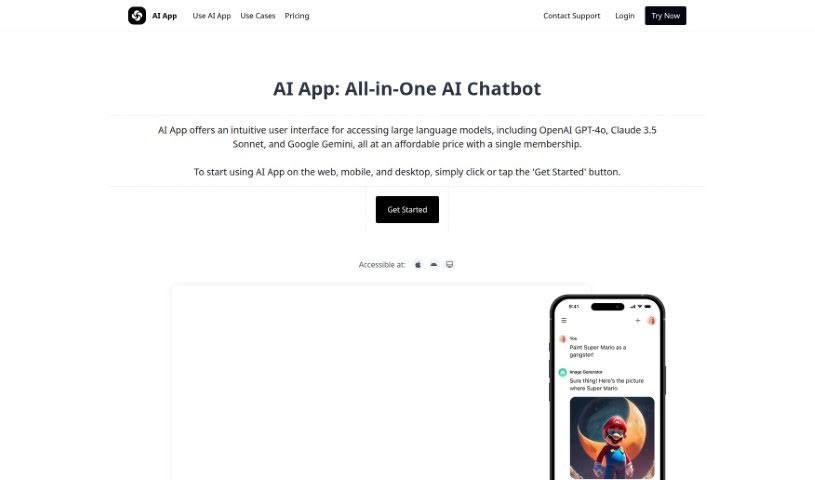
Screenshot of AI App

AI App

Discover what AI App is and how to use it effectively in 2025. We'll explore its features, compare it to other chatbots, and show you how to get the most out of it.

Screenshot

What is AI App?

AI App is your all-in-one digital assistant. It brings together powerful AI technologies like ChatGPT, GPT-4, and Google PaLM 2, giving you a versatile tool for all sorts of tasks. It’s designed to be incredibly helpful, whether you’re working on marketing, planning a trip, coding, tackling math problems, or focusing on your fitness.

Here’s a closer look at what it can do:

  1. Marketing: Need to create engaging marketing content? AI App can help brainstorm catchy slogans, draft ad copy, and even provide market research insights to really boost your marketing strategies.
  2. Travel Assistance: Planning your next getaway? It can help you map out your trips, suggest great places to stay and things to do based on your preferences, and even share insights into local culture or hidden gems.
  3. Programming: For developers, AI App is a real lifesaver. It can help you write cleaner code, offer feedback as you go, assist with debugging, and even help optimize your algorithms.
  4. Math Problem Solving: Stuck on a tough math problem? The app can guide you through it, offering step-by-step solutions and clear explanations for all sorts of mathematical concepts.
  5. Fitness and Diet Guidance: Trying to reach your health goals? AI App can create personalized workout plans and offer tailored nutritional advice to help you succeed.

What’s really great is that AI App is super easy to use. It supports many languages, can search the web in real-time, understands your voice (speech-to-text), and gives you responses that feel personalized. By combining different AI tools, it makes using them all much simpler, no matter what device you’re on, and you don’t have to worry about daily limits. You get features like instant information retrieval and sentiment analysis, making it a reliable and efficient AI helper.

Who created AI App?

Mark Thompson founded AI App. He created this innovative platform by bringing together popular AI models like ChatGPT, GPT-4, and Google PaLM 2. His goal was to make it easy and affordable for people to access these powerful AI tools all in one place, offering a smooth experience across all your devices.

What is AI App used for?

AI App is incredibly versatile! You can use it for:

  • Creating images from text descriptions
  • Generating all sorts of content
  • Conducting market research
  • Planning your travels
  • Assisting with software development
  • Marketing tasks, like creating content, slogans, ad copy, and market research insights
  • Improving your writing by overcoming writer’s block, generating ideas, proofreading, editing, and doing research
  • Providing travel assistance with personalized recommendations, itinerary planning, travel tips, and even translations
  • Supporting programming by helping you write clean, efficient code, brainstorming ideas, giving feedback, debugging, and optimizing algorithms
  • Solving math problems with step-by-step solutions, explanations, and help understanding concepts
  • Guiding your fitness and diet goals with personalized workout plans, nutritional advice, and progress tracking
  • Retrieving information in real-time using web search and its speech-to-text feature
  • Analyzing documents you upload
  • Using its extensive prompt library for various tasks
  • Interacting with the AI assistant directly through WhatsApp
  • Responding in over 100 languages

Essentially, it acts as a coding companion, a writing assistant, a math solver, a fitness coach, and a travel planner, all rolled into one. It’s great for marketing campaigns, software development, and general research assistance.

Who is AI App for?

AI App is a fantastic tool for a wide range of people, including:

  • Marketing professionals and teams
  • Travel agents and industry professionals
  • Software developers and programmers
  • Mathematicians and math professionals
  • Fitness and nutrition experts, coaches, and enthusiasts
  • Anyone looking to improve their writing, create content, or plan travel.

How to use AI App?

Using AI App is straightforward. Just follow these steps to get started:

  1. Get Started: Simply click or tap the ‘Get Started’ button on the AI App platform. You can use it on your web browser, phone, or desktop.
  2. Choose Your AI: The app gives you access to different AI technologies like GPT-4, Google PaLM 2, and Mistral 7B, so you can pick the best one for what you need.
  3. Explore Features: You’ll find it has speech-to-text for voice commands, real-time web search for up-to-date info, conversation history so you can pick up where you left off, and it supports over 100 languages.
  4. Discover Special Tools: Take advantage of the image generator, explore the prompt library for examples from experts, and even upload your own content for the AI to analyze and interact with.
  5. See What It Can Do: Try out its capabilities for marketing content, travel planning, coding help, math problems, fitness advice, and much more.
  6. Integrated AI Models: Enjoy having ChatGPT, GPT-4, and Google PaLM 2 all working together smoothly in one easy-to-use interface.
  7. Consider Upgrading: If you want even more features, think about upgrading to AI App Pro to really unlock everything the application can do.
  8. Read What Others Say: Check out user testimonials to see how convenient, efficient, and versatile AI App is for all sorts of tasks.

By following these steps, you can easily start using AI App for all your needs and take advantage of its powerful AI capabilities and user-friendly design.

Related AI Tools

Discover more tools in similar categories that might interest you

Stay Updated with AI Tools

Get weekly updates on the latest AI tools, trends, and insights delivered to your inbox

Join 25,000+ AI enthusiasts. No spam, unsubscribe anytime.