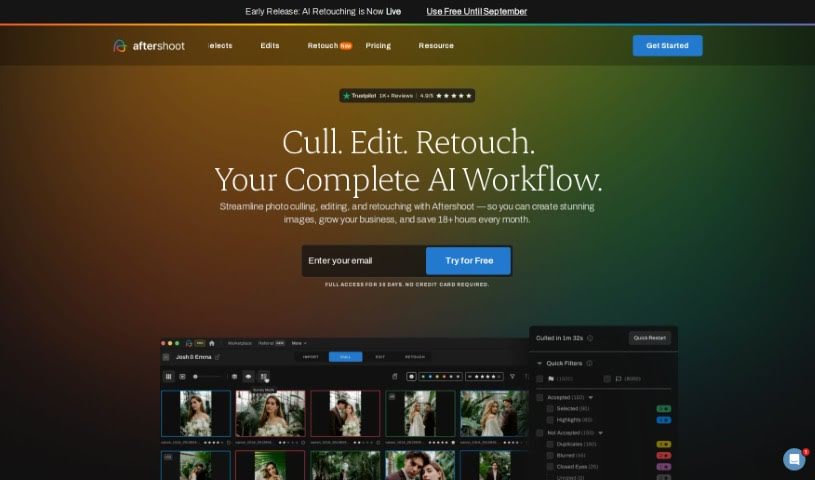
What is Aftershoot?
Aftershoot is a smart, AI-powered tool built for professional photographers. It’s designed to speed up your workflow significantly without ever sacrificing the quality of your images. It is your super-efficient assistant. The software uses advanced artificial intelligence to quickly go through thousands of photos, picking out the very best ones in a flash. Its main goal? To make the whole process of culling and editing photos much smoother, freeing up a ton of time for photographers. This means you can spend more time on the creative side of things and growing your business. Aftershoot offers some really helpful features, like AI culling, super-fast processing, professional editing tools, and ways to make your entire workflow much more efficient, all while ensuring you get top-notch results.
Who created Aftershoot?
Aftershoot was actually started by people who are passionate about helping photographers save both time and money. These founders aren’t just behind the scenes; they actively use the software themselves for their own photography businesses. This hands-on experience means they’re constantly working to make the product even better, directly based on what users like you are saying. Ultimately, Aftershoot is all about changing how photography workflows are done, using AI to help cull and edit photos, making things much simpler for professionals.
What is Aftershoot used for?
- AI-Powered Culling: It automatically looks through your photos and picks out the best ones, even if you have thousands.
- Quick Processing: It can review and highlight your top photos in just minutes, making it super fast to select and export them.
- Professional Focus: It’s specifically made for professional photographers who want to make their workflow much smoother.
- Efficiency Boost: You’ll find it cuts down your photo editing time a lot, so you can focus more on being creative.
- High-Quality Results: It’s designed to give you excellent results, making sure only the very best shots are chosen, no compromises needed.
- It uses AI that can edit photos just like you do, handling things like cropping, straightening, adjusting exposure, and balancing light.
- You can train your own Personal AI Editing Profile or use Pre-built AI Styles that automatically adjust edits for every single photo.
- It lets you export your work directly to editing software you probably already use, like Lightroom, Capture One, or Photo Mechanic.
- It supports all the leading RAW formats and JPEGs for processing your images.
- Its AI algorithms are great at culling images by grouping similar ones together and then pointing out the best shots.
Who is Aftershoot for?
- Professional photographers
How to use Aftershoot?
To really get the most out of Aftershoot for culling and editing your photos, here’s a simple step-by-step guide:
- Sign Up and Choose a Plan:
- First, head over to the Aftershoot website and create your account. You’ll then need to pick a subscription plan that fits what you need.
- Download the Application:
- Next, download the Aftershoot application onto your computer. It works on both Windows and MacOS.
- Import Photos:
- Now, bring your RAW or JPEG images into the Aftershoot app. You can even start culling right away by importing several albums at once, which is a real time-saver.
- AI-Powered Culling:
- This is where the magic happens! Use the AI culling feature and let the software analyze your collection to pick out the best images. Aftershoot’s smart algorithms will group similar photos, highlight the top ones, and even spot duplicates or shots you don’t want.
- Review and Select:
- Take a look at the photos the AI has highlighted – it usually takes just minutes. You can then fine-tune this selection yourself to match your exact preferences.
- AI Editing:
- Dive into the AI editing features to make your photos even better. You can customize editing profiles to perfectly match your unique style, or you can try out the pre-built AI styles available in the Marketplace.
- Export:
- Once you’re happy, export your selected and edited photos directly to popular editing programs like Lightroom, Capture One, or Photo Mechanic. You can choose from different export formats, including high-resolution options or ones ready for the web.
- Training AI:
- Want the AI to edit exactly like you? You can train your own Personal AI Editing Profile by editing photos in your usual way. The AI learns from your choices, getting more accurate over time.
- Feedback and Support:
- Your experience matters! Feel free to give Aftershoot your feedback to help them improve the software. Plus, they offer 24/7 support if you ever have questions or need a hand with anything.
By following these steps, you can really use Aftershoot’s AI power to make your photo culling and editing process much smoother. It’s a great way to save time and boost the overall quality of your work.