What is AdutorAI?
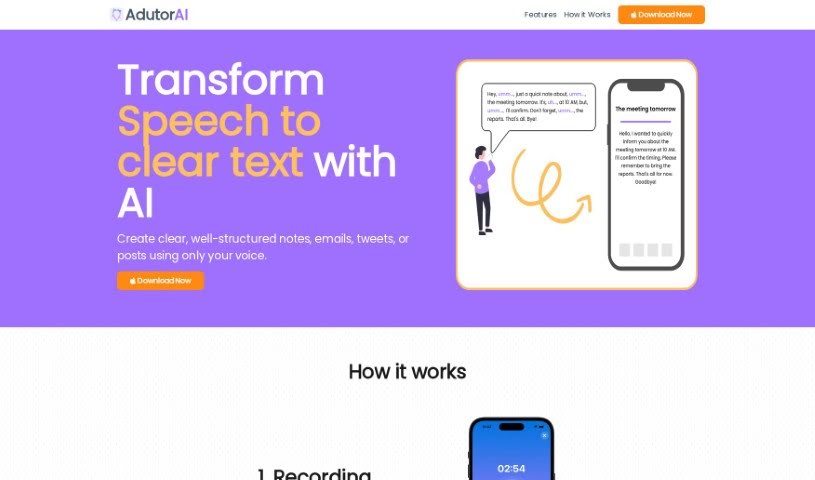
AdutorAI is a handy tool designed to turn spoken words into text that’s not only clear but also completely error-free. It’s perfect for processing audio clips up to 3 minutes long, making it ideal for quick meetings, interviews, or any short audio content you need transcribed. What’s great is that AdutorAI offers a bunch of features to help you work with your notes. You can save them, edit them, adjust their length (make them shorter or longer), summarize the content, translate it into different languages, restyle it for a better look, or even regenerate the text if you’re not happy with the first go. It also supports multiple languages and gets better every day thanks to its advanced algorithms. The benefits are pretty clear: you get customized text, outputs that are easy to understand and well-structured, support for various languages, and a boost in productivity for things like emails and social media posts.
Who created AdutorAI?
AdutorAI was brought to life by a team of innovators who really wanted to change the way transcription works. They launched the platform on August 17, 2023, offering a super efficient way to convert spoken words into clear, error-free text. With AdutorAI, you can transcribe audio clips up to 3 minutes long. Plus, you can edit and save your notes, summarize content, and translate text, all while customizing your transcriptions. They focused on making things more productive and accessible, so AdutorAI has a user-friendly interface that works for all sorts of uses.
What is AdutorAI used for?
Here’s a look at what you can do with AdutorAI:
- Turn spoken words into perfectly clear, error-free text.
- Process audio clips that are up to 3 minutes long.
- Save your transcribed content as notes.
- Edit transcriptions easily with intuitive features.
- Summarize your notes without any hassle.
- Translate your notes into multiple languages accurately.
- Restyle your notes to make them look better.
- Get alternative generated text if you’re not satisfied with the first version.
- Switch between different languages for both input and output.
- Customize the writing style of your text.
- Tailor your notes using the editing feature.
- Condense and simplify your notes using AI.
- Enrich your text with AI-powered expansion.
- Summarize your notes to get the main points.
- Translate your notes into different languages.
- Give your notes a fresh look with AI restyling.
- Ask for different generated text if you need it.
- Save transcribed content as notes to keep things organized.
- Edit, refine, and perfect your transcriptions.
- Summarize your notes effectively.
- Revamp your notes visually with restyling features.
- Easily change the length of your notes.
- Request alternative generated text if you need it.
- Customize text styles for different purposes.
- Edit and refine your transcriptions.
- Restyle your notes for a fresh, unique look.
- Regenerate notes with alternative outputs if needed.
- Compare the generated text with the original audio transcript to check accuracy.
- Customize text to fit specific writing styles.
- Easily save transcribed content as notes.
- Tailor your notes with the editing feature.
- Summarize your notes effortlessly.
- Convert your notes into multiple languages.
- Revamp your notes with AI restyling.
- Switch between input and output languages.
- Learn and improve daily with advanced algorithms.
- It’s great for all sorts of uses, from formal documents to casual notes.
- Convert spoken words into clear text.
- Process audio clips up to 3 minutes long.
- Translate notes.
- Restyle notes.
- Generate alternative outputs.
- Customize text styles.
- Summarize notes for key points and essential information.
- Customize text styles for various purposes.
- Effortlessly adjust text length with AI.
- Revamp notes using AI restyling for a fresh look.
- Easily break language barriers with AI translation.
- Request alternative generated output if unsatisfied.
Who is AdutorAI for?
- Students
- Professionals
- Language Enthusiasts
- Anyone using it for personal or work tasks
How to use AdutorAI?
Here’s a straightforward guide to using AdutorAI:
- Audio to Clear Text:
- Upload your audio to AdutorAI. It’ll convert spoken words into text that’s perfectly clear and error-free.
- Edit and Customize:
- You can really tailor your transcriptions. Edit, refine, and perfect them using AdutorAI’s easy-to-use editing feature.
- Text Length Adjustment:
- Need your notes shorter or longer? No problem. AI tools let you easily condense or expand the text as you need.
- Summarization and Translation:
- Use the AI to summarize the main points, and then translate your notes into multiple languages with great accuracy.
- Restyling and Regeneration:
- Give your notes a visual makeover with AI restyling. If you’re not happy with the output, you can always request alternatives.
- Language Settings:
- Switch smoothly between different input and output languages. This ensures you get accurate transcriptions no matter the language.
- Continuous Improvement:
- AdutorAI’s advanced algorithms are always learning and improving daily, so you get top-notch transcriptions.
- Various Applications:
- This tool is great for students and professionals alike. You can use it for emails, social media, and pretty much any kind of written communication.
- Usability and Accessibility:
- You’ll appreciate the user-friendly interface. It offers efficient text processing for short audio, and streamlines your workflow to produce clear, structured text.
- Note-Taking and Organization:
- Save and customize your transcribed content as notes. This makes organizing your notes for personal or work use much easier.
By following these steps, you can really make the most of AdutorAI. You’ll be able to convert audio to text, edit and customize transcriptions, adjust text length, summarize, translate, restyle, and continuously improve your transcription workflow for all sorts of applications and languages.