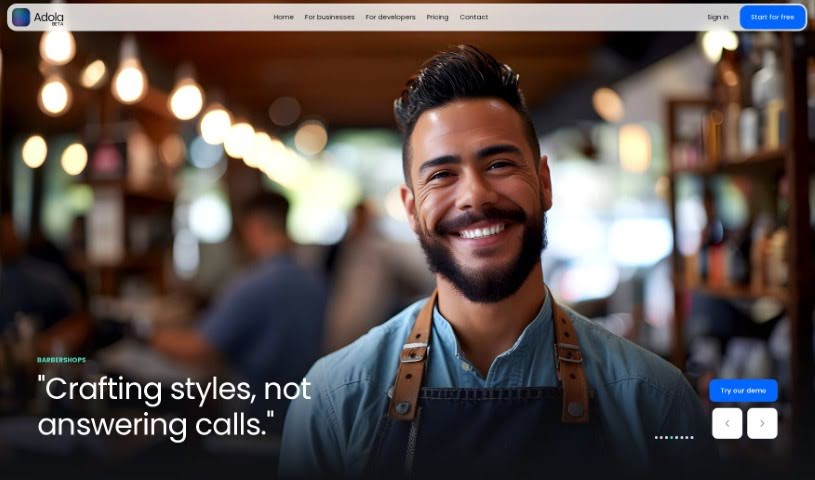
Screenshot of Adola AI

Adola AI

Discover what Adola AI is and how to use it effectively in 2025. We'll explore its features and see how it stacks up against other Customer Service Tools.

Screenshot

What is Adola AI?

Adola AI is a platform that’s really changing the game for chatbots. Instead of just text, it turns them into voice-operated call-bots. This means businesses can give their AI assistants their own phone numbers and even human-like voices, making customer phone interactions much more engaging. Getting started with Adola AI is super straightforward. You just pick a phone number, link your OpenAI API key, and then choose an AI assistant you’ve set up in your OpenAI account. They offer a 7-day free trial, and plans are really affordable, starting at just $25 a month. With Adola AI, you get features like clear voice conversations, phone numbers ready instantly, smooth integration between your AI and the phone system, and support for multiple languages. Plus, they’re always adding more, like ways to customize your AI’s personality and boost its overall functionality.

Who created Adola AI?

Adola was actually created by a founder with a really innovative idea: to transform how businesses interact with customers over the phone. Their goal was to take chatbots and turn them into voice-operated call-bots. The platform provides these AI assistants with their own unique phone numbers and gives them human-like voices, all while ensuring a smooth connection between the AI and the phone system. The company really focuses on making setup easy, keeping costs low (starting at $25 a month), offering 24/7 availability, and constantly adding new features like multilingual support and customizable AI personalities.

What is Adola AI used for?

Adola AI is incredibly versatile and can be used for a wide range of tasks to help businesses connect with their customers:

  • Lead Qualification: Helping to sort through potential customers.
  • Restaurant Reservations: Making bookings for dining establishments.
  • Dentist Office Calls: Handling incoming calls for dental practices.
  • Mechanic Shop Calls: Answering calls for auto repair shops.
  • Barbershop Appointments: Managing scheduling for barbershops.
  • Lawyer Office Calls: Taking calls for legal professionals.
  • Doctor’s Office Calls: Handling patient inquiries for medical practices.
  • Construction Business Calls: Managing calls for construction companies.
  • Service Call Management: Streamlining calls for various service industries.
  • Outbound Calls: Making outgoing calls for marketing or follow-ups.
  • Surveys: Gathering customer feedback and insights.

Essentially, Adola AI can handle calls for many types of businesses, including:

  • Restaurants (making reservations)
  • Dentists (taking calls)
  • Mechanics (taking calls)
  • Barbershops (taking calls)
  • Lawyers (taking calls)
  • Doctors (taking your calls)
  • Construction businesses (taking your calls)
  • Service businesses (taking your calls)
  • Enhancing your outbound call campaigns
  • Collecting customer insights through surveys

Who is Adola AI for?

Adola AI is a great tool for a variety of businesses that rely on phone communication:

  • Restaurants
  • Dentists
  • Mechanics
  • Barbershops
  • Lawyers
  • Doctors
  • Construction businesses
  • Service-based businesses

How to use Adola AI?

Getting Adola AI set up is a breeze. Just follow these simple steps:

  1. First, sign up for Adola. You’ll get to choose a unique U.S. phone number specifically for your AI assistant.
  2. Next, you’ll need to connect your OpenAI account’s API key to the Adola platform. This is how your AI gets its intelligence.
  3. Then, simply select an AI assistant from your OpenAI account. This will enable it to start having voice interactions.
  4. You’ll find the setup process is really quick and hassle-free – it only takes about a minute!
  5. To get a feel for everything Adola can do, you can enjoy a 7-day free trial to explore all its capabilities.
  6. Once you’re ready, you can subscribe to a plan. They start at just $25 per month and include 25 minutes of call time.
  7. You’ll benefit from features like getting your phone number instantly, enjoying clear voice interactions, seamless integration of your AI with the phone system, and knowing it’s available 24/7.
  8. Adola also provides advanced analytics, so you can easily track how your AI assistant is performing and review its interactions.
  9. Plus, you can take advantage of multilingual support and customize your AI’s personality to make customer interactions even better.
  10. You can even customize your AI assistant’s features directly over the phone and set up instant booking management for super efficient appointment scheduling.

By following these steps, you can easily get Adola up and running to really improve how you interact with customers over the phone and make your business operations run more smoothly.

Related AI Tools

Discover more tools in similar categories that might interest you

Stay Updated with AI Tools

Get weekly updates on the latest AI tools, trends, and insights delivered to your inbox

Join 25,000+ AI enthusiasts. No spam, unsubscribe anytime.