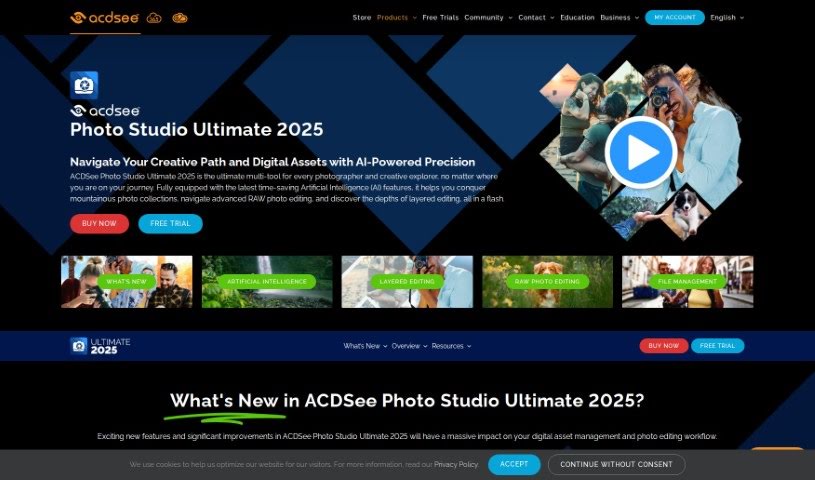
Screenshot of ACDSee Photo Studio

ACDSee Photo Studio

Discover what ACDSee Photo Studio is and how to make the most of it in 2025. We'll cover its key features, compare it to other image generators, and show you how to get started.

Screenshot

What is ACDSee Photo Studio?

ACDSee is a really handy software solution built for photographers and creative folks, no matter their skill level. It’s packed with AI-powered tools that make managing and editing your photos a breeze. Think of features like AI Keywords, which help you find your pictures much faster, or the AI Object Selection Tool for making super precise edits. Plus, there’s AI Sky Replacement to really make your images pop. ACDSee also gives you robust tools for editing RAW photos, managing all your digital assets, and it even makes it easy to switch over from programs like Photoshop and Lightroom. Essentially, it’s all about making your photography workflow smoother, with smart features like facial recognition, organized metadata, and powerful search capabilities.

Who created ACDSee Photo Studio?

ACDSee was developed by a company that’s really focused on creating software to make life simpler for its users. Their latest version, ACDSee Photo Studio 2024, is a fantastic all-in-one package for anyone into photography or creative work, offering both AI-driven file management and photo editing. This software, which first came out on September 27, 2021, is designed to help you organize, find, and edit your photos with real efficiency. The company has been dedicated to this mission for over three decades now, consistently providing helpful tools like AI Keywords, the AI Object Selection Tool, and AI Sky Replacement to really boost the user experience. They also offer great support through workshops, tutorials, and a friendly online community via ACDSee Connect.

Who is ACDSee Photo Studio for?

  • Photographers
  • Creatives

How to use ACDSee Photo Studio?

Here’s a straightforward guide to using ACDSee effectively:

  1. Organizing and Managing Your Photos: ACDSee lets you manage your photos right on your computer, so there’s no need to upload them anywhere. You can use the AI Keywords feature to automatically add relevant tags to your pictures, and the Facial Recognition tool helps you quickly name and sort faces in your photos.

  2. Mobile Sync: Want to get photos and videos from your iPhone to your PC without cables? ACDSee Mobile Sync makes it simple. Just scan the QR code shown on your screen, and you’ll be able to sync them easily with your computer.

  3. Camera RAW Support: Keep up with the latest camera tech! ACDSee has built-in support for over 700 different RAW camera models, so you’re always ready for new equipment.

  4. Workshops and Tutorials: Want to get the most out of the software? Join an ACDSee workshop to learn all the ins and outs, or check out their tutorials, which are great for both beginners and seasoned pros.

  5. AI-Powered Editing: In the Develop Mode, you can use AI masking tools for editing your RAW photos. These edits are intuitive and non-destructive, meaning they don’t permanently alter your original files. You can enhance your images using features like AI Select Subject, AI Select Background, AI Select Sky, and AI Sky Replacement.

  6. Digital Asset Management: Keeping your photo collection organized, searchable, and easy to share is simple with features like AI Keywords and Facial Recognition.

  7. Upgrade to Ultimate 2024: If you’re looking for even more advanced features and enhanced Artificial Intelligence capabilities for super-efficient photo editing, you might want to consider upgrading to ACDSee Photo Studio Ultimate 2024.

Just a heads-up, make sure to check the system requirements for ACDSee to confirm your device is compatible. Also, don’t hesitate to explore the online help and user guide; they offer detailed assistance and clear instructions on how to use ACDSee effectively.

Related AI Tools

Discover more tools in similar categories that might interest you

123RF AI Image Generator

Creative Image Generation
Learn More

Stay Updated with AI Tools

Get weekly updates on the latest AI tools, trends, and insights delivered to your inbox

Join 25,000+ AI enthusiasts. No spam, unsubscribe anytime.