YouTube Summarized: What It Is & What It Does
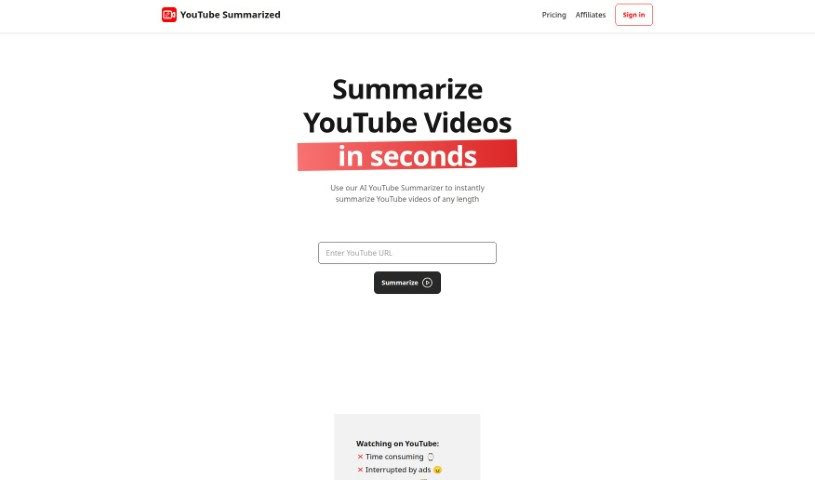
Screenshot of YouTube Summarized

YouTube Summarized

YouTube Summarized uses GPT technology to generate quick summaries of YouTube videos and podcasts, with timestamps, key takeaways, and analytics.

Screenshot

What is YouTube Summarized?

YouTube Summarized uses GPT technology to automatically generate short, informative summaries of YouTube videos and podcasts. Instead of manually transcribing or summarizing content, you get concise summaries in seconds. Summaries can be enriched with key takeaways, timestamps, and speaker names to give your audience more context. The tool also provides analytics and insights — such as engagement, watch time, and click-through metrics — to help inform your content strategy.

Who created YouTube Summarized?

YouTube Summarized is built by FaithVenture Media, with Jeremy G Woods serving as CEO.

What is YouTube Summarized used for?

  • Quick Summaries: Automatically create summaries for YouTube videos and podcasts.
  • Add Context: Include key takeaways, timestamps, and speaker names in your summaries.
  • Shareable Content: Generate summaries you can easily share online.
  • Organize Your Content: Build a library of summarized videos and podcasts for easy access and management.
  • Improve Strategy: Use analytics and metrics to refine your content approach.
  • Learn Faster: Summarize educational, training, or professional development videos into easy-to-digest formats.
  • Analyze Long Videos: Summarize lengthy videos by theme.

Who is YouTube Summarized for?

Content creators, marketers, coaches, trainers, students, and anyone who wants to save time on video and podcast content.

How to use YouTube Summarized?

  1. Upload Your Content: Add your video or audio file directly to the platform.
  2. Automatic Summarization: The AI generates a short, informative summary in seconds — no manual transcription required.
  3. Customize Your Summaries: Add key takeaways, timestamps, speaker names, and other details for better context.
  4. Build a Content Library: Collect and organize summaries, whether from other creators or your own videos.
  5. Get Analytics and Insights: Track performance with metrics like engagement rates, watch time, and click-through rates to guide your content decisions.

Related

Related AI Tools

Discover more tools in similar categories

Academic Help Free Essay Generator

Education Academic Writing
Learn more

New tools, in your inbox.

Weekly picks of the best AI tools we've researched and added — no spam, unsubscribe anytime.

Join 25,000+ AI enthusiasts. No spam, unsubscribe anytime.