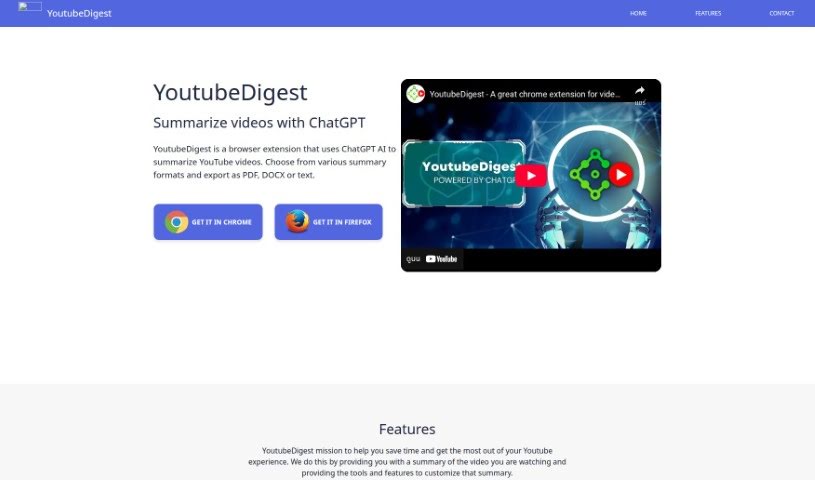
Screenshot of YouTube Digest

YouTube Digest

Discover what YouTube Digest is and how to make the most of it in 2025. We'll cover its features, compare it to other summarizers, and show you how to save time with concise video summaries.

Screenshot

What is YouTube Digest?

YouTube Digest is a handy browser extension that uses ChatGPT AI to give you quick summaries of YouTube videos. You can pick how you want the summary presented – maybe a short TL;DR, bullet points, or even a breakdown by video chapters. Plus, you can easily export these summaries as PDF, DOCX, or plain text files. Essentially, it cuts down the time you spend watching long videos by giving you the main points in a format that works for you. It’s a great way to make your YouTube experience more efficient and get the key takeaways without watching the whole thing.

Who created YouTube Digest?

An extension developer launched YouTube Digest on February 14, 2023. While we know it uses ChatGPT AI for summarizing videos, the specific company details or the founder’s name aren’t available in the information we have.

What is YouTube Digest used for?

YouTube Digest is designed to make your YouTube experience much better and save you time. Here’s a breakdown of what it can do:

  • Summarize Videos: It uses ChatGPT AI to condense lengthy YouTube videos into easy-to-digest summaries.
  • Save Time: By providing bite-sized summaries, it helps you quickly grasp the main points of a video without watching it all.
  • Customizable Summaries: You can choose the format that best suits you, like a simple article-style summary or clear bullet points.
  • Translation: It can translate video summaries into various languages, making content accessible to a wider audience.
  • Export Options: Easily export your summaries in common formats like PDF, DOCX, or plain text for sharing or offline reading.
  • Shareable Links: Create links to your video summaries to share with others.
  • Future Growth: The developers plan to expand its features and potentially to other platforms based on what users ask for and suggest.

Who is YouTube Digest for?

This tool is incredibly useful for anyone who watches a lot of YouTube videos and wants to save time or get information more efficiently. That includes:

  • Students
  • Researchers
  • Content creators
  • Educators
  • Journalists
  • Marketers
  • Screenwriters
  • Business professionals
  • Analysts
  • Bloggers

Basically, if you need to quickly understand video content, YouTube Digest can be a real help.

How to use YouTube Digest?

Using YouTube Digest is pretty straightforward. Just follow these simple steps:

  1. Install the Extension: First, add the YouTube Digest browser extension to your preferred browser (like Chrome, Firefox, or Opera).
  2. Find a Video: Head over to YouTube and navigate to any video you’d like to summarize.
  3. Open the Extension: Click on the YouTube Digest icon, usually found in your browser’s toolbar.
  4. Pick Your Format: You’ll see different summary options. Choose the one that works best for you – maybe a quick TL;DR, detailed bullet points, or even a breakdown by video chapters.
  5. Export or Read: Once you’ve got your summary just how you like it, you can export it as a PDF, DOCX, or plain text file. Then, you can quickly review the video’s key points.

By doing this, you can easily use YouTube Digest to get AI-powered summaries of YouTube videos right from your browser.

Related AI Tools

Discover more tools in similar categories that might interest you

Academic Help Free Essay Generator

Education Academic Writing
Learn More

Stay Updated with AI Tools

Get weekly updates on the latest AI tools, trends, and insights delivered to your inbox

Join 25,000+ AI enthusiasts. No spam, unsubscribe anytime.