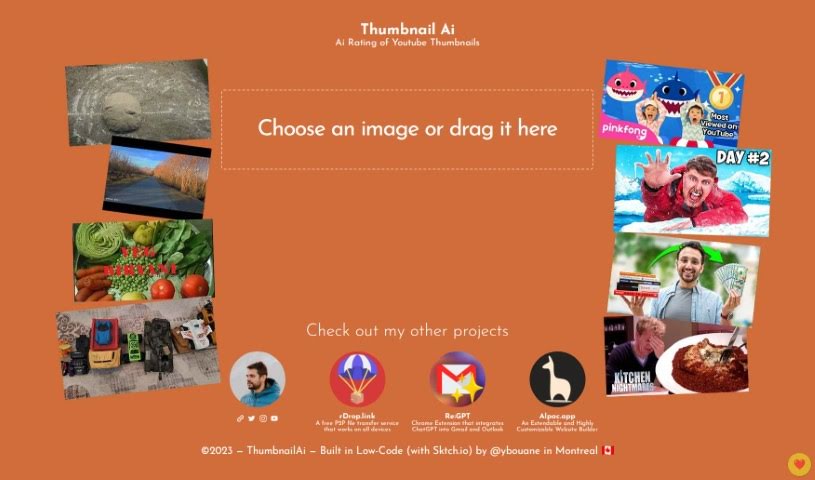
Screenshot of Ybouane Ai Rating of Youtube Thumbnails

Ybouane Ai Rating of Youtube Thumbnails

Discover what Ybouane AI's YouTube Thumbnail Rating tool is all about and how you can use it to boost your channel in 2025. We'll cover its features and how it stacks up against other content creator tools.

Screenshot

What is Ybouane Ai Rating of Youtube Thumbnails?

ThumbnailAi is a really neat AI tool that’s changing how we make and judge YouTube thumbnails. It uses the latest algorithms and machine learning to help YouTube creators get more clicks and keep viewers engaged. It is a smart assistant for your thumbnails. It looks at things like colors, how the image is put together, any text you’ve used, and the overall visual punch. Based on all this, plus how people usually behave online, it gives you a clear idea of how effective your thumbnail might be.

This tool gives you helpful insights and suggestions, making it easier to create thumbnails that really grab people’s attention and make them want to click on your videos. With ThumbnailAi, you can make smarter choices about your thumbnail design, aiming for the most clicks possible. This, in turn, can lead to more video views, more subscribers, and better overall growth for your channel. The tool is super easy to use – you just upload your thumbnail, and it gives you detailed reports, important numbers, and even lets you test different versions. It’s a real game-changer for anyone serious about getting their YouTube videos seen and clicked.

Who created Ybouane Ai Rating of Youtube Thumbnails?

Yassine Bouanane, who you might know as @ybouane from Montreal, is the creator behind ThumbnailAi. His company is all about building AI tools, and ThumbnailAi is a standout example – it’s a truly innovative AI tool for making and evaluating YouTube thumbnails. It uses advanced algorithms and machine learning to help creators boost their click-through rates and engagement. Basically, it offers data-driven advice on thumbnail design, helping you attract more viewers and get those crucial clicks.

Who is Ybouane Ai Rating of Youtube Thumbnails for?

  • Anyone creating content on YouTube

How to use Ybouane Ai Rating of Youtube Thumbnails?

Want to create and improve your YouTube thumbnails with ThumbnailAi? It’s pretty straightforward. Here’s how you do it:

  1. Upload Your Thumbnail: Start by uploading the YouTube thumbnail you want to check into ThumbnailAi. The interface is really user-friendly, so it’s a breeze.
  2. Let it Analyze: ThumbnailAi will then work its magic, using its advanced algorithms and machine learning to analyze your thumbnail. It checks out things like the colors, the composition, any text, and the overall visual impact to give you a clear picture.
  3. Get Your Rating: You’ll receive a rating for your thumbnail. This score gives you a good idea of how well it’s likely to attract viewers.
  4. See the Recommendations: The tool also provides helpful suggestions to make your thumbnail even more appealing. These tips are based on image recognition, data analysis, and understanding user behavior.
  5. Use Data-Driven Feedback: Take advantage of the feedback ThumbnailAi gives you. It’s all based on data, so you can make smart decisions about your thumbnail design without just guessing.
  6. Watch Your Performance: Keep an eye on how your thumbnails are doing over time. ThumbnailAi provides detailed reports and metrics, so you can see what’s working.
  7. Try A/B Testing: Want to see which design is best? Use the A/B testing features to compare different versions of your thumbnail. This helps you find the one that gets the most clicks and engagement.
  8. Fine-Tune Your Thumbnails: Use the feedback and recommendations from ThumbnailAi to make your thumbnails even better. When you create compelling thumbnails, you’ll likely see more video views, gain more subscribers, and boost your channel’s overall growth.

By following these simple steps, YouTube creators can really tap into ThumbnailAi’s AI power. You can create eye-catching thumbnails that grab viewers’ attention, leading to more clicks and better engagement for your videos.

Related AI Tools

Discover more tools in similar categories that might interest you

Stay Updated with AI Tools

Get weekly updates on the latest AI tools, trends, and insights delivered to your inbox

Join 25,000+ AI enthusiasts. No spam, unsubscribe anytime.