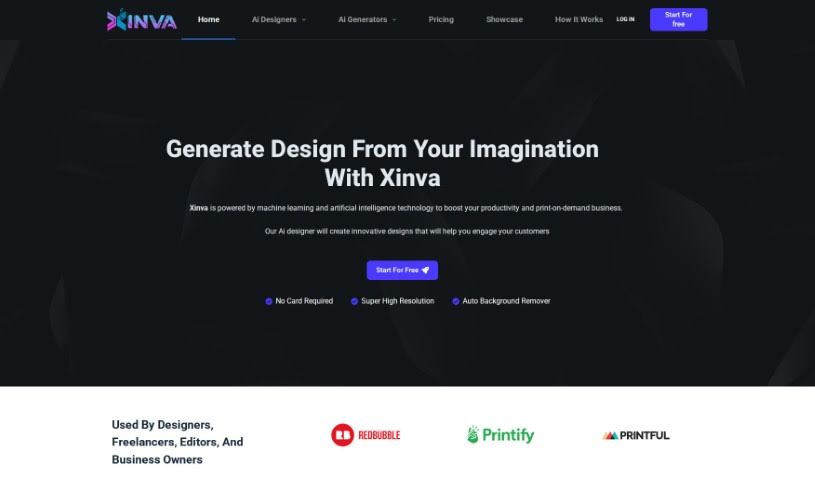
Screenshot of Xinva AI

Xinva AI

Discover what Xinva AI is and learn how to use it effectively in 2025. We'll explore its features, compare it to other design generators, and guide you through its creative process.

Screenshot

What is Xinva AI?

Xinva AI is a really neat AI design tool that comes from MAXIMA AI Limited. This company focuses on artificial intelligence, and Xinva AI is their way of making design creation easier. It’s packed with AI design generators that can help you create all sorts of visuals – think T-shirt designs, stickers, patterns, even furry art and tattoos. The big idea behind Xinva AI is to boost your productivity and really shake things up in the print-on-demand world. It does this by giving you high-resolution outputs and a handy auto-background remover. The process is pretty straightforward: you just think of a design, type it in as a prompt, let the AI do its thing, tweak it if you need to, and then download your high-resolution creation. It’s become a favorite for designers, freelancers, editors, and business owners because it’s so easy to use and sparks so much creativity.

Who created Xinva AI?

A company called MAXIMA AI Limited developed Xinva. They’re officially registered in England and Wales, with Company Number 14804831. Xinva itself is a cutting-edge AI design tool that’s really changing how we create visuals using artificial intelligence. It offers a variety of AI design generators specifically for things like T-shirt designs, stickers, patterns, furry art, and tattoos. This helps boost productivity and brings fresh ideas to the print-on-demand industry. The platform boasts high-resolution outputs and an automatic background remover, all wrapped up in a user-friendly design process that takes just four simple steps. With their latest Version 2 release, Xinva keeps pushing the boundaries for creative possibilities and visual appeal, making it a great choice for designers, freelancers, editors, and business owners.

What is Xinva AI used for?

  • Designers, freelancers, editors, and business owners use Xinva AI’s design tool to brainstorm and create visuals based on their ideas. You just type your thoughts into the prompt box to generate designs, perfect for print-on-demand stores.
  • It’s a great way to bring your concepts to life for customers. You can even get well-researched prompts delivered to your inbox weekly.
  • Simply click ‘Generate’ to see your imagined designs come to life. If you want different versions or new ideas, the ‘Regenerate’ button is there for you.
  • Need a clean look? The ‘Remove BG’ button easily gets rid of backgrounds. And when you’re ready to download, Xinva AI automatically boosts the resolution, giving you a high-quality file.
  • Remember, the more detailed and descriptive your prompts are, the better the designs you’ll get from Xinva AI.
  • Xinva AI is your go-to for creating a wide range of visuals, including T-shirt designs, stickers, patterns, furry art, and tattoos.

Essentially, it’s for anyone who wants to:

  • Design T-shirts
  • Create stickers
  • Design patterns
  • Generate furry art
  • Create tattoos
  • Brainstorm design ideas
  • Bring customer ideas to life
  • Receive helpful prompts
  • Generate designs from imagination
  • Remove backgrounds from designs

This makes it ideal for:

  • Designers
  • Freelancers
  • Editors
  • Business Owners

Who is Xinva AI for?

Xinva AI is a fantastic tool for:

  • Designers looking for inspiration and quick mockups.
  • Freelancers who need to produce a variety of visuals efficiently.
  • Editors wanting to create unique graphics for their content.
  • Business Owners aiming to enhance their product lines or marketing materials.

How to use Xinva AI?

Xinva is an advanced AI design tool designed to streamline the creation of visuals using artificial intelligence. Below is a comprehensive step-by-step guide on how to use Xinva effectively:

  1. Imagine Your Design: Start by visualizing your design concept. Then, clearly articulate it by typing a descriptive prompt into Xinva’s prompt box. The more detailed and descriptive your prompt, the better the design output will be. It is giving the AI a clear picture to work from.
  2. Generate Design: Once you’ve crafted your prompt, simply click the “Generate” button. Xinva AI will then transform your imagination into a visual design based on the prompt you provided.
  3. Adjust or Regenerate: If you’re looking for variations or different concepts of the design you just generated, don’t hesitate to click on the “Regenerate” button. This step is great for exploring more design possibilities or refining the current one.
  4. Background Removal: If you need a clean, focused visual without any background, you can easily remove it by clicking on the “Remove BG” button. This feature helps create crisp, standout graphics.
  5. Download High-Resolution Design: When you’re happy with the final design, click the “Download” button. Xinva AI automatically enhances the resolution, providing you with a high-quality output that’s ready for whatever you need it for.

By following these steps, you can really harness Xinva’s capabilities to efficiently create compelling visuals. Whether it’s for print-on-demand products, marketing materials, or personal projects, Xinva offers features like super high resolution outputs and an intuitive design process to ensure a seamless and productive experience. So go ahead and explore Xinva’s innovative AI design tools to bring your creative visions to life effortlessly!

Related AI Tools

Discover more tools in similar categories that might interest you

123RF AI Image Generator

Creative Image Generation
Learn More

Stay Updated with AI Tools

Get weekly updates on the latest AI tools, trends, and insights delivered to your inbox

Join 25,000+ AI enthusiasts. No spam, unsubscribe anytime.