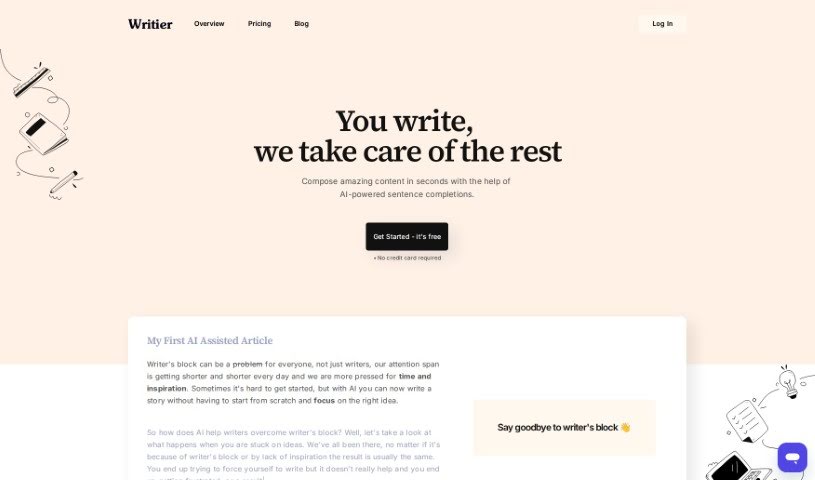
Screenshot of Writier

Writier

Discover what Writier is and how to use it effectively in 2025. We'll explore its features and see how it stacks up against other content writing tools.

Screenshot

What is Writier?

Writier is an AI writing assistant designed to help you create great content. It works by suggesting sentence completions based on the context you provide, essentially giving you a helping hand with your writing. It is a smart partner that can generate ideas for continuing your sentences and even entire paragraphs. It’s packed with useful features, including a long-form editor that runs on GPT-3, tools to manage your writing projects, and ways to keep track of your progress. You’ll also find helpful additions like headline suggestions, an intro paragraph generator, seamless Grammarly integration, and the ability to export your work as a PDF. Writier’s main goal is to help you beat writer’s block and boost your productivity, whether you’re working on academic papers or professional writing projects.

Who created Writier?

While the specific details about who created Writier aren’t readily available, it was launched on June 17, 2024. The company behind it and information about its founder haven’t been explicitly shared. What we do know is that Writier is an AI-powered writing assistant. Its purpose is to help users create high-quality content more efficiently. It does this by suggesting sentence completions based on the context you give it, managing your writing projects, and offering a range of helpful features like headline suggestions and Grammarly integration.

What is Writier used for?

Here’s a look at what you can do with Writier:

  • It helps you complete sentences.
  • You can generate content in just seconds.
  • It’s great for managing your writing projects.
  • Keep tabs on how your drafts are progressing.
  • Get suggestions for your headlines.
  • There’s an intro paragraph generator to get you started.
  • It has an auto-saving feature, so you won’t lose your work.
  • Grammarly integration is built-in for easy editing.
  • You can export your work as a PDF.
  • It’s designed to help you fight writer’s block.
  • It provides AI-powered sentence completions.
  • It features a long-form editor powered by GPT-3.
  • You can manage your writing projects effectively.
  • It helps you track the progress of drafts or even published articles.
  • It offers headline suggestions.
  • It’s a tool for fighting writer’s block.
  • It helps track the progress of your drafts or published articles.
  • You get headline suggestions.
  • There are AI settings to adjust.
  • It includes an auto-saving function.

Who is Writier for?

Writier is a helpful tool for a variety of people, including:

  • Writers of all kinds
  • Students working on assignments
  • Professionals in any field
  • Content creators and marketers
  • Academic writers and researchers
  • Anyone who writes professionally

How to use Writier?

To get the most out of Writier, here’s a simple guide:

  1. Getting Started: First, give Writier some context about what you’re writing. This helps the AI understand your topic.
  2. AI-Powered Assistance: Writier uses AI to suggest how to continue your sentences. It looks at the context you’ve provided to offer relevant continuations.
  3. Key Features: Take advantage of its many features. You’ll find a long-form editor, tools for managing projects, progress tracking, headline ideas, an intro paragraph generator, AI settings, auto-saving, Grammarly integration, and PDF export options.
  4. Reducing Writer’s Block: If you’re stuck, Writier’s AI-powered sentence completions can spark new ideas and help you move past writer’s block.
  5. GPT-3 Integration: Writier uses GPT-3, a powerful language model, to quickly generate high-quality sentences and paragraphs for you.
  6. Productivity Boost: You can generate content much faster. The website even mentions that content can be produced in under 3 seconds!
  7. Quality Check: While the AI helps ensure good quality, it’s always a good idea for you to review the content to make sure it meets your specific needs.
  8. Versatility: Writier is quite versatile and can be used for many different types of content, including academic work and professional writing projects.
  9. Collaboration and Export: Keep in mind that Writier doesn’t currently offer collaborative features, but you can easily export your finished work as a PDF.
  10. Pricing: You can start using Writier for free. Any potential charges for advanced features aren’t clearly detailed yet.

By following these steps, you can really make the most of Writier’s AI features. It’s a great way to make your writing process smoother, overcome those moments of writer’s block, and generally boost your productivity.

Related AI Tools

Discover more tools in similar categories that might interest you

Stay Updated with AI Tools

Get weekly updates on the latest AI tools, trends, and insights delivered to your inbox

Join 25,000+ AI enthusiasts. No spam, unsubscribe anytime.