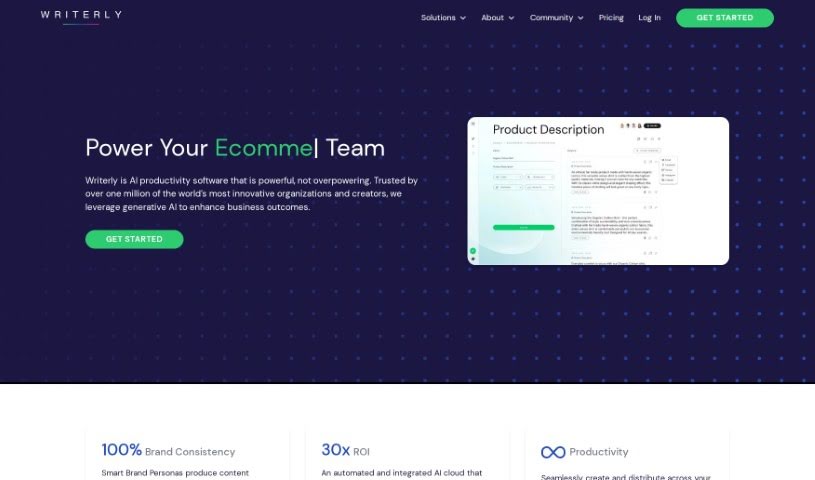
Screenshot of Writerly

Writerly

Discover what Writerly is and how to use it effectively in 2025. We'll explore its features and see how it stacks up against other sales tools.

Screenshot

What is Writerly?

Writerly is a really handy AI-powered platform, offered as Software as a Service (SaaS). It’s built to help boost productivity across different business areas like sales, marketing, e-commerce, and user experience. It is a toolkit packed with no-code AI features that fit right into your daily work. This means teams and individual creators can really scale up what they do, all while keeping their brand’s voice consistent. Some of the standout features include smart brand personas, which help make sure everything you create sounds like your brand. Plus, you get unlimited usage, advanced controls for team members, and plans you can customize for your specific team or personal needs. It’s pretty impressive – over a million creators and companies already trust Writerly!

Who created Writerly?

Writerly came about because its founders wanted to use smart AI to make creators and businesses more productive. The company is based in Nashville, Tennessee, but their talented team is spread out across the US and internationally. Writerly’s main goal is to offer AI solutions that make creating and automating content easier, without hitting limits. They aim to serve everyone, from individual creators to large enterprises. The platform has different packages designed for various needs. For instance, there’s Business Cloud for bigger teams and Creator Cloud for individuals and smaller groups. Key features like smart brand personas, unlimited use, and advanced collaboration tools are available across these options.

What is Writerly used for?

Writerly is designed to help with a lot of things, including:

  • Boosting how productive sales teams are
  • Making marketing efforts more efficient
  • Improving productivity in e-commerce
  • Enhancing user experience tasks
  • Fitting smoothly into different departments
  • Keeping your brand’s message consistent everywhere
  • Helping teams and individual creators scale up their operations
  • Using no-code AI tools to make workflows seamless
  • Offering advanced permission settings for better team collaboration
  • Making content editing and publishing smooth and easy
  • Providing a dedicated Document Mode
  • Ensuring content looks great on mobile devices
  • Organizing work with Project Folders
  • Easily finding past work with History Search
  • Saving favorite content for quick access
  • A dedicated Advertising Suite
  • A comprehensive Marketing Suite
  • Tools for Sales Enablement
  • An E-commerce Suite
  • A Social Media Suite

Who is Writerly for?

Writerly is a great fit for people working in:

  • Sales
  • Marketing
  • E-commerce
  • User experience

How to use Writerly?

Writerly is a really flexible AI platform that can seriously boost your productivity and make content creation much smoother, whether you’re a business or an individual. Here’s a straightforward guide to using it effectively:

  1. Sign Up and Pick Your Plan:

    • First, head over to the Writerly website and create your account. It’s a simple process.
    • Next, choose the plan that best suits what you need. Whether you’re a solo creator or part of a larger business team, there’s an option for you.
  2. Get to Know the Features:

    • Take some time to explore the different suites available, like the Business Cloud for teams or the Creator Cloud for individuals.
    • Pay special attention to the smart brand personas feature – it’s key for keeping your brand’s voice consistent across everything you create.
  3. Start Creating Content:

    • You’ll find dozens of ready-made templates for all sorts of tasks, or you can even build your own custom ones.
    • The platform is no-code, meaning you can easily create and edit content without needing any special technical skills.
  4. Work Together and Share:

    • You can invite your team members to collaborate on projects, help with edits, and manage creative assets together.
    • Sharing your finished work with teammates, clients, or your audience is super easy – just a click.
  5. Use the Extra Tools:

    • Don’t forget to check out the Writerly Go Extension. It can really boost your productivity while you’re browsing online.
    • Also, explore the Chat AI Workspace. It offers memory features, editing tools, collaboration options, and ways to customize your experience.
  6. Make Your Workflows Smoother:

    • Try integrating Writerly into your current workflows to see a real productivity increase.
    • You’ll benefit from features like strong data privacy and security, helpful grammar correction, SEO mode, and mobile optimization.
  7. FAQs and Support:

    • If you have questions, the FAQ section is a great place to start for answers to common queries about Writerly.
    • And if you need more help, the concierge help center is there to assist you anytime you’re using the platform.
  8. Scale Up and Keep Your Brand Strong:

    • No matter if you’re a solo creator or part of a big organization, Writerly can adapt to your needs.
    • You can ensure your brand identity stays consistent across all your content by using the smart brand personas and customizable templates.

By following these steps, you can really make the most of Writerly’s AI capabilities. It helps you create great content, work better with your team, and boost productivity across all your departments.

Related AI Tools

Discover more tools in similar categories that might interest you

Stay Updated with AI Tools

Get weekly updates on the latest AI tools, trends, and insights delivered to your inbox

Join 25,000+ AI enthusiasts. No spam, unsubscribe anytime.