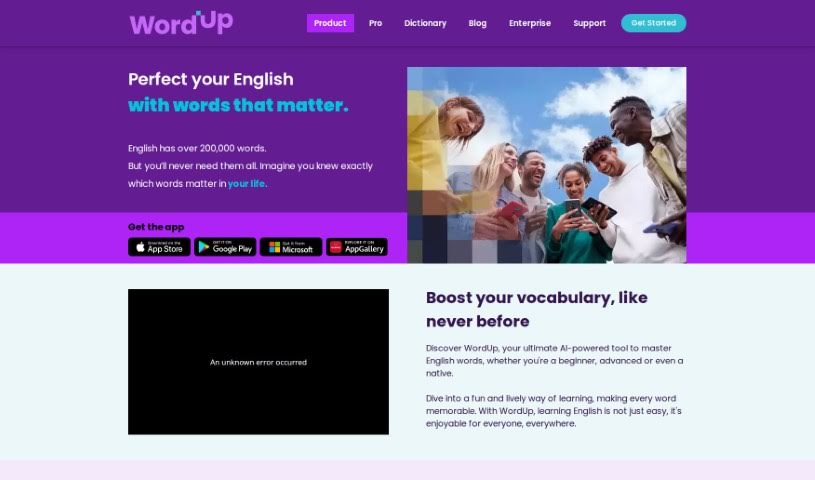
Screenshot of WordUp

WordUp

Discover what the WordUp app is and how to use it effectively in 2025. We'll explore its features and see how it stacks up against other student tools.

Screenshot

What is WordUp?

The WordUp App is a language learning tool created by Paymon Khamooshi and Somayeh Aghnia. Their goal was to make learning English more accessible, fun, and practical. They’ve packed it with the latest technology and modern teaching methods to help you get better at English. You’ll find features like personalized learning plans, ways to improve your pronunciation, help getting ready for tests like IELTS and TOEFL, a unique ‘Knowledge Map’ to guide your learning, visual aids, interactive feedback, and even a ‘Fantasy Chat’ feature for a really immersive experience. You can get custom examples based on topics you love, use visual aids, try interactive quizzes, hear clear audio pronunciations, and see helpful example sentences, among other great resources. People seem to really like it, giving it a high average rating.

Basically, the WordUp Vocabulary App helps you master English idioms, improve your pronunciation with specific tools, offers tailored resources for IELTS and TOEFL prep, uses visuals and videos to make learning efficient, and creates a learning path just for you.

Who created WordUp?

Wordup was actually created by a husband-and-wife team, Paymon Khamooshi and Somayeh Aghnia. They launched it on November 17, 2019. The company behind Wordup is all about making language learning easier, more entertaining, and practical. They do this by using cutting-edge technology and the most current knowledge in language teaching. Wordup aims to make learning English accessible and efficient for everyone, no matter where they are or why they’re learning.

What is WordUp used for?

  • Getting instant feedback as you learn
  • A learning experience tailored just for you
  • Tools that use visuals to help you learn
  • Improving your pronunciation
  • Getting ready for IELTS and TOEFL exams
  • A custom learning path designed for you
  • Watching video lessons
  • Using ‘Fantasy Chat’ for an immersive learning experience
  • Specific resources to help you prepare for exams
  • Getting examples based on topics you like
  • Mastering English idioms
  • Preparing for tests like IELTS and TOEFL
  • Interacting with an AI assistant named Lexi
  • A fictional chat feature for immersive learning
  • Mastering English idioms
  • It’s accessible and you can download it on various platforms
  • Using visuals and videos to help you learn the language
  • Real-time interaction and feedback
  • An engaging way to learn English

Who is WordUp for?

  • Professionals who need to prepare for exams like IELTS and TOEFL
  • Anyone looking to improve their pronunciation
  • People learning English for specific professions
  • Students getting ready for exams like IELTS and TOEFL
  • Professionals who want to boost their English vocabulary for their careers
  • Students
  • English language learners at any skill level
  • Professionals in fields like healthcare, engineering, business, and technology

How to use WordUp?

To get the most out of the WordUp App, here’s a simple guide:

  1. Download and Install: First, grab the WordUp App from Google Play, the Apple App Store, the Microsoft Store, or the Huawei Store.
  2. Create an Account: Sign up and set up your personal profile.
  3. Explore Features: Take some time to get familiar with the tools, like the pronunciation helpers, exam prep materials, and the ‘Knowledge Map’ for your personalized learning path.
  4. Practice Pronunciation: Use the audio clips and interactive quizzes to really work on your pronunciation. You can get feedback from the AI assistant, Lexi.
  5. Prepare for Exams: Dive into the resources specifically made for exams like IELTS and TOEFL. They include interactive quizzes, clear audio, and example sentences.
  6. Engage with Fantasy Chat: Try out the ‘Fantasy Chat’ feature. You can chat with AI versions of your favorite celebrities for a truly immersive learning experience.
  7. Master Idioms: You’ll find clear pictures, simple definitions, and tips on how to use them, which really helps in mastering English idioms.
  8. Personalize Learning: Get examples tailored to your favorite topics, making your learning experience unique.
  9. Engage with Visuals and Videos: Use the visual aids and videos to make learning the language more interactive and enjoyable.
  10. Receive Real-time Feedback: Chat with Lexi for instant feedback on spelling, how you use words, and the context. This helps you fine-tune your language skills.
  11. Practice and Revise: Make sure to practice and revise regularly using the app’s resources. It’s a great way to keep learning lively and fun.

By following these steps, you can really make the most of the WordUp App to improve your English vocabulary and overall language skills.

Related AI Tools

Discover more tools in similar categories that might interest you

Academic Help Free Essay Generator

Education Academic Writing
Learn More

Stay Updated with AI Tools

Get weekly updates on the latest AI tools, trends, and insights delivered to your inbox

Join 25,000+ AI enthusiasts. No spam, unsubscribe anytime.