123RF AI Image Generator
Creative Image Generation
Learn More
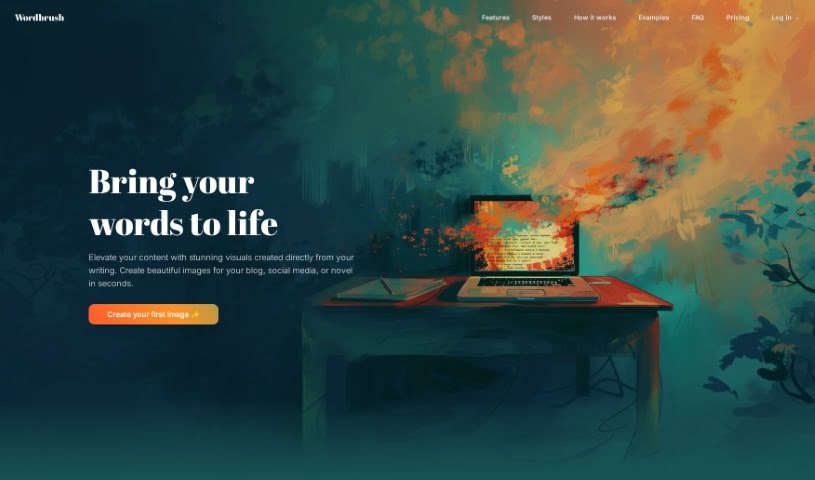
Discover what Wordbrush is and how to use it effectively in 2025. We'll explore its features and compare it to other AI image generators.
Wordbrush is a really neat AI tool that helps you create unique, custom visuals straight from text. It is a way to bring your words to life visually. It uses smart machine learning to generate illustrations based on whatever text you give it. What’s cool is you can pick from over 50 different art styles – everything from classic looks to modern vibes like Cyberpunk or Pop Art. You can also tweak details like the mood of the image or even specify exactly what you want included or left out. There’s no word limit for your text, which is handy, and the whole process is super simple, broken down into just three steps.
When we talk about “bespoke visuals” with Wordbrush, it means you get images that are made just for you, reflecting your original text. It’s a much more personal touch than just grabbing generic stock photos, right? Wordbrush is designed to work with all sorts of text, whether it’s for a quick blog post or a whole novel. It can handle different lengths of text input, too.
Plus, the platform boasts a huge variety of art styles. You can go for something contemporary, classical, or dive into specific genres like Romanticism, Cyberpunk, or Pop Art. They’re also planning some exciting future features, like letting you create your own styles based on sample images you provide and adding even more specific details for greater customization. Wordbrush is particularly noted for its clever image fitting algorithm and its tools for customizing content, making it super effective for things like HR materials, fantasy film concepts, and even podcast descriptions.
Wordbrush itself is an artificial intelligence tool, built specifically to generate custom visuals from text. It first launched on February 19, 2024. This tool lets you pick from more than 50 art styles and create those unique, custom images by adding details like the desired mood and specific elements you want in or out. What really makes Wordbrush stand out is how easy it is to use, the sheer variety of art styles available, and the upcoming ability to create custom styles using sample images you upload.
Wordbrush is incredibly versatile! Here are just some of the ways people use it:
Wordbrush is a fantastic tool for a wide range of creative professionals and individuals:
Using Wordbrush is pretty straightforward. Just follow these simple steps:
Wordbrush really shines because it lets you create bespoke visuals directly from text, offers a huge variety of art styles, and gives you a lot of flexibility in customization, including specific inclusions and exclusions. It’s also incredibly easy to use. While it might have a few limitations, like not offering a live preview or having some unclear aspects of customization depth, and perhaps some privacy considerations to keep in mind, its unique text-to-image capabilities and user-friendly interface make it a standout tool. If you ever need help or have questions, you can always reach out to the Wordbrush team directly through the contact links on their website.
Discover more tools in similar categories that might interest you
Get weekly updates on the latest AI tools, trends, and insights delivered to your inbox
Join 25,000+ AI enthusiasts. No spam, unsubscribe anytime.