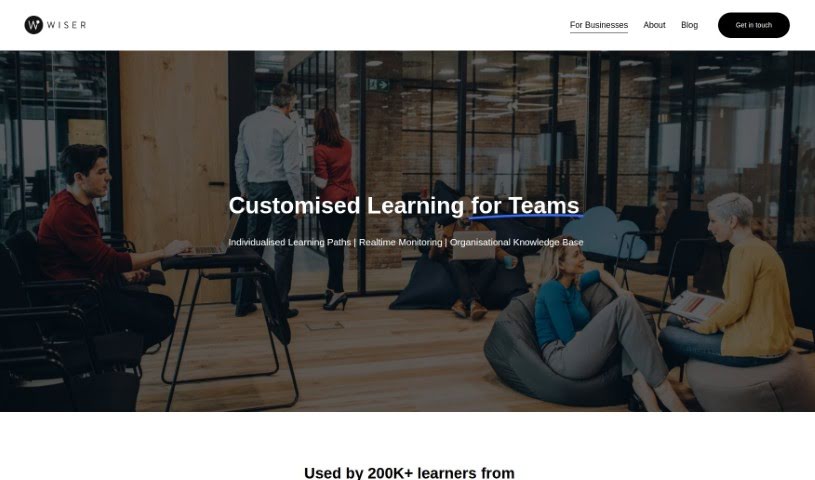
Screenshot of Wiser Media

Wiser Media

Discover what Wiser Media is and how to use it effectively in 2025. We'll explore its features and see how it stacks up against other student tools.

Screenshot

What is Wiser Media?

Wiser Media is a platform designed for lifelong learners. It offers a curated content library where you can find, access, and organize all sorts of content – think podcasts, videos, articles, and newsletters – all recommended by fellow learners. The whole idea is to make your experience super personal, matching content to what you’re interested in. Plus, it uses AI to help transform and organize this content, creating a really neat, well-arranged library just for you. Beyond just organizing, Wiser Media is all about sharing knowledge, building a community, and really encouraging that lifelong learning habit.

Who created Wiser Media?

Emre Cubukcu is the person behind Wiser Media. He’s not only the CEO but also one of the co-founders. The company officially launched on October 22, 2022. Based in London, Wiser focuses on giving you personalized content recommendations across different platforms. Emre himself has an interesting background; he used to be an elite athlete and also co-founded an e-bike company that saw some serious growth in revenue. He’s now leading the team that’s building Wiser, which aims to provide curated content like podcasts, videos, articles, and newsletters, all tailored to what you’re interested in and what you want to learn.

What is Wiser Media used for?

  • Customized Learning for Teams: It helps teams learn in a way that’s specifically designed for them.
  • Personalized Daily Newsletters: Each employee gets a daily newsletter that’s tailored to their personal learning goals and what the company needs.
  • Tailored Employee Learning Plans: You can create a learning plan for employees that’s based on what the organization needs and its priorities.
  • Organizing Knowledge: It helps individuals and communities keep their knowledge and intellectual interests organized.
  • Streamlining Knowledge Management: Makes managing knowledge and upskilling easier, which helps boost employee performance.
  • Encouraging Knowledge Sharing: It’s a great way to get people to share what they know and keep learning.
  • Centralized Content Hub: Provides a single place for content focused on culture and technology.
  • Promoting Content Quality: It encourages high-quality content and inspires people to share what they find.
  • Combating Information Overload: Helps cut through the noise by offering curated content.
  • Transforming Downtime: Turns time that might otherwise be lost into productive growth and more valuable activities.
  • Personalized Daily Newsletters: Get a daily newsletter specifically based on your learning goals.
  • AI-Powered Content Organization: Uses AI to keep your content tidy.
  • Cross-Platform Recommendation Engine: Recommends content from all over the place.
  • Encouraging Learning and Community: It’s all about learning and building a community together.
  • Content Curation for Intellectual Pursuits: Helps you curate content for your specific interests.
  • Personalized Content Recommendations: Get recommendations just for you.
  • Digital Content Organization: Tools for organizing digital content with advanced search and filtering.
  • Building Community: Helps create a sense of belonging among users.
  • Promoting Knowledge Sharing: Encourages people to share what they know.
  • Optimizing Employee Performance: Helps employees do their best through knowledge management and upskilling.
  • Cross-Platform Recommendation Engine: Recommends curated content from various sources.
  • Encouraging Shared Learning: Promotes learning together as a group.
  • Promoting Lifelong Learning: Supports continuous learning and intellectual exploration.
  • AI-Enabled Personalized Recommendations: Get content recommendations powered by AI.
  • Content Organization Tools: Create your own curated collections of content.
  • Connecting Learners: Links different people who are learning together.
  • Visualizing Knowledge: Offers a visual way to see your knowledge with a central content hub.
  • Discover, Access, and Organize: Find, use, and organize curated content like podcasts, videos, articles, and newsletters.
  • Personalize Content: Tailor content to make your experience better.
  • AI-Transformed Content: Uses AI to turn various content formats into a well-organized library with distinct sections.
  • For Individuals and Communities: Designed for both individuals and groups to organize knowledge and share it.
  • Visualizing Intellectual Pursuits: Helps users see their learning journey.
  • Promoting Community and Lifelong Learning: Fosters a sense of community and continuous learning.
  • Supporting Diverse Content: Handles various content types like articles, podcasts, videos, newsletters, and even audiobook links.
  • Curating as Generosity: Operates with the idea that curating content is an act of giving.
  • Promoting Shared Content: Encourages sharing and helps manage information overload.
  • Accessible Everywhere: Available on multiple platforms, emphasizing good content quality.

Who is Wiser Media for?

  • Backend & AI Lead
  • Editor
  • Creative Director
  • Graphic Designer
  • Co-Founder & CEO
  • Head of Content
  • Co-Founder & COO
  • Product & Tech Lead
  • Product Designer
  • Individual users
  • Communities
  • Teams
  • Lifelong learners
  • Content creators
  • Educators
  • Researchers
  • Knowledge workers
  • Community Managers
  • Learners
  • Employees
  • Anyone interested in organizing digital content and sharing knowledge, whether they’re an individual or part of a community.

How to use Wiser Media?

Here’s how you can get the most out of Wiser:

  1. Discover Curated Content: Take a look around! You can explore podcasts, videos, articles, and newsletters that have been recommended by other lifelong learners in the Wiser community.
  2. Personalized Experience: You’ll get a user experience that’s tailored just for you, based on your interests and preferences.
  3. AI-Enabled Features: Make use of the AI features to organize different types of content – like articles, podcasts, videos, newsletters, and audiobooks – into a neat, well-organized library.
  4. Create Collections: Group your curated content into specific sections. This makes it much easier to navigate and find what you need later.
  5. Community Engagement: Jump into the community! You can connect with other learners, share what you know, and learn together.
  • Content Sharing: Save content easily using Quickshare, either on your mobile device or through the browser extension.
  • Feedback and Input: Wiser really values your opinions, so feel free to share your feedback to help them keep improving.
  • Supported Platforms: You can access Wiser on various platforms, making it convenient for you.
  • Content Diversity: Find all sorts of content in one central spot, with a focus on culture and technology.
  • Lifelong Learning: Embrace the idea of sharing and curating content. It’s all about promoting knowledge sharing and a continuous learning journey.

Related AI Tools

Discover more tools in similar categories that might interest you

Academic Help Free Essay Generator

Education Academic Writing
Learn More

Stay Updated with AI Tools

Get weekly updates on the latest AI tools, trends, and insights delivered to your inbox

Join 25,000+ AI enthusiasts. No spam, unsubscribe anytime.