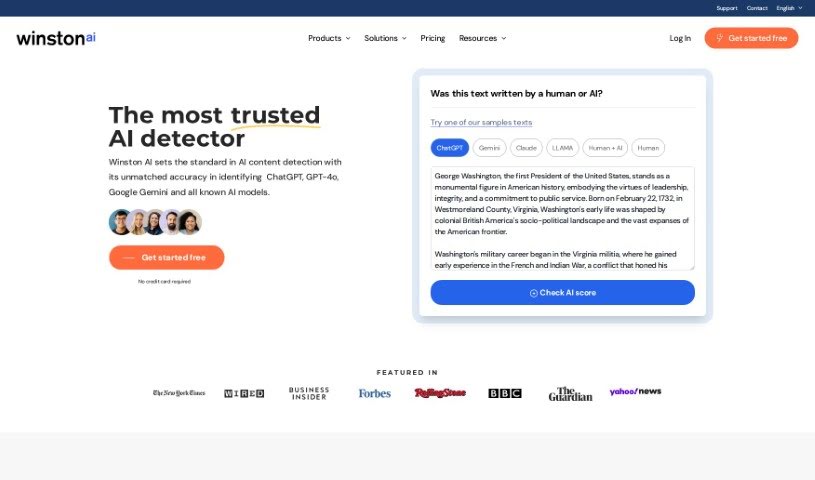
Screenshot of Winston AI

Winston AI

Discover Winston AI in 2025! Learn what this advanced AI detection and plagiarism tool does, explore its features, and see how it stacks up against other AI detectors.

Screenshot

What is Winston AI?

Winston AI is a sophisticated detection solution built specifically for checking content and finding plagiarism. It’s mainly used by people in education and publishing. Basically, it helps writers, teachers, and website owners make sure the content they’re looking at was actually written by a person, not an AI. Winston AI uses smart AI technology to scan text, spot AI-generated content, and it’s impressively accurate, catching AI writing 94% of the time. Plus, it has a top-notch plagiarism checker built right in. You can even try it out for free for up to 2,000 words, and their paid plans are quite flexible.

It’s really easy to use, too. Winston AI gives you a straightforward way to keep your documents organized and sorted. Need to get text from a scanned document or a photo? No problem. It can even scan and analyze handwritten notes and pictures thanks to its Optical Character Recognition (OCR) technology. When you get your results, Winston AI shows them on a scale from 0 to 100, telling you how likely it is that the content was written by a human or an AI. You can even print these reports for your records. Right now, it only supports English AI detection, but they’re planning to add more languages soon.

For educators, Winston AI is a great way to confirm that student work isn’t AI-generated, which really helps maintain academic honesty. If you’re a content creator or publisher, it makes sure your content is original and authentic, which is good for your search engine rankings. The OCR tech is handy for pulling text from all sorts of files and images, even if it’s handwritten. You can easily sort and label your documents. Setting up a project in Winston AI is a simple three-step process. And hey, you can save money by choosing an annual plan – it gets you a 25% discount! If you need more, their custom plan offers extra perks like custom scans, priority support, and that excellent plagiarism checker.

Who created Winston AI?

While the exact founder isn’t highlighted in the information I have, Winston AI was developed by a team within a company. It first launched on January 28, 2023. As mentioned, it’s a sophisticated tool for verifying content and detecting plagiarism, particularly useful in education and publishing. It boasts a 94% accuracy rate for spotting AI-generated text and includes a top-tier plagiarism detection feature. The software is designed to be user-friendly, making it simple to organize and categorize your documents. It also uses Optical Character Recognition (OCR) to analyze handwritten documents and images.

What is Winston AI used for?

  • Verifying Content: Making sure written material is original.
  • Plagiarism Detection: Finding any copied text.
  • Document Organization: Keeping your files tidy and easy to find.
  • Text Extraction: Pulling text from scanned documents and photos.
  • Handwritten Analysis: Scanning and understanding handwritten notes and pictures.
  • Detailed Reporting: Providing in-depth analysis reports on your content.
  • Supporting Educators: Helping teachers confirm that student work is human-created.
  • Authenticating Content: Ensuring originality for content creators and web publishers.
  • Document Labeling: Categorizing and tagging files for quick retrieval.
  • Project Creation: Setting up verification projects for your documents.
  • Organizing and Labeling: A key function for managing files.
  • Text Extraction from Images: Getting text from various file types.
  • Result Display: Showing analysis results on a likelihood scale.
  • Report Printing: Allowing you to print your findings.
  • English Text Analysis: Currently focused on English content.
  • File Format Support: Works with .docx, .pdf, .png, and .jpg files.
  • Ensuring Human-Created Content: A primary goal for educators.
  • Authenticating Original Content: Crucial for creators and publishers.
  • Printing Reports: For record-keeping and sharing.
  • Academic Integrity: Supporting educators in maintaining standards.
  • Content Authenticity: Benefiting creators and publishers.
  • Flexible Pricing: Offering various options to suit different needs.

Who is Winston AI for?

  • Educators: Teachers, professors, and academic institutions.
  • Content Creators: Bloggers, writers, marketers, and anyone producing written material.
  • Web Publishers: Websites and online platforms that rely on original content.

How to use Winston AI?

Using Winston AI effectively is pretty straightforward. Just follow these steps:

  1. Upload Your Document: Start by uploading your file. Winston AI accepts .docx, .pdf, .png, or .jpg formats.
  2. Content Analysis: The platform uses advanced methods to analyze your text. It’ll show you a score from 0 to 100, indicating how likely the content is human-written or AI-generated.
  3. Check for Plagiarism: Don’t forget to use the built-in, top-tier plagiarism checker to find any duplicate content.
  4. Organize Your Documents: The interface is really user-friendly, so you can easily organize, label, and categorize all your documents.
  5. Use OCR Technology: Winston AI has Optical Character Recognition (OCR). This means it can extract text even from scanned documents and handwritten notes.
  6. Generate Reports: You can get detailed reports that point out any detected plagiarism. These are printable, which is handy for your records.
  7. Explore Pricing Plans: Winston AI offers flexible pricing. There’s a free version for up to 2,000 words, and paid plans start at $14 per month with higher word limits.
  8. Language Support: Currently, it only supports English AI detection, but they’re planning to add more languages down the line.
  9. Benefits for Educators and Publishers: Educators can use Winston AI to uphold academic integrity by verifying that work is original. Content creators and publishers can ensure their content is authentic and human-written, which helps with search engine credibility.
  10. Creating Projects: It’s easy to create projects in Winston AI. You can organize and label documents, submit content for verification, and get your results quickly.

Remember, Winston AI really stands out for its accurate AI detection. Plus, opting for an annual plan can save you money and often includes extra perks like custom scans and priority support.

Related AI Tools

Discover more tools in similar categories that might interest you

Academic Help Free Essay Generator

Education Academic Writing
Learn More

Stay Updated with AI Tools

Get weekly updates on the latest AI tools, trends, and insights delivered to your inbox

Join 25,000+ AI enthusiasts. No spam, unsubscribe anytime.