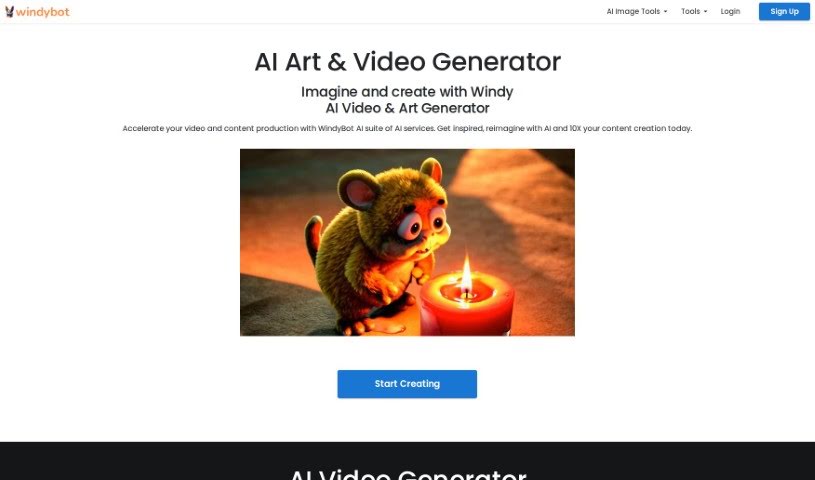
Screenshot of Windy AI

Windy AI

Discover what Windy AI is and how to use it effectively in 2025. We'll explore its features and see how it stacks up against other Image Generators.

Screenshot

What is Windy AI?

WindyBot is a pretty neat AI service packed with a bunch of useful tools. It is your all-in-one creative and productivity assistant. It includes things like an AI Writer to help you craft content, an AI Art Generator for creating images, an AI Comprehend tool for understanding documents, a handy AI Chatbot for Slack, and even an AI Chrome Extension. The main goal behind WindyBot is to make your work easier and boost your creativity, whether you’re writing, generating art, or analyzing documents. For example, the AI Writer can really help you churn out high-quality content fast, banishing writer’s block and speeding up your writing process. And if you need visuals, the AI Art Generator can whip up some great images in all sorts of styles, which is a lifesaver for graphic designers and marketers. Plus, WindyBot offers other image editing tools like an AI Background Remover, AI Upscaler, and AI Photo Enhancer to make those tasks smoother and more efficient.

Who created Windy AI?

Windybot was actually founded by someone named Windy, who saw how quickly AI was advancing and wanted to use that power to help people be more creative. Their big idea is to make complex tasks simpler by using AI as a kind of co-pilot, aiming to boost everyone’s productivity and creativity, no matter their field. Windybot officially launched on September 6, 2023, bringing tools like the AI Writer, AI Art Generator, AI Comprehend, AI Chatbot for Slack, and that AI Chrome Extension to help people be more productive and creative.

What is Windy AI used for?

Windy AI is super versatile! Here are some of the cool things you can do with it:

  • Product Photos: Easily remove backgrounds from your product shots and pop in a solid color instead.
  • T-shirt Designs: Generate unique T-shirt designs or get inspiration for your artwork.
  • Virtual Makeovers: Enhance facial features, fix imperfections, or even try on different hairstyles virtually.
  • Real Estate Staging: Stage rooms virtually for real estate photography, making properties look their best.
  • Art Generation: Create art in all sorts of styles just by typing in a prompt.
  • Content Creation: Get AI assistance to write blogs, articles, ads, and essays.
  • Image Generation: Produce high-quality images using AI art and image generators.
  • Photo Editing: Erase objects or people from photos, redesign images, or create new ones based on existing themes.
  • Background Removal: Remove backgrounds from images, switch between removing the scene or the subject, and fine-tune your mask selection.
  • Image Upscaling: Resize images to 4K resolution and enhance blurry or grainy parts.

Who is Windy AI for?

Windy AI is particularly helpful for:

  • Graphic designers
  • Marketers
  • Advertisers

How to use Windy AI?

Getting the most out of Windybot is pretty straightforward. Just follow these steps:

  1. Get Started: Head over to the Windybot website and sign up for an account. That’s your first step!
  2. Explore the Dashboard: Once you’re in, take a moment to look around the dashboard. It’s designed to make it easy to find and use all the different features and options.
  3. Set Your Preferences: You can customize things like the language you prefer, how you get notifications, and any other specific settings that fit how you like to work.
  4. Pick Your Tools: Windybot has a variety of tools. Whether you need weather forecasts, analytics, or chatbots, just explore and select what you need for your task.
  5. Add Your Information: For whatever tool you’re using, make sure to provide the necessary data or parameters. This helps Windybot give you the most accurate results.
  6. Understand the Output: Take a look at what Windybot generates. It’s helpful to analyze the insights it provides to really understand what you’re seeing.
  7. Take Action: Based on the results you get, you can then make your decisions or take the next steps.
  8. Give Feedback & Improve: Don’t hesitate to share your thoughts on how the tools are performing. You can also tweak how you use them based on your experience to get even better results next time.
  9. Check Out Learning Resources: If you want to dive deeper, Windybot offers tutorials, guides, and customer support. These are great for really boosting your understanding and skill with the platform.

By following these steps, you’ll be able to use Windybot effectively to make your processes smoother and make smarter decisions based on the information it gives you.

Related AI Tools

Discover more tools in similar categories that might interest you

123RF AI Image Generator

Creative Image Generation
Learn More

Stay Updated with AI Tools

Get weekly updates on the latest AI tools, trends, and insights delivered to your inbox

Join 25,000+ AI enthusiasts. No spam, unsubscribe anytime.