What is Webquery?
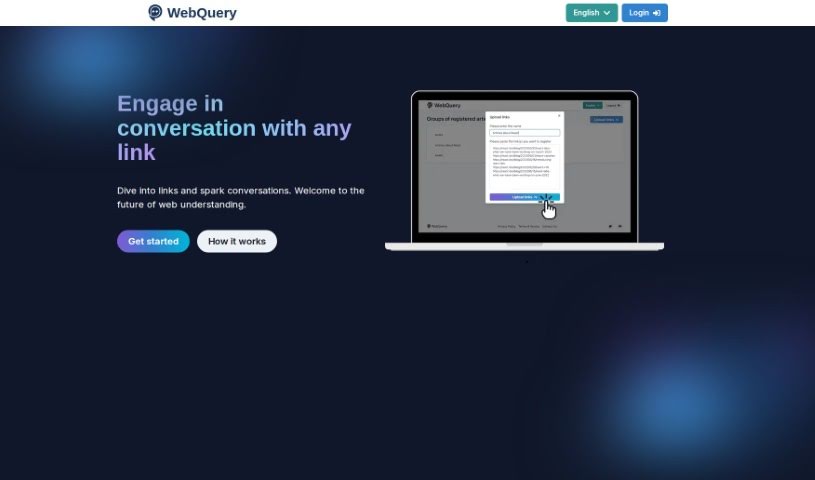
Webquery is your personal research assistant. It’s a handy tool that lets you upload links to articles you’re interested in. Once you’ve registered a link, you can simply ask questions about the content, and ChatGPT will provide you with answers drawn directly from the article. This really cuts down on the time you’d normally spend reading through lengthy pieces, helping you get the key information you need much faster and gain a deeper understanding of the subject matter.
Who created Webquery?
The person behind Webquery isn’t explicitly named in the information available about the service. What we do know is that the focus is squarely on how the tool works: it lets you have conversations with articles. You register a link, then you can ask questions, and the AI gives you responses. The details about the founder or the company behind it aren’t shared in the content I have access to.
What is Webquery used for?
Webquery is designed to make interacting with online articles much easier and more efficient. Here’s a breakdown of what you can do with it:
- Chat with any link: You can have a direct conversation with the content of any article you provide.
- Explore links deeply: Dive into the details of articles and start engaging discussions.
- Ask specific questions: Use the links you register to ask targeted questions about the article’s content.
- Initiate conversations easily: You can start a chat with an article right from its link.
- Get AI-powered answers: Receive responses generated by AI that are based directly on the article’s information.
- Understand content better: The AI helps you grasp the article’s details thoroughly.
- Save time: Quickly get the information you need without reading the whole article.
- Gain new perspectives: Enhance your understanding by seeing the content from a different angle.
- Keep track of your research: Review the history of your past conversations.
- Organize your research (Basic plan): Register up to 5 groups of articles.
- Ask anything: Feel free to ask any question you have about the article’s content.
- Access article information: Easily pull information from the articles you’ve registered.
- Manage your links: Review the history of articles you’ve interacted with.
- Handle multiple links: Register several links at once for conversations.
- Clarify doubts: Get detailed answers to any questions you have about the articles.
- Be efficient with time: Obtain necessary information quickly, especially when you’re short on time.
- Offer fresh insights: Get a new perspective that leads to a deeper understanding.
- Interact without reading: Engage with articles without needing to read them from start to finish.
- Ask freely: Pose any question you have about the article without hesitation.
- Detailed AI comprehension: The AI truly understands the content of the articles you register.
- Get information fast: Obtain necessary information when time is limited.
- Deepen understanding: Gain a new perspective that leads to a profound understanding of the article.
Who is Webquery for?
Webquery is a valuable tool for anyone who regularly works with or needs to extract information from articles and web content. This includes:
- Professionals in various fields
- Students and academics
- Researchers
- Anyone who needs to analyze articles or text content
- Anyone who needs to quickly obtain information from web content
Essentially, if your work involves reading and understanding information from online sources, Webquery can be a significant help.
How to use Webquery?
Using Webquery is straightforward. Just follow these simple steps:
- Upload Your Links: Begin by uploading the link to the article you’re interested in. You can actually upload several links at once and give them a clear name when you register them.
- Wait for Registration: The tool will then process the information from the link(s) and organize the article’s content. This might take a little while, but you can easily check the registration status within the application.
- Ask Your Questions: Once registered, you can ask any questions you have about the article’s content. The AI, which is powered by ChatGPT, will provide answers based on the information found in the article.
- Start Your Conversations: You can start interacting with articles right away by registering their links. It makes the whole process much simpler, allowing you to ask as many questions as you need about the registered articles.
- AI’s Deep Understanding: The AI really gets the content of the articles you register. This means you don’t have to read through everything yourself; the AI can efficiently handle your questions and doubts.
- Subscription Tiers: Webquery offers both Basic and Premium subscriptions. With the Basic plan, you can review your conversation history, register up to 5 groups of articles, and upload a maximum of 10 links at a time. If you opt for the Premium plan, you get unlimited article registrations, can upload up to 50 links at once, and still have access to your past history.
- Enjoy the Interaction: Dive in and explore how easily you can interact with articles. It’s a really convenient way to get information fast and build a deeper understanding of the content.
By following these steps, you’ll be able to make the most of Webquery, engaging with articles, asking questions, and getting helpful AI-generated answers based on the article content.