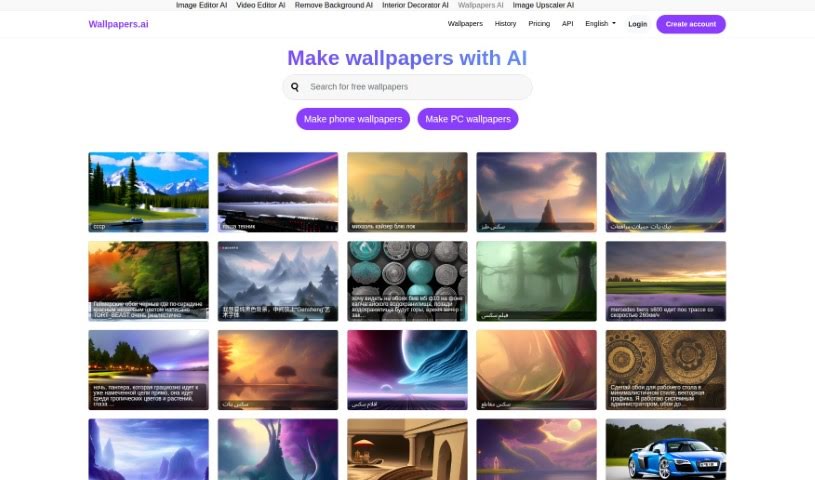
What is Wallpapers AI?
Wallpapers AI is a really neat platform that lets you create your own custom HD wallpapers for your computer or phone, all thanks to artificial intelligence. It’s super easy to use, offering a bunch of AI-powered tools not just for wallpapers, but also for editing images, videos, and even helping with interior decorating. Plus, it speaks many languages, has different pricing options, and even an API if you’re a developer who wants to integrate its cool features. You can keep all your designs organized right there on the platform through your account.
Who created Wallpapers AI?
Lou is the creator behind Wallpapers.ai, as they mention on their site. VPS.org LLC developed the platform, which uses AI to help you make one-of-a-kind HD wallpapers for all sorts of devices. You can also get your hands on other services like image and video editing, plus some handy interior decorating tools. What makes Wallpapers.ai stand out is its support for multiple languages, flexible pricing, and the option for developers to use its API.
What is Wallpapers AI used for?
- Making unique, personalized HD wallpapers for your PC and mobile devices.
- Getting access to other helpful AI tools, like Image Editor AI and Video Editor AI.
- Supporting lots of different languages so people all over the world can use it.
- Offering various pricing plans to fit what different users need.
- Giving developers the chance to integrate its features into their own apps via an API.
- Providing a user-friendly interface that’s simple to navigate.
- Making it easy to manage and look back at your designs through your account history.
- Editing images, videos, and even helping with interior decorating, all alongside creating wallpapers.
- Sprucing up your digital spaces on iPhones, Android phones, and computer screens.
- Delivering impressive, high-quality results for all your wallpaper projects.
- Creating one-of-a-kind, personalized HD wallpapers for computers and mobile devices using AI.
- Accessing other AI tools, such as Image Editor AI and Video Editor AI.
- Supporting a wide array of languages to reach users globally.
- Providing different pricing plans to suit a variety of user needs.
- Enjoying a smooth experience with an easy-to-navigate platform and simple account management.
- Crafting unique, personalized HD wallpapers for PCs and mobile devices.
- Accessing extra AI tools like Image Editor AI, Video Editor AI, and more.
- Offering extensive support for many languages.
- Providing various pricing plans to match different user needs.
- Using the API for development purposes.
- Enjoying a user-friendly interface.
- Managing and revisiting your creations through your account history.
- Editing images, videos, and doing interior decorating.
- Producing high-quality wallpapers for your projects.
- Personalizing your digital spaces with unique designs.
- Accessing additional AI tools like Image Editor AI and Video Editor AI.
- Benefiting from multilingual support with plenty of language options.
- Choosing from different pricing plans to suit your needs.
- Managing and revisiting designs easily by creating an account.
- Improving interior decorating projects with AI tools.
- Easily customizing digital spaces for iPhones, Android phones, and computers.
- Seamlessly applying your personalized wallpaper designs.
- Accessing a user-friendly interface for simple navigation and account management.
- Accessing extra tools like Image Editor AI, Video Editor AI, and more.
- Offering multilingual support with a long list of language options.
- Providing different pricing plans to fit various user needs.
- Enjoying a smooth experience with a user-friendly interface and straightforward account management.
Who is Wallpapers AI for?
- Graphic designers
- Interior Decorators
- Developers
- Photographers
How to use Wallpapers AI?
Here’s how you can get started with Wallpapers.ai:
- Head over to Wallpapers.ai: Just visit the website; you’ll find the interface is really easy to use.
- Create an Account: Signing up gives you access to all the features and helps you keep your designs organized.
- Pick Your Wallpaper Type: Decide if you want a wallpaper for your PC or your mobile device.
- Customize It: Use the AI tools to make your wallpaper totally unique with your own designs and styles.
- Check Out Other Tools: Don’t forget to explore the other AI tools available, like Image Editor AI and Video Editor AI.
- Multilingual Support: Take advantage of the platform’s ability to support many languages, making it accessible to a global audience.
- Pricing Plans: Pick a pricing plan that best fits what you need, as there are options for different user requirements.
- API Access: If you’re a developer, you can use the provided API to integrate Wallpapers.ai’s features into your own applications.
- Manage Your Designs: It’s simple to manage and revisit all your creations through your account, which really streamlines the whole design process.
By following these steps, you can create personalized, high-quality wallpapers for all sorts of devices using Wallpapers.ai’s innovative AI technology. You’ll enjoy a smooth experience with a wide variety of features and customization options.