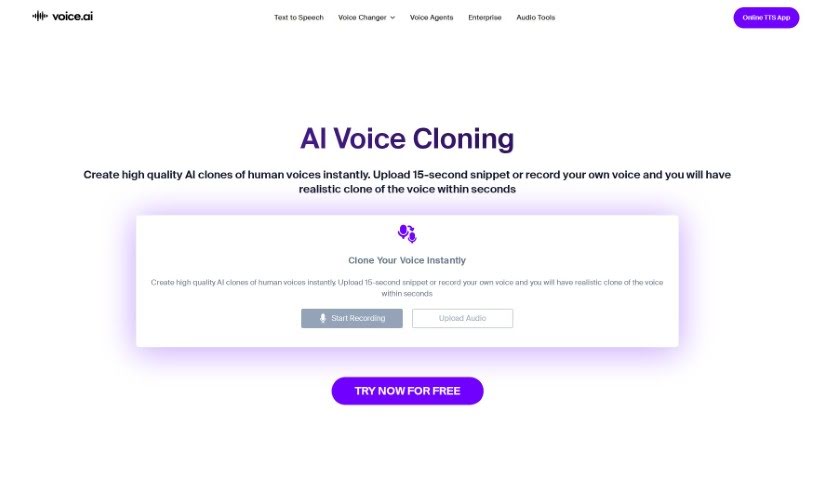
Screenshot of Voice AI Voice Cloning

Voice AI Voice Cloning

Discover what Voice AI Voice Cloning is and how to use it effectively in 2025. We'll explore its features and compare it to other Voice Generators.

Screenshot

What is Voice AI Voice Cloning?

Voice cloning is a pretty neat technology that lets you create synthetic voices that sound just like a specific person’s voice. It is making a digital copy of someone’s speech. This means you can realistically mimic a person’s voice for things like voice assistants or even for changing your voice on the fly during calls or streams.

Traditionally, making a voice clone took a lot of time – you’d need hours of recorded speech to build up enough data to train a new voice model. But thanks to big leaps in deep learning, it’s become much simpler. Now, you can create voice clones just by uploading a bit of reference audio to AI systems. This opens up a whole world of creative options, whether you’re looking to spice up live streams and gaming, or even create new character voices for audiobooks and stories without any hassle.

Who created Voice AI Voice Cloning?

The company behind this Voice Cloning technology is Voice.ai. They’ve developed a voice cloning software that lets users create synthetic voices that mimic a target voice using speech synthesis. You can clone voices by uploading reference audio to their AI system, or you can pick from a huge library of over 15,000 voices that other users have created. Voice.ai’s advanced tech allows you to clone voices in real-time, which is super useful for applications like voice assistants, real-time voice changers, live streams, and gaming.

How to use Voice AI Voice Cloning?

Ready to give Voice Cloning a try with Voice.ai? It’s pretty straightforward. Just follow these steps:

  1. Download the Voice AI Installer: First things first, grab the Voice AI Installer from their official website. It’s the starting point for everything.
  2. Install the Software: Once downloaded, run the installer. You’ll need to agree to the Terms of Service and give it the necessary admin permissions to install the driver. This helps it work smoothly.
  3. Sign Up or Login: If you’re new to Voice.ai, you’ll need to sign up for an account. If you’re already a user, just log in to get access to the Voice Cloning tool.
  4. Upload Reference Audio: Now, upload the reference audio of the voice you want to clone to the AI system. Don’t have a specific voice in mind? No problem – you can also choose from a selection of pre-existing AI voices they offer.
  5. Generate Cloned Voice: The software then gets to work. It’ll analyze, adjust, and refine the voice based on your reference audio, creating a real-time impression of the target voice.
  6. Utilize Cloned Voice: Once your voice is cloned, you’re free to use it! It works great in various applications like live-streaming, group chats, gaming, and so much more.

Voice Cloning technology really opens up a lot of creative doors. You can make your gaming experiences more immersive, generate custom audio clips, or even create unique characters for audiobooks or stories. With Voice.ai, cloning voices is easy, and it’s a fantastic way to change how you interact with audio content.

Related AI Tools

Discover more tools in similar categories that might interest you

Stay Updated with AI Tools

Get weekly updates on the latest AI tools, trends, and insights delivered to your inbox

Join 25,000+ AI enthusiasts. No spam, unsubscribe anytime.