008 Agent
Audio Transcription
Learn more
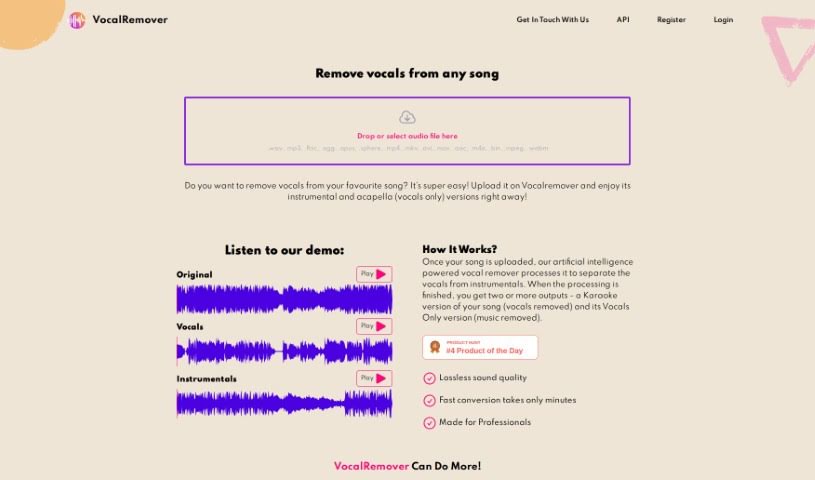
Discover what Vocalremove is and how it separates vocals from instrumentals for karaoke, practice, and backing tracks.
Vocalremove.com is a straightforward tool that uses AI to remove vocals from any music track, leaving just the instrumental. It’s useful for musicians and karaoke fans who want to create their own backing tracks for live shows or practice. You can also adjust how much vocal removal you want, finding the right balance between singing and music. Just upload a song and the tool processes it quickly.
The AI separates vocals from instruments and delivers multiple versions: a karaoke track with vocals removed, and a version with just the vocals. It offers lossless sound quality, fast conversions, and additional stem separation for bass, drums, piano, and vocals. Monthly plans come with different minute packages, and support is available 24/7.
Vocalremove was created by an unnamed founder and is run by VocalRemover.com. The platform offers different pricing plans depending on usage, including monthly subscriptions for consistent service.
Vocalremove is designed for musicians, singers, karaoke fans, and anyone who needs to remove vocals from music — whether for performances, practice, or other music projects.
Related
Discover more tools in similar categories
Weekly picks of the best AI tools we've researched and added — no spam, unsubscribe anytime.
Join 25,000+ AI enthusiasts. No spam, unsubscribe anytime.