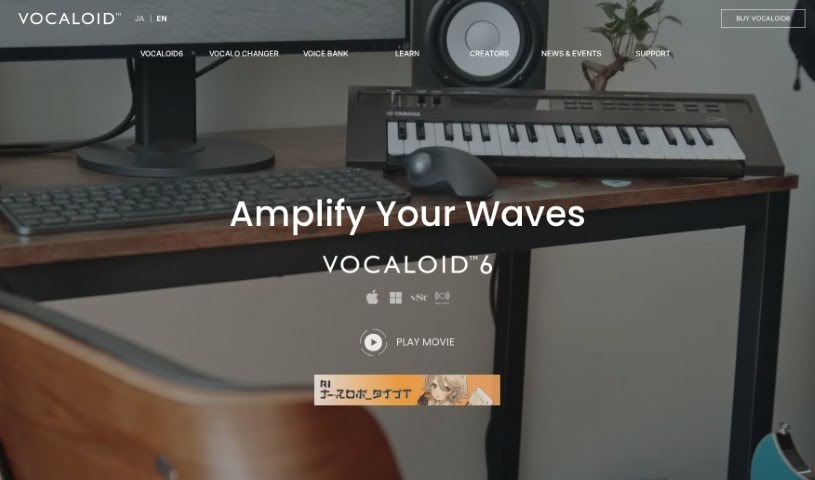
Screenshot of Vocaloid6

Vocaloid6

Dive into Vocaloid6 in 2025! Discover what this AI music generator is, how to use its features, and how it stacks up against other music creation tools.

Screenshot

What is Vocaloid6?

Vocaloid6 is a really cool AI technology from Yamaha that helps musicians make their songs sound more expressive. Basically, it lets you add lyrics and vocal melodies to your music, aiming for a natural singing voice and giving you more freedom to bring your vocal ideas to life. It’s designed to help you quickly turn your creative concepts into actual vocal performances while you’re working on your music. It is a helpful assistant for musicians who want to add captivating vocals and really make their musical visions a reality.

Who created Vocaloid6?

Yamaha, a company that’s always at the forefront of music technology, developed VOCALOID6. They launched this AI-powered technology on October 13, 2023. Its main goal is to boost musical expressiveness by offering natural-sounding singing voices and giving creators the freedom to really express their vocal ideas.

What is Vocaloid6 used for?

Vocaloid6 is incredibly versatile for music creation. Here’s a breakdown of what you can do with it:

  • Craft Vocal Tracks: Easily turn melodies and lyrics you input into complete vocal tracks.
  • Fine-tune Vocals: You can precisely manipulate accents, vibrato, and the overall rhythmic feel of your vocal performances.
  • Add Vocal Effects: Instantly create cool vocal effects like doubling and harmonies to add depth and polish.
  • Multilingual Singing: It supports singing lyrics in Japanese, English, and Chinese, all using a single voice bank, which is pretty neat for global music projects.
  • Workflow Enhancement: It integrates smoothly with your Digital Audio Workstations (DAWs) and can sync with your project’s tempo, making your workflow much smoother.
  • Voice Variety: Create a wide range of singing voices, from natural, human-like tones to futuristic robot sounds, and produce vocals in various genres with both male and female voices.
  • Creative Freedom: You have the freedom to manipulate vocal elements and use popular techniques to instantly generate vocals.
  • Resource Support: It provides helpful tutorials, support information, and connects you to a lively creator community.
  • Voice Bank Compatibility: It’s compatible with older VOCALOID3, VOCALOID4, and VOCALOID5 generation voice banks.
  • Advanced Control: Handle accents, vibrato, and rhythmic feel with impressive precision.
  • Creative Blending: Mix and match voices and effects from different voice banks to create truly unique sounds.
  • Transcend Language: Create songs that beautifully blend languages, breaking down barriers.

Who is Vocaloid6 for?

Vocaloid6 is a fantastic tool for anyone involved in making music. This includes:

  • Musicians
  • Songwriters
  • Music producers
  • Composers
  • Arrangers
  • Sound designers
  • Performers
  • Audio Engineers

How to use Vocaloid6?

Getting started with Vocaloid6 is straightforward. Just follow these steps:

  1. Installation: First, download and install Vocaloid6 onto your computer. Make sure to follow the installation instructions that come with the software.
  2. Launching the Program: Once installed, open the Vocaloid6 application. You can usually do this by double-clicking the program’s icon.
  3. Creating a New Project:
    • Head to the “File” menu and select “New” to start a fresh project.
    • Give your project a name and save it in a folder you’ve set aside for your music.
  4. Inputting Melody and Lyrics:
    • Now, input the melody and lyrics for your song into the software. You can type them in directly or import them from a text file.
    • Be sure to specify the notes and rhythm for your melody in the editor.
  5. Choosing a Vocaloid Voice:
    • Browse through the available Vocaloid voices in the software and pick one that suits your song. Each voice has its own distinct character and style.
  6. Editing Tools:
    • Vocaloid6 comes with handy editing tools. Use these to enhance and customize your vocals. You can adjust things like accents, vibrato, and other parameters to really shape the vocal expression.
  7. Adding Vocal Effects:
    • Don’t hesitate to explore the various vocal effects and settings. You can tweak parameters like pitch and dynamics to get the exact sound you’re aiming for.
  8. Playback and Fine-tuning:
    • Play back your song within the software to hear how the vocals sound with your music. This is where you can make any necessary adjustments to ensure the vocals perfectly match the music.
  9. Saving and Exporting:
    • When you’re happy with the vocal track, save your project in Vocaloid6. You can also export the final song in your preferred audio format. This makes it ready for use in other audio editing software or for sharing with the world.
  10. Practice and Experiment:
    • The best way to master Vocaloid6 is to practice! Try out the different features, experiment with various voices, effects, and editing tools. You’ll discover so many new possibilities for creating unique and expressive vocal tracks.

By following these steps, you’ll be well on your way to effectively using Vocaloid6 to create and customize vocal tracks for all your music compositions. Have fun exploring all the creative potential it offers!

Related AI Tools

Discover more tools in similar categories that might interest you

Stay Updated with AI Tools

Get weekly updates on the latest AI tools, trends, and insights delivered to your inbox

Join 25,000+ AI enthusiasts. No spam, unsubscribe anytime.