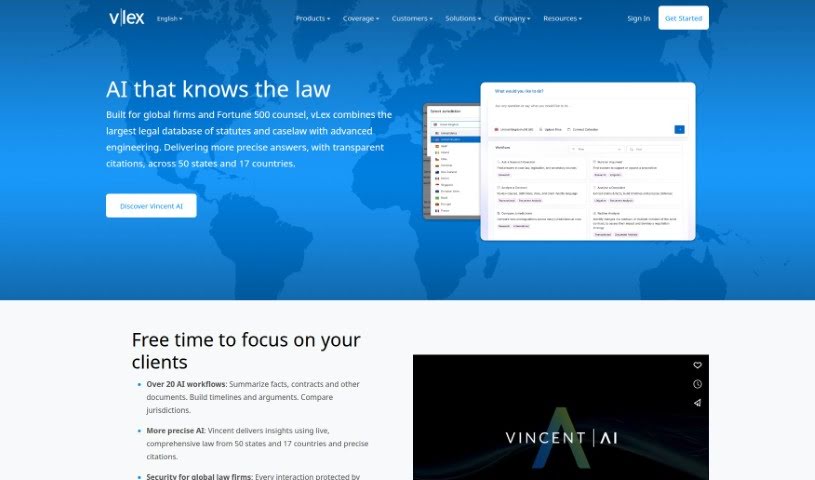
Screenshot of vLex

vLex

Discover what vLex is and how to use it like a pro in 2025. We'll dive into its features, compare it to other legal tools, and show you exactly how to get the most out of it.

Screenshot

What is vLex?

VLex is a legal research platform designed to boost productivity for legal professionals. It uses AI to offer a variety of tools, including personalized content suggestions, the ability to ask questions in plain language, and access to a vast amount of legal data. On top of that, it provides practice management solutions like NextChapter and Quolaw, plus data connectivity tools such as vLex Cloud and Vincent AI. You’ll also find analytics tools like DocketAlarm Analytics and vLex Analytics. Essentially, vLex is all about making legal work smoother and providing deeper insights.

What really makes vLex stand out is its complete set of products that cover many different legal needs. Beyond its AI research capabilities, it offers practice management tools and ways to connect data. The company’s commitment to pushing legal tech forward, seen in features like Vincent AI and its broad data coverage, positions vLex as a leader in legal intelligence.

Plus, vLex keeps improving the user experience and offering valuable insights. You can see this in their regular updates and how they focus on recommending content tailored just for you. The platform’s success is also evident in the many awards it’s won, the recognition it gets from the legal community, and its large user base, all of which help make its AI solutions even better.

Who created vLex?

Lluis Faus and Angel Faus founded vLex. They started the company in Barcelona back in 2000, initially focusing on the Spanish legal market. Over time, vLex grew internationally, secured venture capital funding in 2011 to fuel its development, and introduced innovative solutions like vLex Analytics and Vincent AI. A major milestone came in 2023 when vLex merged with Fastcase, creating the world’s largest online law library.

What is vLex used for?

  • Legal Research: Using AI-powered tools to find legal information.
  • Data Connectivity: Offering solutions like vLex Cloud and Vincent AI to connect your data.
  • Legal Data Analytics: Providing insights through DocketAlarm Analytics and vLex Analytics.
  • Practice Management: Helping with day-to-day operations using tools like NextChapter, Quolaw, and Eunomia.
  • Enterprise Solutions: Offering custom solutions, Legal Data APIs, and Iceberg AI for businesses.
  • Efficient Research: Making the research process smoother with vLex Legal Research and Vincent AI.
  • Multilingual Support: Assisting users in English, Spanish, and Portuguese.
  • Application Integration: Connecting with tools you already use, like Microsoft Word and Google Chrome.
  • International Law Research: Covering legal matters in over 100 countries.
  • Collaborative AI: Allowing more users to contribute, which helps improve the AI platform for everyone.

Who is vLex for?

  • Lawyers
  • Law schools
  • Bar associations
  • Government entities
  • In-house counsel
  • Professionals who conduct investigations

How to use vLex?

Here’s a straightforward guide to using vLex effectively:

  1. Get Started: First, head over to the vLex website. If you need an account, create one. Take a moment to look around and get familiar with how the platform is laid out and what its main features are.
  2. Search for Legal Info: Use the search bar to find specific legal topics, cases, or documents. Typing in the right keywords will help you get more precise results.
  3. Narrow Down Your Search: Once you’ve searched, use the filtering options. You can sort by things like jurisdiction, date, or the type of document to really pinpoint the information you need.
  4. Open Documents: Click on any search result to view the full document, case, or legal text. Pay attention to any summaries, key takeaways, or related documents that vLex might provide.
  5. Save and Organize: If you find something important, save it to your account so you can easily find it later. You can create folders or bookmarks to keep your saved items organized.
  6. Stay Updated: Keep up with changes in the legal world by setting up alerts for specific keywords, cases, or topics you’re interested in.
  7. Work Together: If you’re part of a team, check out the collaboration features. You can securely share documents, insights, or notes with your colleagues right within the platform.
  8. Explore Extra Tools: Don’t forget to look at any other tools or resources vLex offers, like legal analytics, citation helpers, or research assistants. They can really boost your legal research experience.

By following these steps, you’ll be able to make the most of vLex for your legal research, accessing documents, and staying current with legal developments.

Related AI Tools

Discover more tools in similar categories that might interest you

Stay Updated with AI Tools

Get weekly updates on the latest AI tools, trends, and insights delivered to your inbox

Join 25,000+ AI enthusiasts. No spam, unsubscribe anytime.