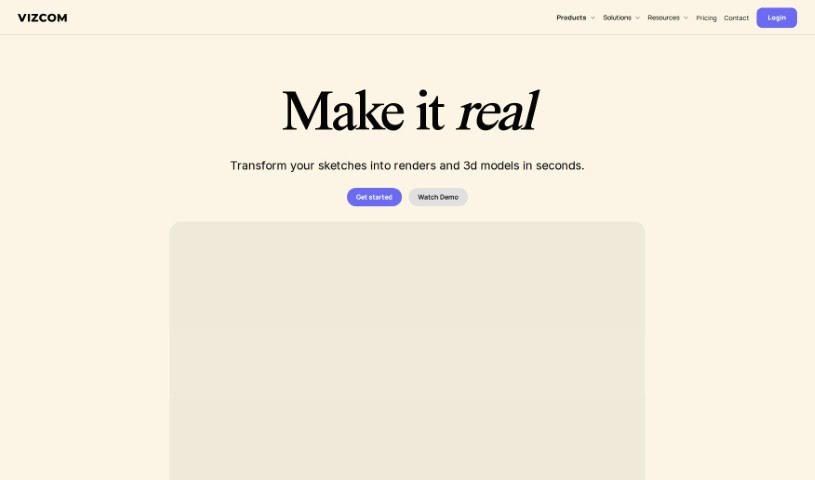
What is Vizcom?
Vizcom is a really neat tool for product visualization, made specifically for people in design and creative fields. It helps you bring your design ideas to life super fast, offering high-quality photorealism, a way to discover new creative directions, and the control you need. You can sketch, bring in 3D models, play with different rendering styles, use drawing tools, and so much more – it really opens up endless design possibilities. Plus, they take security seriously, using top-notch encryption and data protection. Vizcom also makes it easy to work with others through shared workspaces and by connecting you with a community of fellow designers.
Basically, Vizcom is a powerful way for designers to turn their concepts into realistic images, explore tons of design options, and work securely and collaboratively.
Who created Vizcom?
Vizcom was developed by Vizcom Technologies, Inc. This company offers a cutting-edge product visualization tool that lets designers bring their concepts to life with great photorealism, creative exploration, and control. The platform really focuses on security, using industry-leading encryption and data protection measures. Vizcom includes features like sketching, importing 3D models, various rendering styles, drawing tools, and collaborative workspaces for teams. Vizcom Technologies, Inc. founded the company and continues to innovate, helping designers explore countless design variations and stay inspired within the Vizcom community.
- Redesigned Design Workflows: It completely changes how designers work.
- Faster Sketching: Sketch with Vizcom to quickly cycle through different design ideas.
- Speeding Up the Design Process: It helps you get from a sketch to a finished render much faster.
- Turning Sketches into 3D: You can transform your 2D sketches into 3D models.
- Team Collaboration: Offers collaborative workspaces for teams to work together.
- Realistic Designs: Achieves high-quality photorealism for lifelike design concepts.
- Endless Design Options: Lets you explore an infinite number of design variations.
- Adjusting Rendering Styles: Provides texture control to fine-tune how your designs look.
- Using Familiar Tools: You can use drawing tools you already know, like brushes and shapes.
- Importing 3D Models: Bring in 3D models to improve your workflow.
- Shared Workspaces: Facilitates collaboration through shared environments.
- Infinite Design Possibilities: Explore a vast range of design variations.
- Personalized Touch: Add a human feel by sketching or importing 3D models.
- Easy Tool Usage: Makes using familiar drawing tools straightforward.
- High-Quality Realism: Delivers photorealistic results.
- Unique Product Combinations: Helps you generate unique product combinations.
- Bringing Ideas to Life: Transforms your initial ideas into photorealistic renderings.
- Creating Unique Products: Generates novel product combinations.
- Controlling Render Styles: Gives you control over rendering styles.
- Using Drawing Tools: Makes using drawing tools simple and effective.
- Design professionals
- Architects
- Product designers
- Visual artists
- Creative professionals
How to use Vizcom?
Getting started with Vizcom is pretty straightforward. Just follow these steps:
- Sign Up: Head over to the Vizcom website and create your account. It’s your first step to unlocking everything.
- Explore the Features: Take some time to check out what Vizcom offers:
- High-Quality Photorealism: You can create designs that look incredibly realistic.
- Infinite Design Variations: This lets you play around with tons of different design options, helping you make the best choices.
- Human Touch: Add your personal style by sketching directly or importing 3D models.
- Familiar Drawing Tools: Use brushes and shapes just like you would in other software for precise control.
- Collaborative Workspaces: Easily share files and folders with your team, making collaboration smooth and efficient.
- Dive into the Workbench: This is where you and your team can visualize, collaborate, and create together.
- Transform 2D Sketches: Quickly turn your sketches into 3D models.
- Security: You can trust the secure cloud-native infrastructure and data protection measures in place.
- Community: Jump into the Vizcom community for inspiration and to connect with other designers.
- Choose Your Plan: Vizcom offers different plans to suit your needs:
- Professional: This plan is perfect for individual professionals and smaller teams.
- Organization: Offers more advanced collaboration and control features for growing teams.
- Enterprise: Designed for larger organizations that need specialized support and enhanced security.
- Check the FAQ: If you have questions, the FAQ section covers a lot, including details on free usage, payment options, user roles, content ownership, how data is used for AI, and more.
By following these steps, you’ll be able to use Vizcom’s innovative tools and features effectively to bring your design concepts to life in a way that’s both efficient and creative.