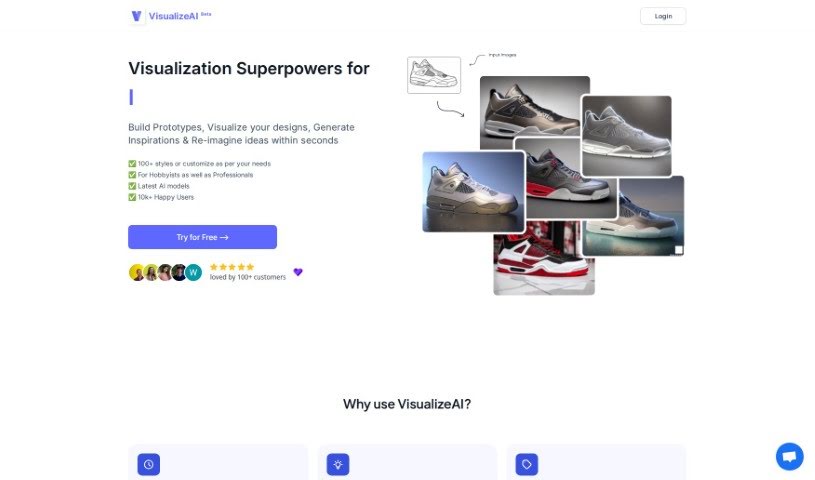
Screenshot of VisualizeAI

VisualizeAI

Discover VisualizeAI in 2025: learn what it is, how to use it effectively, explore its features, and see how it stacks up against other interior design tools.

Screenshot

What is VisualizeAI?

VisualizeAI is a design visualization tool that really helps you quickly create visualizations and explore all sorts of design possibilities. It is your go-to for building prototypes, seeing your designs come to life, sparking new inspirations, and even reimagining your ideas in just seconds. What’s cool is that VisualizeAI gives you access to over 100 different styles you can pick from, or you can tweak them to perfectly match what you’re looking for. It’s powered by the latest AI models, and already, over 10,000 happy users are making the most of it. With VisualizeAI, you can brainstorm more styles, save your visualizations to look at later, really boost your interior designs, turn simple Sketchup views into polished renders, and transform rough sketches into detailed visuals for deeper design exploration. Using it is pretty straightforward: you just pick what you want to do, upload an image (like a sketch or a photo), tell it what style and colors you want, and bam – you get your output in seconds. Whether you’re just dabbling in design as a hobby or you’re a seasoned professional, VisualizeAI has something for everyone, no matter your design needs.

Who created VisualizeAI?

VisualizeAI was developed by a team that goes by the same name, VisualizeAI. They’re really focused on creating a design visualization tool that uses AI to help people quickly generate visuals, explore different styles, and find design inspiration. It’s designed for both people who enjoy design as a hobby and for professionals, offering a huge library of over 100 styles that you can customize. Their main goal is to help users bring their creative visions to life in mere seconds, making the visualization process much simpler and encouraging more creative exploration in design projects.

What is VisualizeAI used for?

  • Build Prototypes: Quickly create early versions of designs.
  • Visualize Designs: See your design concepts in a visual format.
  • Generate Inspirations: Get new ideas and creative sparks.
  • Re-imagine Ideas: Explore different takes on existing concepts in seconds.
  • Restyle Interiors: Easily change the look and feel of interior spaces.
  • Visualize Views: See specific perspectives or scenes.
  • Ideate More Styles: Brainstorm and create a wider variety of design styles.
  • Convert Sketches to Renders: Turn rough sketches into detailed, professional-looking renders.
  • Explore Design Possibilities: Look at various design options and directions.
  • Iterate on Colors and Materials: Experiment with different color palettes and material choices.
  • Visualize Your Designs: Bring your design plans to a visual reality.
  • Re-imagine Ideas: Find new ways to think about your concepts.
  • Imagine Ideas: Spark creativity and conceptualize new possibilities.
  • Restyle Existing Interiors: Update the look of current interior spaces.

Who is VisualizeAI for?

  • Architects
  • Designers
  • Hobbyists
  • Professionals

How to use VisualizeAI?

VisualizeAI is a really powerful tool that lets you bring your design ideas to life using AI-powered visualization. Here’s a simple, step-by-step guide to using it effectively:

  1. Select Your Use Case: First off, pick what you want to achieve. Are you prototyping, visualizing a design, looking for inspiration, or trying to reimagine an idea? Choose the option that best fits your goal.
  2. Upload Your Input Image: Next, upload the image you want to work with. This could be anything from a quick sketch you’ve drawn to a photograph or any visual that represents your idea.
  3. Customize Your Output: Now, tell the tool what you want the final result to look like. You can choose specific styles, colors, themes, or any other details you have in mind to guide the AI.
  4. Generate the Visualization: Once your image is uploaded and you’ve set your preferences, just wait a moment. The AI will process everything, and within seconds, you’ll get your visualization based on exactly what you provided and chose.
  5. Explore and Refine: After you get the visualization, take some time to really look at it. You can play around with different styles, colors, and materials to fine-tune how your idea looks visually.
  6. Save and Access: Good news – all your visualizations get saved automatically! This means you can come back to them anytime you need to. It’s super handy for revisiting old ideas, comparing different versions, and keeping track of how your designs have developed.
  7. Try it for Free: VisualizeAI offers a free trial, so you can test out the tool yourself before committing. It’s a great way to see what this AI design visualization can do for you before you decide on a paid plan.

By following these straightforward steps, you can really use VisualizeAI to make your design process better, experiment with all sorts of styles, and turn your creative concepts into amazing visual representations, all thanks to artificial intelligence.

Related AI Tools

Discover more tools in similar categories that might interest you

123RF AI Image Generator

Creative Image Generation
Learn More

Stay Updated with AI Tools

Get weekly updates on the latest AI tools, trends, and insights delivered to your inbox

Join 25,000+ AI enthusiasts. No spam, unsubscribe anytime.