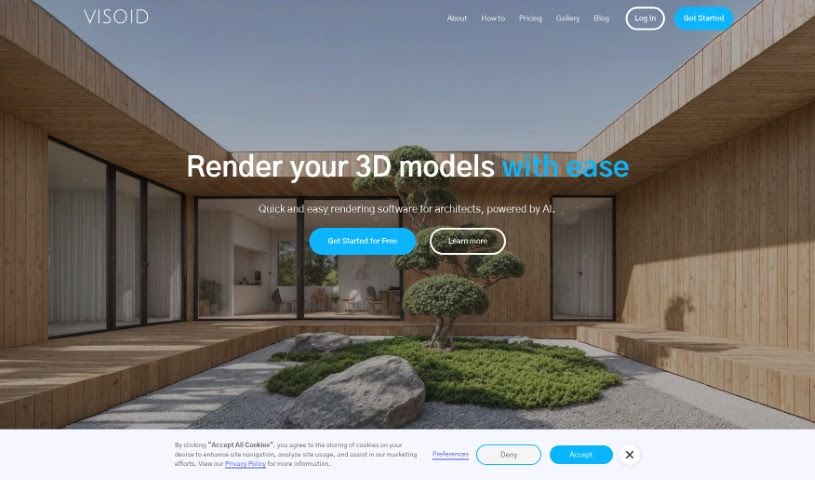
Screenshot of Visoid

Visoid

Discover Visoid, an AI-powered tool for architectural visualization. Learn what it is, how to use its features in 2025, and how it stacks up against other 3D model generators.

Screenshot

What is Visoid?

Visoid is a smart tool that uses AI to help create architectural visualizations. It runs on cloud servers, which means you can quickly generate really high-quality 3D rendered images specifically for architectural projects without needing powerful local hardware. It is a way to speed up the usual visualization process. It automates a lot of the tedious work, like setting up scenes, arranging lighting, and handling textures, all thanks to its trained AI model. You can easily tweak your visualizations too – just a few clicks can change the environment, the mood, the colors, or the overall style of your project. Visoid offers different ways to access it, with a Free version, a Pro version, a Premium version, and a Team version. Plus, it plays nicely with other 3D applications you might already use, like Twinmotion, Enscape, Sketchup, and Revit, making it useful for more than just architecture.

Who created Visoid?

Visoid was developed by a dedicated team, with its founder at the helm. It officially launched on June 18, 2024. As an AI-driven platform for architectural visualization, Visoid operates from the cloud, significantly simplifying the traditional visualization process. It cuts out the need for manual scene building, lighting setup, and managing texture libraries. This allows users to get high-quality 3D rendered images very quickly, especially for architectural designs. You can choose from several licensing options to fit your needs.

What is Visoid used for?

  • Create stunning images in minutes: Get impressive visuals fast.
  • Simplify traditional visualization workflows: Make the process much easier.
  • Replace complex traditional methods with a single tool: Consolidate your workflow.
  • Boost productivity and improve communication: Work faster and share ideas more clearly.
  • Visualize early-stage urban projects: Get a feel for city planning concepts.
  • Generate visualizations for multi-family or commercial projects: See how buildings will look.
  • Produce renders based on simple volumetric models: Turn basic shapes into detailed images.
  • Allow detailed scene control: Fine-tune every aspect of your visuals.
  • Work iteratively towards desired visual outcomes: Easily try out different looks and refine them.
  • Create 3D visualizations from Photoshop collages: Bring your 2D designs to life.

Who is Visoid for?

  • Architects
  • Visualization designers

How to use Visoid?

Here’s a straightforward guide to using Visoid:

  1. Input 3D File: Start by uploading your 3D model to the Visoid platform.
  2. Customization: Play around with different materials, environments, moods, and color palettes to personalize your project.
  3. Visualization Generation: Visoid uses AI in the cloud to process your input and quickly create high-quality 3D rendered images.
  4. Interior Rendering: Visualize interior design projects by testing out various materials and lighting conditions with Visoid.
  5. Streamlined Workflow: Take advantage of the AI automation to simplify traditional visualization tasks, meaning you won’t need to build scenes or set up lighting from scratch.
  6. Licensing Options: Pick the licensing option that best suits your project, whether it’s the Free, Pro, Premium, or Team version.
  7. Integration: Visoid can connect with other 3D applications you might use, such as Twinmotion, Enscape, Sketchup, and Revit, for seamless visualization.
  8. Hand Sketch Conversion: Turn your hand sketches into a format that rendering systems can use, which is great for testing ideas and communicating material choices.
  9. Deployment Scenarios: Use Visoid for a variety of design and construction projects, including urban planning, commercial buildings, and interior design.
  10. Scene Control: Make detailed adjustments to materials, environmental conditions, lighting, and colors using the scene control features.
  11. Iterative Design: Refine your visuals by working through different design options and experimenting to achieve the exact look you want.
  12. Images: Produce high-definition 3D rendered images with Visoid. You can even simulate different lighting scenarios and seasons to get a complete picture of your project.

Visoid is designed with a user-friendly interface, so you don’t need any prior experience to get started. It’s a really efficient way for architects and professionals in many fields to create high-quality visualizations.

Related AI Tools

Discover more tools in similar categories that might interest you

123RF AI Image Generator

Creative Image Generation
Learn More

Stay Updated with AI Tools

Get weekly updates on the latest AI tools, trends, and insights delivered to your inbox

Join 25,000+ AI enthusiasts. No spam, unsubscribe anytime.