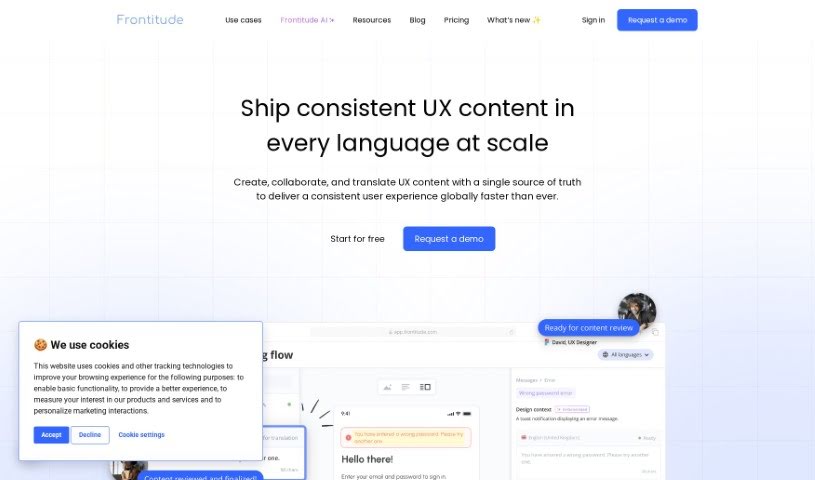
Screenshot of Frontitude

Frontitude

Discover Frontitude in 2025! Learn what this content writing tool does, explore its features, and see how it stacks up against other options.

Screenshot

What is Frontitude?

Frontitude is a handy tool designed to help you write better and faster. It is your personal copy assistant, offering suggestions inspired by great products you already use. It helps you tailor your writing to who you’re talking to, match your words with your designs, and keeps all your copy in one easy-to-find place so you can reuse it. It’s smart about your business goals and design needs, always keeping an eye on character limits. Right now, it works with English, but they’re planning to add more languages soon. It’s especially useful for product design, and they take data privacy and security very seriously. Frontitude aims to guide your resources and documentation effectively. It’s currently free during its Beta phase, and it can help you write copy up to ten times faster by using UX writing best practices. Keep in mind, though, it only works with Figma at the moment and doesn’t yet support multiple languages, plus it relies on user feedback and requires you to sign in to use it.

Who created Frontitude?

The UX Writing Assistant comes from a company called Frontitude. They launched it on June 20, 2024. Frontitude’s main goal is to make your written content better and more efficient. They do this by giving you personalized copy ideas, creating copy specifically for your products, and acting as a central hub where you can save and reuse your writing. Their approach involves understanding your business and design context, making sure your copy fits character limits, and using UX writing best practices to speed up your writing process significantly – up to ten times faster! To make things smooth, the tool integrates directly with Figma, so you can easily craft and edit product copy right within your design workflow.

What is Frontitude used for?

  • Centralized Content Management: Keep all your UX content organized in one spot.
  • Smoother Collaboration: Streamline how your team works together on copy.
  • Content Consistency: Make sure your writing is uniform across all your designs.
  • Faster Localization: Get your products ready for different languages more quickly.
  • Automated Handoff: Simplify the process of passing content to developers.
  • Boost Localization: Supercharge your efforts to adapt content for global audiences.
  • Multilingual Versions: Easily create different versions of copy for each language.
  • AI-Powered Writing: Enhance your writing with intelligent AI suggestions.
  • Codebase Sync: Connect your content edits directly to your code.
  • Developer Efficiency: Improve how quickly developers can integrate copy.

How to use Frontitude?

Here’s how you can get the most out of Frontitude’s UX Writing Assistant:

  1. Figma Integration: It connects with Figma using a plugin. This means you can write and edit your product copy right inside your Figma designs, making the whole process flow smoothly.
  2. Smart Copy Suggestions: Get helpful copy ideas that are inspired by successful products in your field. These suggestions are tailored to your specific audience and help maintain your product’s unique voice and tone.
  3. Design-Specific Copy: The tool can generate copy that fits perfectly with each design element, ensuring your text and visuals work together seamlessly.
  4. Improving User Experience: By providing well-written UX copy, the Assistant guides users through your product, making it easier to understand and hopefully leading to happier customers.
  5. Save and Reuse: You can store your copy in a central place, making it easy to reuse later. This also helps the tool learn and improve its suggestions over time.
  6. Context is Key: Frontitude considers both your business objectives and design context to offer suggestions that truly resonate with your audience and fit your designs perfectly.
  7. Write Faster: Get AI-powered copy ideas, drawing inspiration from industry leaders, and integrate them directly into your design workflow to speed things up.
  8. Better Business Outcomes: Well-crafted user guides can lead to more engagement, fewer users dropping off, and ultimately, better results for your business.
  9. Language Support: Currently, it works with English, but they plan to add support for more languages down the road.
  10. Data Privacy: Frontitude prioritizes your data security, using a secure AWS infrastructure to ensure top-tier privacy measures.

To get started:

  • Just install the plugin in Figma and sign in with your Frontitude account.

For what’s next:

  • Frontitude is working on adding more languages and regularly improving the tool.

Basically, the UX Writing Assistant makes teamwork easier, keeps your content consistent, speeds up localization, integrates copy with designs, and provides a secure place for managing and creating content efficiently.

Related AI Tools

Discover more tools in similar categories that might interest you

Stay Updated with AI Tools

Get weekly updates on the latest AI tools, trends, and insights delivered to your inbox

Join 25,000+ AI enthusiasts. No spam, unsubscribe anytime.