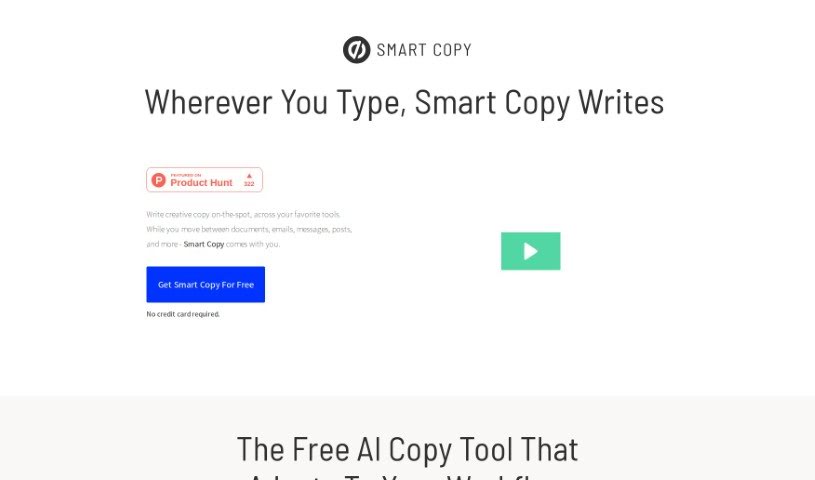
Screenshot of Unbounce Smart Copy

Unbounce Smart Copy

Discover what Unbounce Smart Copy is and how to use it effectively in 2025. We'll explore its features and see how it stacks up against other content writing tools.

Screenshot

What is Unbounce Smart Copy?

Unbounce Smart Copy is an AI-powered assistant designed to help you create creative, professional content quickly and easily. It is your go-to partner for generating sentences, paragraphs, and even stories with just a little input from you. It’s packed with useful features, including a library of over 45 templates, support for translating into more than 30 languages, a built-in grammar checker, and the ability to whip up content for all sorts of things – from blog posts and emails to poems. You can access Smart Copy in a few ways: as a web app, a handy Google Chrome extension, or a desktop app. It really helps streamline your writing process, lets you create content that matches your brand’s voice, and is a fantastic way to boost your productivity and beat writer’s block. Plus, it offers a distraction-free space so you can really focus on your creative writing, no matter which tool you’re using.

Who created Unbounce Smart Copy?

Smart Copy Everywhere was actually created by Sebastiaan Hooft, who’s the Founder of Redesign Records. This AI copy tool first launched on June 14, 2024. It’s powered by Unbounce, and it’s built to make copywriting smoother, generate content across different tools you already use, and give you access to unlimited, high-quality content without breaking the bank.

What is Unbounce Smart Copy used for?

Smart Copy is incredibly versatile. Here’s a look at what it can do for you:

  • Boost Productivity: It helps you get more done in less time.
  • Beat Writer’s Block: Stuck for ideas? It can help you get unstuck.
  • Brainstorm Viral Content: Ever wonder how to create something that really takes off? Smart Copy can help you brainstorm those viral ideas.
  • Translate Content: With its translation feature, you can easily create content in over 30 languages.
  • Integrate with Your Tools: It plays nicely with your favorite apps, making it easy to fit into your workflow.
  • Expert-Level Understanding: Get insights that feel like they come from a seasoned pro.
  • SEO Optimization: Craft content that’s optimized for search engines, helping you get found.
  • Creative Writing: It’s not just for business; you can use it to craft poems, too.
  • Email Content: Need to write compelling emails? Smart Copy has you covered.
  • On-Brand Content: Ensure everything you create sounds like it comes from your brand.
  • Diverse Content Types: Generate everything from blog posts and emails to poems and more.
  • Streamline Writing: Make your writing process much more efficient.
  • Multilingual Support: Create content for a global audience.

Who is Unbounce Smart Copy for?

This tool is a great fit for anyone who writes or creates content. That includes:

  • Content writers
  • Marketers of all kinds (digital, email)
  • Bloggers
  • Copywriters
  • Content creators
  • Poets
  • Writers
  • Creative professionals
  • Authors

How to use Unbounce Smart Copy?

Using Smart Copy Everywhere is pretty straightforward. Here’s a simple guide to get you started:

  1. Access Smart Copy: You can jump right in using it as a web application, a handy Google Chrome extension, or even a desktop app. This flexibility means you can work in a distraction-free environment, wherever you are.
  2. Generate Content: Smart Copy is ready to help you create all sorts of content – think blog posts, emails, poems, and much more. It’s got a library with over 45 templates to give you a head start on whatever you need.
  3. Translate Languages: Want to reach a global audience? Smart Copy supports translation into more than 30 languages, making international communication a breeze.
  4. Use Templates for Ideas: With so many templates available, you can easily brainstorm ideas for content that might go viral, or generate text that perfectly matches your brand’s unique message and style.
  5. Boost Your Productivity: By making the writing process smoother, Smart Copy helps you generate a good amount of content in a short time. This frees you up to focus on other creative tasks or strategic planning.
  6. Explore Pricing Options: There’s a free version available that lets you start with one project. If you need more, they offer paid plans like the essential plan (which gives you 200 credits and 3 projects) and an unlimited plan for those who need it all.
  7. Check Grammar and Optimize for SEO: The tool includes a built-in grammar checker to catch errors, and it can also help you create content that’s optimized for search engines, which is great for getting your work seen.
  8. Tap into Community and Insights: Smart Copy also connects you with a community of other writers for shared insights and tips. Plus, it offers copy insights to help you improve the quality of the content you generate.

By following these steps, you can really make the most of Smart Copy Everywhere. It’s a powerful tool for generating content efficiently and creatively, no matter what platform or language you’re working with.

Related AI Tools

Discover more tools in similar categories that might interest you

Stay Updated with AI Tools

Get weekly updates on the latest AI tools, trends, and insights delivered to your inbox

Join 25,000+ AI enthusiasts. No spam, unsubscribe anytime.