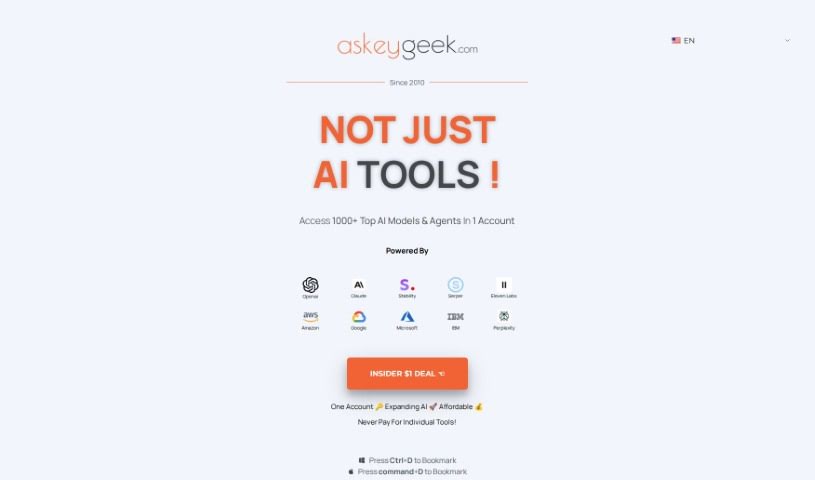
Screenshot of Ubercreate - Askeygeek

Ubercreate - Askeygeek

Discover what Ubercreate by Askeygeek is and how to use it effectively in 2025. We'll explore its features and see how it stacks up against other content writing tools.

Screenshot

What is Ubercreate - Askeygeek?

UberCreate, brought to you by Askeygeek, is a platform that offers a powerful AI content creation tool. It uses OpenAI’s advanced GPT-4 (32K) model, which means it can generate really high-quality content. Think articles, code, images, and SEO content, all in 28 different languages! What’s great is that it’s super user-friendly. You get a WYSIWYG editor, so you can edit your content as you create it, in real-time. Plus, there are customizable AI prompt templates, and you can easily export your work as PDF or Word documents. They even have a referral program where you can earn commissions. It’s designed for everyone, from beginners to pros, with prices that are hard to beat and some introductory deals. You don’t even need a credit card to get started! Beyond UberCreate, Askeygeek also provides custom solutions for businesses looking to automate and digitize their processes, always keeping things simple and offering personalized support.

Who created Ubercreate - Askeygeek?

Anson Antony is the founder and director behind Ubercreate and Askeygeek. He’s got about ten years of experience under his belt in areas like Business Process Outsourcing, Finance & Accounting, Information Technology, and Operational Excellence & Business Intelligence. Anson’s real passion for technology and business is what inspired him to create asKeygeek.com. This platform is all about offering solutions for automation, digital marketing, and business transformation. Fun fact: he’s also a big movie buff and filmmaker, which I think adds a really interesting and diverse range of skills to the company.

What is Ubercreate - Askeygeek used for?

  • Creating Content: You can generate all sorts of content using over 40 AI prompt templates, powered by OpenAI’s GPT 4 (32K) and DALL-E models.
  • Organizing Templates: It’s easy to convert your templates into professional categories.
  • Exporting: You can export your results in various formats, including PDF and Word.
  • Clipboard Copying: Need to paste it somewhere else quickly? You can copy results directly to your clipboard.
  • Referral Program: If you refer someone and they sign up, you can earn commissions.
  • Free Start: Beginners get 1K words for free to try it out.
  • Great Pricing: They offer unbeatable prices, especially with introductory deals for everyone.
  • Multilingual Support: Create content in 28 different languages.
  • Real-Time Editing: A what-you-see-is-what-you-get (WYSIWYG) editor lets you edit content as you go.
  • Customizable Templates: You get access to AI prompt templates that you can customize, and they’re always adding more.

Who is Ubercreate - Askeygeek for?

This tool is a great fit for:

  • Content creators
  • SEO specialists
  • Professional writers
  • Writers in general
  • Marketers
  • Business owners
  • Entrepreneurs

How to use Ubercreate - Askeygeek?

Getting started with UberCreate - Askeygeek is pretty straightforward. Here’s a quick rundown:

  1. Head over to UberCreate: First, visit the UberCreate platform on the Askeygeek website. If you haven’t already, you’ll need to sign up.
  2. Explore the AI Tools: Take a look around UberCreate to see all the different AI prompt templates available for content creation. They update these regularly, and you can customize them to fit your needs.
  3. Generate Your Content: Now for the magic! Use the powerful AI models like OpenAI GPT 4 (32K) and DALL-E. You can create high-quality articles, code, images, and SEO content in 28 languages.
  4. Edit in Real-Time: As you create, use the WYSIWYG editor. It makes editing your content a smooth, real-time experience.
  5. Save Your Work: Once you’re happy, you can export your content as a PDF or Word document, or just copy it straight to your clipboard.
  6. Join the Referral Program: Want to earn a little extra? You can earn a 15% commission on any successful referrals you make.
  7. Choose Your Plan: They have different subscription plans designed for both beginners and professionals. And remember, you don’t need a credit card to start!

Seriously, make sure you check out all the great features UberCreate offers. With its advanced AI, support for many languages, easy-to-use interface, customizable templates, and referral benefits, it really can make your content creation process much better.

Related AI Tools

Discover more tools in similar categories that might interest you

Stay Updated with AI Tools

Get weekly updates on the latest AI tools, trends, and insights delivered to your inbox

Join 25,000+ AI enthusiasts. No spam, unsubscribe anytime.