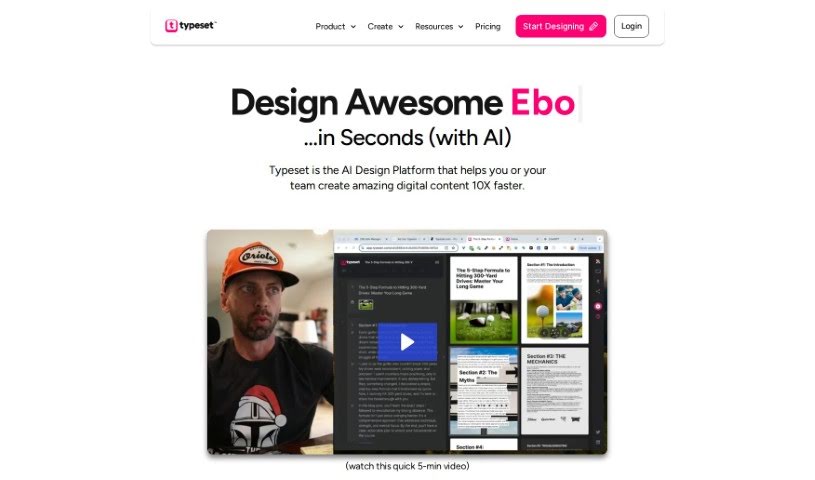
What is Typeset?
Typeset is a smart tool that uses AI and design principles to help you create beautiful visual content right from your text. It is an AI design assistant that makes putting together presentations, ebooks, social media graphics, and even magazine-style documents much simpler. It handles the heavy lifting of design for you.
Content creators really benefit from Typeset because it automates the design work. This means you can whip up all sorts of content quickly. Plus, it helps keep everything looking consistent, whether it’s across different social media posts or within a single document. You can even add your own logos to make your brand stand out.
Typeset is pretty versatile. It can generate a wide array of content, connect with your social media accounts, use AI to make your content creation even better, and ensure your designs always look polished and consistent. It’s also great for showing off data with charts and graphs, and you can even add clickable links to your digital pieces.
Basically, Typeset is designed to be super user-friendly, making it a great fit for any business. It takes good design principles and applies them automatically, so you always get professional-looking and consistent results.
Who created Typeset?
Thi is the individual behind Typeset. The platform first launched on October 3, 2023. Since then, it’s been offering automated design features, enabling rapid content creation, supporting various content types, matching images to your text, applying global themes, integrating your brand’s logo, and providing tools for data visualization, among other things. It really simplifies the process of creating content for presentations, ebooks, social media graphics, and magazine-style documents by taking care of the design automatically.
What is Typeset used for?
Typeset is incredibly useful for a variety of tasks:
- It handles design automatically.
- You can create content really fast.
- It lets you make all sorts of different content types.
- It helps you find images that match what you’re working on.
- You can apply a consistent theme across your entire project.
- It makes adding your brand’s logo super easy.
- It offers tools for visualizing data.
- You can easily turn your slide decks into social media posts.
- It lets you embed clickable links in your digital content.
- It reformats your content so it looks great on different platforms.
- It supports creating social media posts directly from slide decks.
- You can visualize data using a variety of charts, like line charts, pie charts, flow charts, and tables.
- Adding clickable links to your digital content is straightforward.
- It helps adapt your content to fit various platforms perfectly.
- It allows teammates to collaborate in real-time.
- You can find just the right images for your content.
- Adding your brand logos to any content is seamless.
- You can share your creations directly to social media platforms.
- It can suggest content ideas based on what you’re thinking.
- You can create ad images and easily adjust document layouts.
- It ensures your content design stays consistent by applying a global theme to fonts, backgrounds, and charts.
- It transforms slide decks into engaging social media posts.
- It supports data visualization with a wide range of charts, including line charts, pie charts, flow charts, and tables.
- You can add clickable links to your digital content.
- It helps adapt your content to fit different platforms.
- It supports real-time collaboration between teammates.
- You can find matching images for your content.
- Brand logos can be seamlessly added to any content.
- Content can be shared directly to social media platforms.
- Design consistency is maintained by layering a global theme across all elements.
Who is Typeset for?
Typeset is a great tool for a wide range of people:
- Students
- Marketers
- Businesses of all sizes
- Non-Profit Organizations
- Content creators
- Anyone who needs to communicate ideas visually
- Graphic designers
- Social media managers
How to use Typeset?
Using Typeset is pretty straightforward. Just follow these steps:
- Create Your Content: Start by typing your ideas directly into the editor. Typeset will then instantly turn them into polished slides and documents.
- Paste Your Text: You can also copy your existing text and paste it into the editor. Watch as your projects come to life without needing to manually adjust text or images.
- Pick a Layout: Choose from various layout options. This helps you transition your content smoothly between different designs and formats.
- Share and Export: Sharing your work is easy. You can post it directly to social media, invite others to view or edit your projects for collaboration, and export your content if you want to make further edits or share it widely.
- Unlock More with Typeset Pro: If you want even more features, you can upgrade to Typeset Pro. This gives you access to premium options like Getty Images’ creative library, more export choices, extra layouts specifically for social media, and other time-saving functionalities.
- Who Benefits: Typeset is designed for many different users, including students, marketers, businesses, nonprofits, and content creators. Its interface is user-friendly, making it suitable for both beginners and those with more experience.
- Special Offers: Typeset offers a 50% discount for students, teachers, and nonprofit customers. Plus, there’s a 30-day money-back guarantee if you’re not satisfied within the first month.
- What You Can Create: Typeset can generate all sorts of visual content. This includes presentations, document layouts, social media visuals, data visualizations, marketing materials, and much more, catering to diverse content creation needs.
Remember, Typeset’s AI tools are designed to simplify your design process, keep your content consistent, and generally make content creation for various platforms much easier with its automated design capabilities.