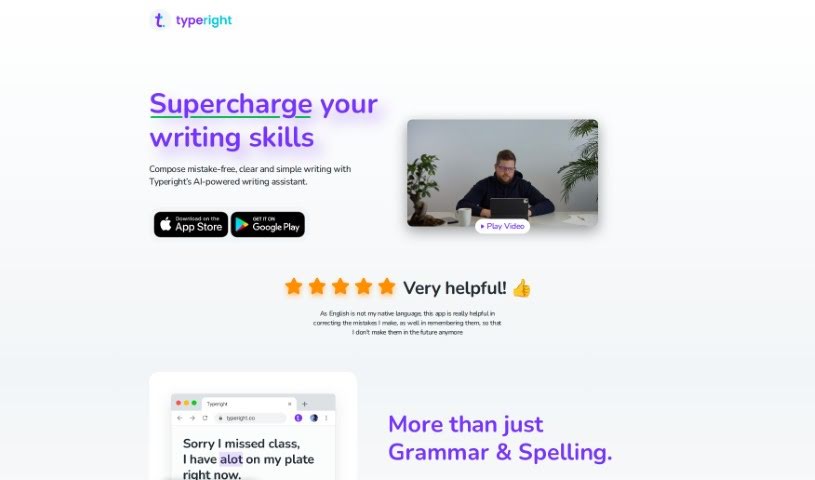
What is Typeright?
Typeright is an AI-powered writing assistant designed to help you polish your writing. It’s great at catching grammar and spelling mistakes, fixing punctuation, and even suggesting better ways to phrase things or offering synonyms to make your writing more engaging. It is a smart helper that learns from your common errors, so you can avoid repeating them. It supports several languages, including English, German, and Spanish, and you can use it on your phone (iOS and Android) or on your computer through browser extensions. If you want the full package, Typeright Plus unlocks everything and offers extra features for a truly comprehensive writing experience. It also helps you remember mistakes, suggests words as you type, and can even fill in words you might have missed.
Now, it’s not perfect, of course. The language support, while good, isn’t exhaustive. To get all the features, you’ll need to pay for the premium version, and it doesn’t work offline, so you’ll need a good internet connection. There can also be some questions about data privacy, which is something to consider with any online tool.
Still, despite these points, Typeright is a really useful tool if you’re looking to improve your written communication.
Who created Typeright?
Typeright, which you might remember as Grammatica, first launched on November 27, 2021. The specific founder and company details aren’t readily available, but what we do know is that Typeright is a really versatile tool. Its main goal is to help users write better by checking grammar, spelling, and punctuation, and it also offers helpful style and synonym suggestions. It’s designed to work across different languages and is available on iOS, Android, and as a browser extension for your desktop.
What is Typeright used for?
- Boosting your writing skills: It helps you become a better writer overall.
- Catching grammar errors: It spots and corrects mistakes in your grammar.
- Fixing spelling mistakes: Say goodbye to typos!
- Perfecting punctuation: Ensures your commas, periods, and other punctuation are in the right place.
- Style suggestions: Offers ways to make your writing clearer and more effective.
- Synonym feature: Helps you find just the right word.
- Memo-aid for mistakes: Reminds you of errors you tend to make.
- Finding missing words: Helps fill in gaps in your sentences.
- Predictive typing: Suggests words as you type, speeding things up.
- Improving multilingual writing: Supports writing well in different languages.
Who is Typeright for?
- Writers: Whether you’re a professional or just enjoy writing, it can help.
- Students: Great for essays, assignments, and general academic writing.
- Non-English speakers: A fantastic aid for those writing in a language that isn’t their native tongue.
How to use Typeright?
Here’s a simple guide to getting the most out of Typeright:
- Understand Typeright: At its core, Typeright is your AI writing buddy. It checks your grammar, spelling, and punctuation, and offers style and synonym tips to make your text shine.
- Explore the Features: You’ll find it supports multiple languages like English, German, and Spanish. Plus, it has predictive typing and a neat feature that helps you remember your common mistakes, all aimed at improving your writing.
- Where to Use It: Typeright is super convenient. You can use it on your iOS or Android phone, and on your computer via browser extensions for Chrome, Firefox, Safari, and Edge.
- Sharpen Your Skills: Typeright actively helps you improve by flagging and correcting grammar, spelling, and punctuation errors. It also suggests stylistic improvements and synonyms to make your writing more engaging and impactful.
- Language Support: It’s equipped to handle English, German, and Spanish, making it a good choice for a wide range of users.
- Platform Compatibility: Whether you’re on the go with your phone or at your desk, Typeright works across mobile devices and web platforms, supporting all the major browsers.
- Go Pro with Typeright Plus: Want all the bells and whistles? Typeright Plus unlocks every feature and offers even more functionalities across all supported platforms for a truly enhanced writing experience.
- Smart Predictive Typing: Typeright’s predictive typing is a real time-saver. It uses AI to spot and correct typing errors as you write, making the process smoother.
- Share the Love: You can even share your Typeright Plus account with friends and family, giving them access to all the advanced features.
- Try Before You Buy: Typeright offers a free trial for Typeright Plus. This is a great way to test out all the capabilities before you decide to commit to the premium version.
By following these steps, you’ll be well on your way to using Typeright effectively to boost your writing skills and create polished content with much greater ease.