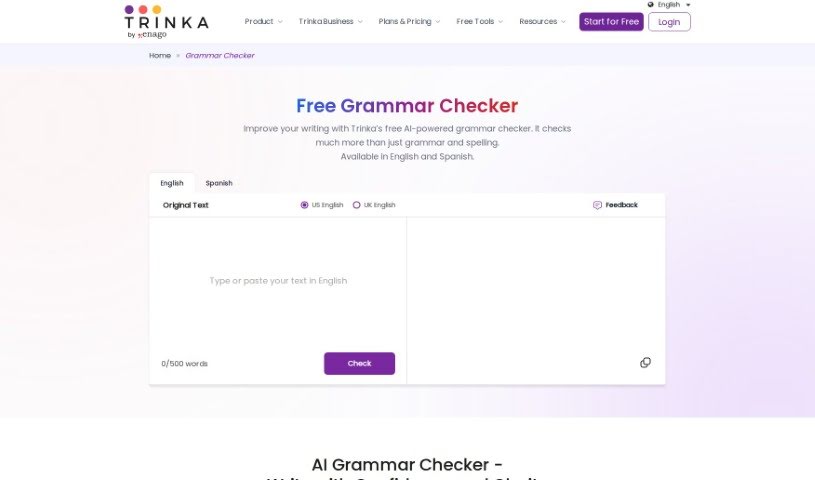
Screenshot of Trinka AI Grammar Checker

Trinka AI Grammar Checker

Discover what Trinka AI Grammar Checker is and how to use it effectively in 2025. We'll explore its features and see how it stacks up against other grammar checkers.

Screenshot

What is Trinka AI Grammar Checker?

Trinka AI Grammar Checker is an online tool specifically designed for academic and technical writing. It offers a really thorough way to fix your English, catching everything from advanced grammar mistakes to even scientific spelling errors. While Trinka is great at fixing thousands of grammar issues and complex writing problems, how well it replaces a human proofreader really depends on how good your original writing is. It can help improve punctuation, how sentences are structured, the overall tone, and your word choices, among other things. Plus, Trinka works with lots of different applications and websites thanks to its browser plug-ins, which makes it super convenient no matter where you’re writing. It’s worth noting that Trinka Grammar Checker focuses exclusively on the English language, making it a fantastic resource for anyone working on academic papers, reports, theses, or any other formal documents.

Who created Trinka AI Grammar Checker?

Trinka AI Grammar Checker was actually developed by a team made up of language experts and software engineers. Dr. Suneet Gupta was at the head of this team. Dr. Gupta has a PhD in Computer Science and brings a wealth of experience in artificial intelligence and natural language processing. The company behind Trinka AI Grammar Checker is called Trinka AI, and they’re all about creating innovative language tools that help people write better and communicate more fluently. Dr. Gupta founded Trinka AI with the goal of offering advanced grammar checking solutions for both individuals and businesses who are serious about making their written communication absolutely flawless.

How to use Trinka AI Grammar Checker?

Using Trinka AI Grammar Checker is pretty straightforward. Here’s a simple step-by-step guide:

  1. First, head over to the Trinka AI Grammar Checker website.
  2. You’ll need to create an account, which you can do by signing up with your email address.
  3. Once you’ve signed up, log in to get access to the grammar checker tool itself.
  4. Now, just copy the text you want to check and paste it into the text box provided.
  5. To start the analysis, click on the button that says “Check Grammar” or something similar.
  6. Trinka AI will then give you suggestions and corrections. Take a look at what it recommends.
  7. For each suggestion, you can choose to accept it or reject it, depending on what you think is best.
  8. Don’t forget to use the tool’s explanations to really understand why something was flagged as an error.
  9. Make any necessary edits to your text to improve its overall grammar.
  10. After you’ve made your changes, it’s a good idea to recheck your text to make sure everything is correct.
  11. If you need to, you can download or save the final, corrected version of your writing.
  12. Finally, feel free to explore the other features and settings Trinka AI offers for even more in-depth grammar checking.

By following these steps, you’ll be able to use Trinka AI Grammar Checker really effectively to boost the quality of your writing.

Related AI Tools

Discover more tools in similar categories that might interest you

Academic Help Free Essay Generator

Education Academic Writing
Learn More

Stay Updated with AI Tools

Get weekly updates on the latest AI tools, trends, and insights delivered to your inbox

Join 25,000+ AI enthusiasts. No spam, unsubscribe anytime.