Tracksy (Audio)
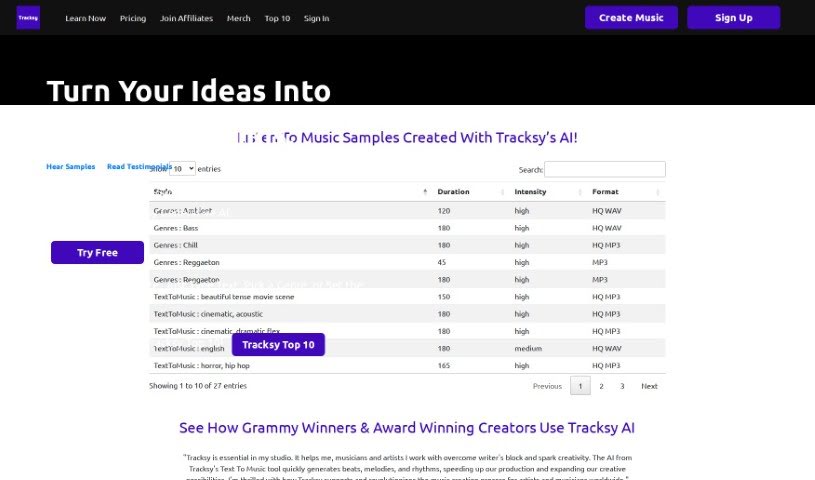
Screenshot of Tracksy

Tracksy

Discover what Tracksy is and how it generates unique music from text prompts for musicians, filmmakers, podcasters, and other creators.

Screenshot

What is Tracksy?

Tracksy is an AI assistant that helps you create unique music, whether you’re a seasoned professional or just starting out. Its Text To Music feature generates beats, melodies, and rhythms from your input, making it useful for getting past creative blocks and streamlining the music-making process. Users value it for being user-friendly, offering customization options, and supporting a wide variety of genres and track lengths. It serves musicians, filmmakers, writers, and other creative professionals.

Who created Tracksy?

Tracksy was developed by Cerebral Valley, with Ivan Porollo among the main people behind it. The platform is designed to help creators produce unique music that fits their needs, regardless of experience level.

What is Tracksy used for?

Tracksy supports a range of creative uses:

  • Hobby Projects: Create custom tracks for personal projects without copyright concerns.
  • Podcasts: Generate music for audiodrama podcasts.
  • Social Media: Add music to animations for social media posts.
  • Songwriting: Help singers and songwriters craft new compositions.
  • Video Enhancement: Add high-quality sound to videos across a wide selection of genres.
  • Overcoming Blocks: Generate beats, melodies, and rhythms to break through creative barriers.
  • Project Customization: Specify the exact length, mood, and genre for any project.
  • Brand Sound: Establish a consistent sound brand for independent creators and companies.
  • Track Revamping: Update existing tracks or blend your own audio files into the mix.
  • Track Libraries: Build varied libraries of tracks for different content needs.

Who is Tracksy for?

Tracksy is aimed at a broad range of creative individuals, including singer-songwriters, creative writers, musicians, artists, actors, filmmakers, DJs, podcasters, content creators, and animators.

How to use Tracksy?

  1. Sign up: Head to the Tracksy website and create a free account.
  2. Generate music: Use the Text To Music feature — describe the genre, mood, and desired track length, and Tracksy generates unique music based on your input.
  3. Apply it to your projects: Use the generated tracks in videos, podcasts, and other creative work, or blend your own audio files into the mix.

Related

Related AI Tools

Discover more tools in similar categories

New tools, in your inbox.

Weekly picks of the best AI tools we've researched and added — no spam, unsubscribe anytime.

Join 25,000+ AI enthusiasts. No spam, unsubscribe anytime.