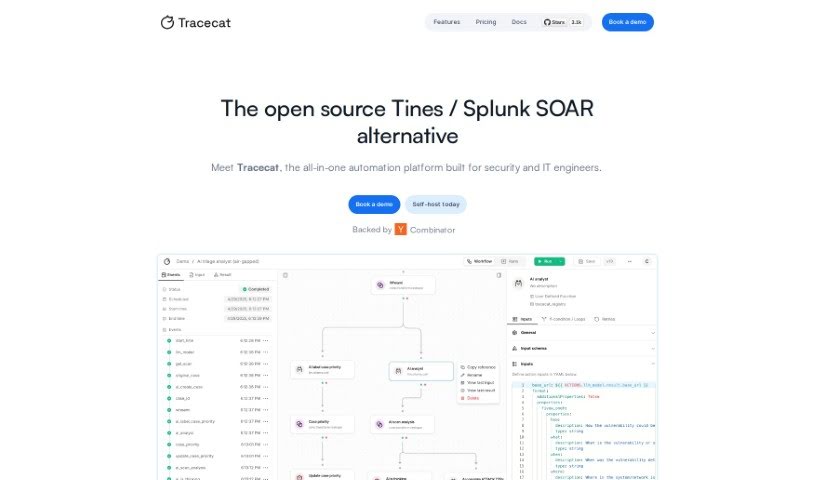
Screenshot of Tracecat

Tracecat

Discover what Tracecat is and how to use it effectively in 2025. We'll explore its features and see how it stacks up against other professional tools.

Screenshot

What is Tracecat?

Tracecat is an open-source automation platform built with AI at its core, specifically for security teams. It’s designed to be easy to use, offering AI-assisted workflows that you can get up and running in about 15 minutes. Plus, there’s a lively global community of developers ready to help and share feedback. If you want to dive deeper into Tracecat’s features, how it compares to other tools, how to set it up, or what its interface looks like, you can find all the details in the “tracecat.pdf” document.

Who created Tracecat?

Tracecat was developed by Xavier Harmand and first launched on March 25, 2024. As an AI-native, open-source automation platform, it’s tailored for security teams. It boasts a user-friendly interface, AI-powered features, and a strong commitment to data privacy. The team behind Tracecat really values community input, using it to make the platform even better.

What is Tracecat used for?

Tracecat helps you do a lot of things to boost your security operations:

  • Build automation workflows: Create custom sequences of actions to automate repetitive tasks.
  • Orchestrate alerts: Manage and coordinate alerts efficiently.
  • Close cases swiftly: Speed up the process of resolving security incidents.
  • Deploy AI-assisted workflows: Get AI-powered automation running quickly.
  • Automate SecOps: Streamline Security Operations using pre-built actions.
  • Open cases directly from workflows: Seamlessly create incident tickets as part of your automated processes.
  • Create unlimited workflows: Build as many automation sequences as you need.
  • Collaborate and isolate sensitive data: Use tenants to work together while keeping data private.
  • Monitor alert trends: Keep an eye on patterns in your security alerts.
  • Automated alert SLO tracking: Automatically track Service Level Objectives for alerts.
  • Automate tasks through workflows: Make your daily tasks more efficient with automation.
  • Prioritize data privacy: Implement detailed policies to protect sensitive information.
  • Manage whitelists and blacklists: Control access and identify trusted or untrusted entities.
  • Upload evidence and threat intel: Centralize important security information.
  • Get support: Find help on Discord and Slack.
  • Streamline tasks: Make your work easier by automating workflows.
  • Swift closure of cases: Resolve incidents faster.
  • Enhance processes: Make your security operations more effective.
  • Build automated workflows: Design custom automation sequences.
  • AI-assisted features: Leverage artificial intelligence to help your security team.
  • Create automation workflows: Design and build your own automation sequences.
  • Contribute to development: Help improve Tracecat by sharing your feedback and suggestions.
  • Access support documents: Find helpful guides on GitHub.
  • Handle data privacy responsibly: Manage information with care and according to policies.
  • Enhance processes for security teams: Improve how security teams operate.
  • Prioritize data privacy: Make data protection a top concern.
  • Deploy quickly: Get started in about 15 minutes.
  • Access via platform link: Easily reach the platform through its web address.
  • Utilize AI-assisted features: Make the most of AI tools.
  • Active global developer community: Connect with developers worldwide for support and ideas.

Who is Tracecat for?

Tracecat is designed for a wide range of professionals involved in cybersecurity and IT:

  • Security professionals
  • Security teams
  • MDR (Managed Detection and Response) professionals
  • Channel partners
  • Security analysts
  • Cybersecurity specialists
  • Security Engineers
  • Security Operations Center (SOC) Analysts
  • Security Consultants
  • Security Architects
  • Security Managers
  • Security Researchers
  • Cyber Threat Intelligence Analysts
  • Network Security Engineers
  • IT professionals
  • Developers

How to use Tracecat?

Getting started with Tracecat, your AI-native open-source security automation platform, is straightforward. Just follow these steps:

  1. Access Tracecat Platform: Head over to https://platform.tracecat.com to begin using Tracecat.
  2. Create Automation Workflows: Use the intuitive interface and AI-powered features to quickly build your automation workflows.
  3. Deploy Your First Workflow: You can have your first AI-assisted workflow up and running in roughly 15 minutes.
  4. Access Support Documents: You’ll find all the necessary support documents and the platform’s codebase on GitHub at https://github.com/TracecatHQ/tracecat.
  5. Ensure Data Privacy: Tracecat places a high value on data privacy, with detailed policies available on their website.
  6. Provide Feedback: Feel free to share your suggestions or feedback through the anonymous survey on the Tracecat website.
  7. Collaborate with Community: Join the active global community to contribute to the platform’s ongoing improvement.
  8. Customize Workflows: Tailor your workflows using both configuration-as-code and no-code options to suit your needs.
  9. Manage Cases Effectively: Make use of the built-in case management system to keep track of and resolve security incidents.
  10. Monitor Alerts: Stay on top of alert trends and automate your SecOps tasks with pre-built actions.

By following these steps, you can effectively use Tracecat to automate your security tasks and workflows, significantly boosting your security team’s efficiency and overall effectiveness.

Related AI Tools

Discover more tools in similar categories that might interest you

Stay Updated with AI Tools

Get weekly updates on the latest AI tools, trends, and insights delivered to your inbox

Join 25,000+ AI enthusiasts. No spam, unsubscribe anytime.