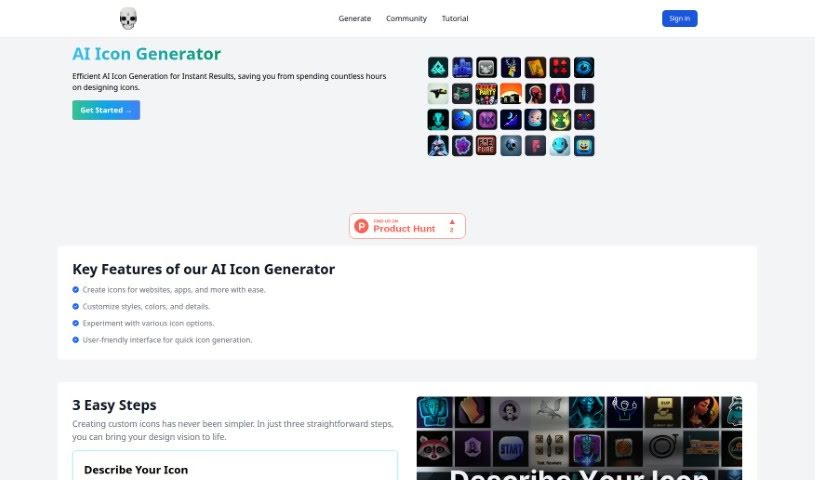
Screenshot of Theme Butler

Theme Butler

Discover what Theme Butler is and how to use it effectively in 2025. We'll explore its features and how it stacks up against other AI Image Generators.

Screenshot

What is Theme Butler?

Theme Butler is an AI Icon Generator tool built for anyone, whether you’re an individual or a business, who needs custom icons for projects like websites, apps, and so much more. It really makes creating icons simple. You just describe the icon you’re picturing, pick a style and color, and then, in just three quick steps, you can generate and download your custom icons. It’s super user-friendly, offering lots of ways to customize so the icons perfectly match your vision and really boost the look of your projects. Plus, Theme Butler’s icons can help make your website stand out online, strengthen your brand’s identity, and connect with your audience more effectively.

Who created Theme Butler?

Theme Butler was brought to life by a team passionate about making icon generation easy with AI. They launched this AI Icon Generator on October 27, 2023, aiming to help all sorts of users – from solo developers and UX/UI designers to freelancers, agencies, companies, and small business owners – create unique, eye-catching icons for their websites and apps. The tool lets you easily customize styles, colors, and details, and play around with different icon ideas through its straightforward interface. Ultimately, Theme Butler’s AI Icon Generator is designed to make websites look better, solidify brand identity, and keep audiences engaged.

What is Theme Butler used for?

  • Easily create custom icons for websites, apps, and more, all powered by AI.
  • Tailor the styles, colors, and specific details of your icons.
  • Play around with and explore a wide range of different icon options.
  • Give your CMS platforms, like WordPress and Shopify, a boost with unique icons that perfectly match your site’s branding.
  • Make your website’s visual design pop and reinforce your brand’s identity with custom-made icons.
  • Capture your audience’s attention by using visually appealing icons.
  • Simplify the entire icon creation process thanks to a user-friendly interface.
  • Quickly generate and then easily integrate icons into your chosen CMS platforms.
  • Empower everyone – from small business owners and agencies to companies, freelance professionals, UX/UI designers, and independent developers – to create stunning custom icons.
  • Serve as a versatile tool to improve your online presence by crafting custom icons.

How to use Theme Butler?

Using Theme Butler is pretty straightforward. Just follow these simple steps:

  1. First, describe the icon you’re looking to create right in the tool.
  2. Next, pick a style and color for your icon from the options provided.
  3. Then, hit ‘Generate’ to kick off the icon creation process.
  4. In just a few seconds, your custom icon will be ready for you to download.

Theme Butler’s AI Icon Generator is really easy to use, making it simple to quickly customize and download icons for all sorts of uses, like websites and apps. The tool breaks down icon creation into just three easy steps, so it’s accessible for both individuals and businesses. Plus, the icons you create can really help improve how your website looks, strengthen your brand’s identity, and keep your audience engaged.

Related AI Tools

Discover more tools in similar categories that might interest you

123RF AI Image Generator

Creative Image Generation
Learn More

Stay Updated with AI Tools

Get weekly updates on the latest AI tools, trends, and insights delivered to your inbox

Join 25,000+ AI enthusiasts. No spam, unsubscribe anytime.