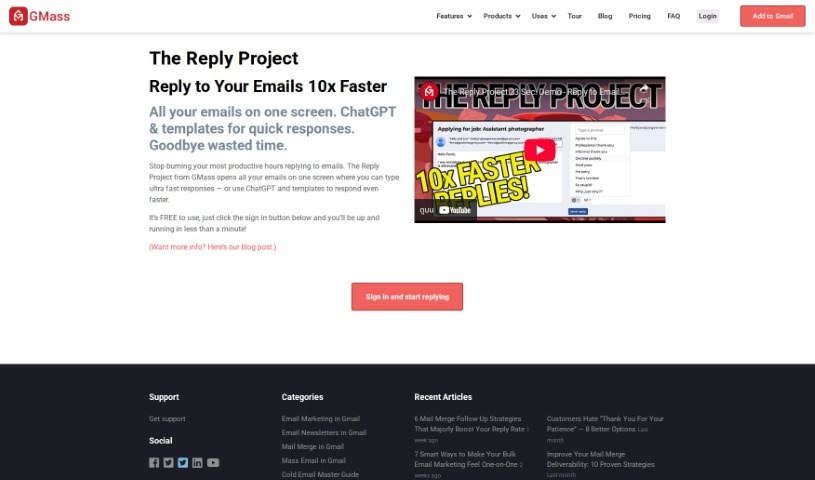
Screenshot of The Reply Project By Gmass

The Reply Project By Gmass

Discover GMass's Reply Project in 2025: learn what it is, how to use it for better email marketing, and compare its features against other email tools.

Screenshot

What is The Reply Project By Gmass?

The Reply Project by GMass is designed to make your email communication much more productive. It’s a platform that lets you see and manage all your emails in one place, which is super handy. You can type out quick replies right there, or if you want to be even faster, you can use built-in ChatGPT or pre-made templates. It also connects smoothly with Google Sheets, making it a breeze to handle your email lists and campaigns. Plus, it offers a bunch of other useful features like campaign analytics to see how your emails are doing, personalization options to make your messages more relevant, automated follow-ups so you don’t miss a beat, scheduling for future sends, ways to send to specific groups (segmented campaigns), and tools to manage all your replies efficiently. For those needing more advanced capabilities, it also includes solid unsubscribe and bounce management, SMTP integration, support for transactional emails, and an API for custom connections. It really covers a lot of ground for different email marketing needs.

Who created The Reply Project By Gmass?

While the specific founder of The Reply Project by GMass isn’t mentioned in the details I have, GMass itself is the company behind this innovative tool. GMass is well-known for creating smart email solutions that help people communicate better and get more done. The Reply Project uses GMass’s own technology to let you send out much larger email campaigns than you normally could with standard Gmail. It also integrates seamlessly with Google Sheets, which is a big help for organizing your email lists and campaigns. You get detailed analytics too, so you can track your performance and figure out the best strategies.

What is The Reply Project By Gmass used for?

This tool is incredibly versatile and can be used for all sorts of communication needs:

  • Recruitment: Streamline your hiring process.
  • Press Releases: Distribute your news effectively.
  • Cold Email Outreach: Connect with new contacts.
  • Link Building: Build valuable connections online.
  • Membership Outreach: Engage with your members.
  • Acceptance and Rejection Processes: Manage communications for applications.
  • Press Releases Management: Keep track of your media outreach.
  • Political Campaign Outreach: Connect with voters and supporters.
  • Wedding Invitations: Send out your special announcements.
  • Church Mass Emails: Communicate with your congregation.
  • HOA Emails: Keep homeowners informed.
  • Recruit efficiently: Find the right people faster.
  • Political Campaigns: Reach your audience effectively.
  • Church Emails: Keep your community updated.
  • Recruit better: Improve your candidate selection.
  • Accept and reject efficiently: Handle application outcomes smoothly.
  • Teacher Communications: Connect with students and parents.

Who is The Reply Project By Gmass for?

This tool is a great fit for a wide range of professionals and organizations:

  • Teachers: For all your classroom communications.
  • Real Estate Marketing: To connect with clients and prospects.
  • Internal Communications Specialists: For keeping your team informed.
  • Sports Clubs: To manage member communications and events.
  • Music Producers (Beat Makers): For outreach and collaboration.
  • Recruiters: To streamline candidate outreach.
  • Press Release Managers: For efficient media distribution.
  • Political Campaign Managers: To engage with voters.
  • Wedding Planners: For managing guest communications.
  • Church Administrators: To connect with your congregation.
  • HOA Managers: For community updates.
  • Real Estate Agents: To manage client relationships.
  • Internal Communication Managers: For effective employee engagement.
  • Sports Club Managers: To organize club activities.
  • Politicians: To reach constituents.
  • Event Organizers: Especially for weddings or sports events, to manage guest or participant communication.

How to use The Reply Project By Gmass?

Getting started with The Reply Project by GMass is pretty straightforward. Here’s a simple breakdown:

  1. Get Started: First, head over to the tool and click the sign-in button. It’s free to begin!
  2. Respond Faster: Use the feature that opens all your emails on one screen. This makes replying super quick. Need to go even faster? You can use ChatGPT or pre-made templates to draft your responses in a flash.
  3. Personalize Your Messages: Make your emails stand out by customizing them for each recipient. You can use mail merges and conditional logic to add a personal touch at scale.
  4. Automate Follow-ups: Want to boost your response rates? Set up automated follow-up emails. This ensures you stay connected without having to manually track everything.
  5. Schedule and Repeat: Plan your campaigns ahead of time by scheduling your mail merges. You can even set them to repeat if needed, which is great for ongoing communication.
  6. Quick Surveys: Want to get feedback? Use the email polling feature to include simple one-question surveys right in your campaigns.
  7. Keep the Conversation Going: Send new campaigns as replies to previous messages. This helps maintain the flow of conversation and keeps related emails together.
  8. Target Specific Groups: Need to send a follow-up to just a portion of your previous recipients? You can segment your campaigns to target specific groups from past sends.
  9. Manage Replies Efficiently: Keep your inbox organized by managing replies effectively. Respond promptly without getting overwhelmed by clutter.
  10. All-in-One Campaign Management: Take advantage of a full suite of features for comprehensive email campaign management. This includes managing unsubscribes, detecting bounces, building email lists, conducting A/B testing, integrating with SMTP, and sending transactional emails. These tools help you optimize your campaigns for the best results.

By following these steps, you’ll be well on your way to using The Reply Project by GMass to really improve your email communication and make your campaigns much more effective.

Related AI Tools

Discover more tools in similar categories that might interest you

Stay Updated with AI Tools

Get weekly updates on the latest AI tools, trends, and insights delivered to your inbox

Join 25,000+ AI enthusiasts. No spam, unsubscribe anytime.