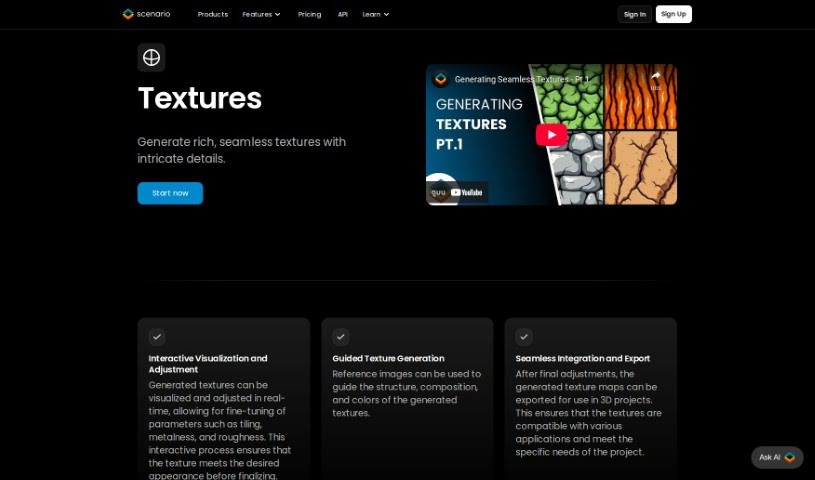
What is Texture Lab?
TextureLab is a really neat tool built for game developers and digital artists. It helps you create high-quality, seamless textures for all sorts of projects. Now, it’s part of Scenario, which means you can actually create and tweak unique textures just by typing in what you want. TextureLab offers a bunch of different texture types, like dragon scales, old Egyptian tiles, rocks, and stonewalls. If you want to easily make different versions of a texture, you can use the Clay mode. Plus, you can add effects like diffuse, height, and normal mapping to really make them pop. All the textures you create with TextureLab are completely free to use and ready to go, covering pretty much any texture need you might have in categories like Building, Rock, Wood, Sand, Vegetable, Ice, and Miscs. It was created by Hugo, a super innovative guy, making TextureLab a go-to for whipping up seamless textures on the fly.
Who created Texture Lab?
Hugo, a really innovative creator, is the mind behind Texture Lab. He’s focused on giving game developers and digital artists top-notch seamless textures. This platform, which is now integrated into Scenario, offers a variety of texture categories, including cool ones like dragon scales and ancient Egyptian tiles. Hugo’s creation makes it simple for users to manipulate textures and enhance them with various effects to perfectly match their project needs. What’s great is that TextureLab’s textures are free to use and are compliant with the Creative ML OpenRAIL-M license, which means you’re covered legally for all your creative projects.
What is Texture Lab used for?
- Game Development: Build immersive worlds with custom textures.
- Digital Art Projects: Add unique visual flair to your artwork.
- Creating Seamless Textures: Easily generate textures that tile perfectly.
- Manipulating Textures with Ease: Tweak and adjust textures quickly.
- Adding Effects: Enhance textures with diffuse, height, and normal mapping.
- Covering Diverse Texture Needs: Find textures in categories like Building, Rock, Wood, Sand, Vegetable, Ice, and Miscs.
- Generating Texture Variations: Quickly create different looks for your textures.
- Enhancing Aesthetics: Make your games or digital environments look even better.
- Using Textures for Free: Access and implement textures without any cost.
- Legally Compliant Use: Ensure your creative projects adhere to legal standards.
- Generate Unique Seamless Textures: Craft one-of-a-kind textures for games and digital art.
- Manipulate Textures with Clay Mode: Easily create variations using the intuitive Clay mode.
- Enhance Textures with Effects: Apply diffuse, height, and normal mapping for added depth.
- Access Various Texture Categories: Explore options like dragon scales, ancient Egyptian tiles, rocks, and stonewalls.
- Use Textures Freely: Implement textures immediately, as they’re ready to go.
- Comply with Legal Standards: Utilize the Creative ML OpenRAIL-M license for peace of mind.
- Cover a Wide Range of Needs: Find textures in categories such as Building, Rock, Wood, Sand, Vegetable, Ice, and Miscs.
- Create Seamless Textures Efficiently: Generate textures on-the-fly without hassle.
- Cost-Effective Texture Generation: Use TextureLab to create high-quality textures without breaking the bank.
- Benefit from Hugo’s Innovation: Experience the creative approach of TextureLab.
- Creating Unique Seamless Textures: Craft distinctive textures that tile perfectly.
- Manipulating Textures: Easily adjust and refine your textures.
- Enhancing Textures with Effects: Apply diffuse, height, and normal mapping for detail.
- Using Textures for Free: Implement textures in your projects without cost.
- Covering Broad Texture Needs: Explore categories like Building, Rock, Wood, Sand, Vegetable, Ice, and Miscs.
- Generating Seamless Textures On-the-Fly: Create textures quickly as you need them.
- Legal Compliance for Creative Use: Ensure your work is legally sound.
- Generate Unique Textures for Games and Environments: Craft specific textures for your digital worlds.
- Manipulate Textures from Text Input: Create textures simply by describing them.
- Create Texture Variations with Clay Mode: Easily generate different versions of your textures.
- Cover a Wide Spectrum of Needs: Find textures in categories like Building, Rock, Wood, Sand, Vegetables, Ice, and Miscs.
- Access a Treasure Trove of Free Textures: Explore a vast collection of textures ready for your projects.
Who is Texture Lab for?
- Game Developers: Perfect for anyone building virtual worlds.
- Digital Artists: Great for adding unique visual elements to any digital creation.
How to use Texture Lab?
Ready to create some amazing textures? Here’s how you can use TextureLab:
- Get Started with TextureLab: First, head over to the TextureLab platform. It’s now part of Scenario and is designed specifically for game developers and digital artists who need great seamless textures.
- Generate Your Textures: Simply type in a description to create unique seamless textures. You can explore different categories too, like dragon scales, ancient Egyptian tiles, rocks, stonewalls, and many more.
- Play with Clay Mode: Want to make different versions of a texture easily? Use the Clay mode – it’s perfect for generating variations and adding diversity to your creations.
- Customize Your Textures: Make each texture exactly what you need by applying effects like diffuse, height, and normal mapping. This helps tailor them perfectly for your project.
- Explore Texture Categories: You’ll find a wide range of categories to choose from, including Building, Rock, Wood, Sand, Vegetable, Ice, and Miscs, so you can meet all sorts of texture needs.
- Stay Legally Compliant: You can use all the textures generated with TextureLab freely, thanks to the Creative ML OpenRAIL-M license. This ensures everything is high-quality and legally sound for your creative work.
- Discover Free Resources: Take advantage of the treasure trove of ready-to-use textures available on TextureLab for free. There’s a wealth of resources here for you to explore and implement in your projects.
By following these steps, you’ll be able to efficiently use TextureLab to create fantastic, high-quality, seamless textures for your game development or digital art projects.