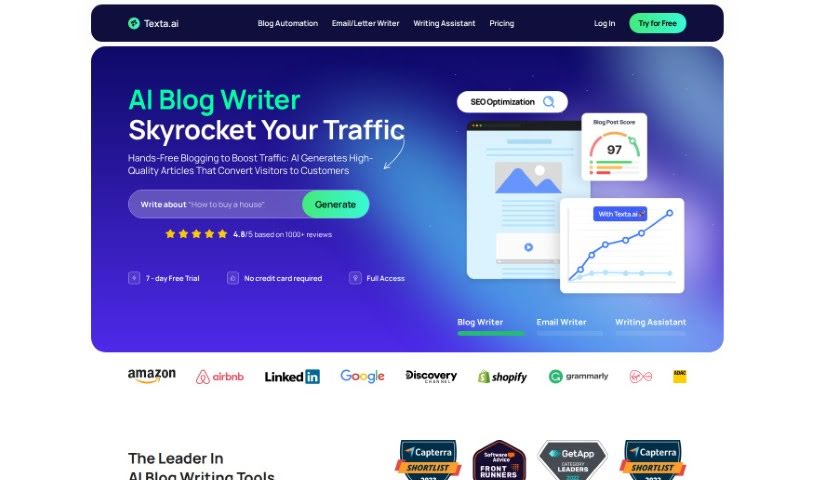
Screenshot of Texta

Texta

Discover what Texta is and how to make the most of it in 2025. We'll explore its features and see how it stacks up against other content writing tools.

Screenshot

What is Texta?

Texta is an AI-powered tool that helps you create high-quality, SEO-friendly content quickly and easily. It is your personal writing assistant for all sorts of content needs. It’s packed with features like an AI Writer that can whip up blog posts, Digital Ad Copy to craft compelling ads, eCommerce Copy for those all-important product descriptions, and Sales Copy designed to persuade. You can generate content that’s ready to go, right out of the box, with just a single click. This really boosts your productivity, whether you’re working on blog posts, ad campaigns, online store descriptions, or social media updates. People seem to really like it because it produces plagiarism-free content fast, works in many languages, and is super easy to use. It’s a great way to beat writer’s block and make your content creation process much smoother.

Who created Texta?

Rich Fawthrop, the company’s Marketing Manager, leads the team that developed Texta. Essentially, Texta is an AI content generator built to make creating great, SEO-optimized content much simpler. It’s designed to help you out with all sorts of writing tasks, from blog posts and ad copy to eCommerce descriptions, social media updates, emails, and even letters. You can use Texta’s handy features – like its AI Writer, Digital Ad Copy tool, eCommerce Copy generator, and Sales Copy assistant – to really speed up how you create content. The platform has earned some great feedback, with users praising its ability to quickly produce content that’s free of plagiarism and its straightforward, user-friendly interface. It’s a real help for anyone struggling with writer’s block or looking to boost their content output.

What is Texta used for?

  • Creating content that’s optimized for search engines (SEO)
  • Automating your content creation process
  • Generating blog posts
  • Crafting social media content
  • Writing ad copy
  • Developing eCommerce descriptions
  • Improving product descriptions
  • Writing sales copy
  • Automatically creating blog articles
  • Generating content for email campaigns

Who is Texta for?

  • Marketing professionals
  • Content creators
  • Business professionals
  • Social media managers
  • Copywriters
  • Digital Business Developers
  • Marketing Managers

How to use Texta?

Here’s how you can get the most out of Texta:

  1. Connect Your Blog:
    • Simply link your WordPress, Shopify, Webflow, or Wix blog to Texta. This makes automating your content super smooth.
  2. Generate Content:
    • Just type in the topic you want to write about. Texta will then create content that’s ready to publish and optimized to rank well on Google.
  3. Enjoy Automation:
    • Let Texta handle the heavy lifting. You can effortlessly create and publish blog articles, which saves you a ton of time and can help boost your conversions.
  4. Free Trial:
    • Curious? Texta offers a 7-day free trial that gives you 2000 words to play with, perfect for generating your very first blog post.
  5. Purchase More Words:
    • Need more words after your trial? You can easily buy more from your profile. They use secure payment methods, including 3D secure authentication for major credit and debit cards.
  6. Discounts for Yearly Plans:
    • Thinking long-term? You can save up to 45% by choosing a yearly plan over monthly payments. It’s like getting 12 months for the price of 6!
  7. Read Reviews:
    • See why Texta is so well-loved! It boasts a high rating of 4.8 out of 5 stars from over 1,000 reviews on popular platforms like Capterra, GetApp, and Trustpilot.
  8. Contact for Queries:
    • Got questions? Feel free to email Texta at [email protected]. They’re ready to help you out quickly.

By following these simple steps, you can really make Texta work for you, streamlining your content creation and making your online presence even stronger.

Related AI Tools

Discover more tools in similar categories that might interest you

Stay Updated with AI Tools

Get weekly updates on the latest AI tools, trends, and insights delivered to your inbox

Join 25,000+ AI enthusiasts. No spam, unsubscribe anytime.