What is Teal?
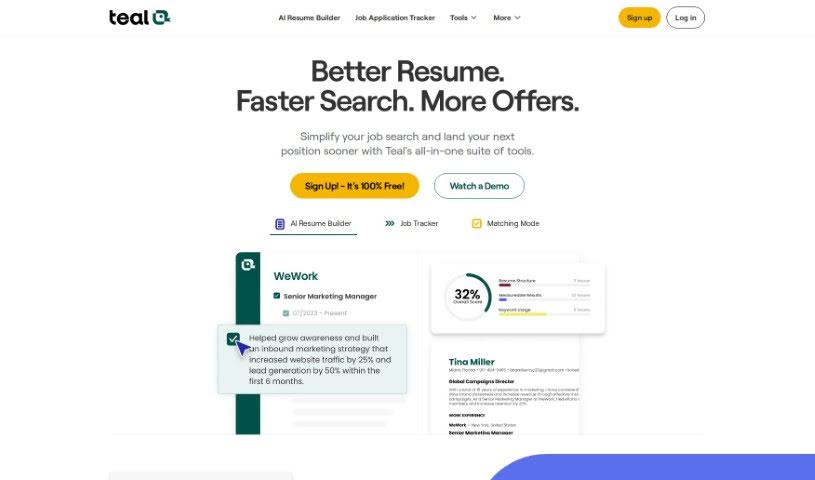
TealHQ’s AI Resume Builder is a really easy-to-use platform designed to help you craft resumes that are perfectly suited to your specific needs and the jobs you’re applying for. It offers some great features, like letting you create different resume versions for various job applications. Plus, it has AI-powered resume analysis that gives you instant feedback and suggestions, customizable email templates for different stages of your job search, and a good selection of professional resume templates with design customization options. Basically, this tool aims to give job seekers the power to boost their job search and really improve their chances of landing interviews, and ultimately, their dream job.
Who created Teal?
Tealhq AI Resume Builder was actually created by Dave Fano. Dave, as the founder, was a seasoned professional who found himself looking for guidance in his own career decisions. This experience inspired him to develop Teal, aiming to provide clear, personal, and empowering tools for navigating your career path. The company’s core mission is to help job seekers grow and truly thrive in their careers by giving them the tools they need to make confident decisions and find work that genuinely aligns with who they are.
What is Teal used for?
- Craft a standout professional summary: Use the AI Resume Summary Generator to create a summary that’s perfectly tailored to each specific position.
- Write custom cover letters fast: The AI Cover Letter Generator helps you whip up custom cover letters quickly.
- Stay organized with job search tools: Keep track of everything with features like job tracking, goal setting, note-taking, and application status updates.
- Impress with custom resume templates: Access a variety of professional resume templates to make your career presentation impactful.
- Match keywords for job descriptions: Make sure your resume speaks the language of the job you want.
- Get instant resume feedback: Receive real-time suggestions on how to improve your resume.
- Streamline your applications: Use email templates designed for each stage of the job application process.
- Personalize your resume’s look: Customize your resume’s design using Design Mode and professional templates.
- Write tailored bullet points: Get AI assistance to create bullet points that really highlight your achievements.
- Boost your resume with insights: Enhance your resume with actionable recommendations and keyword insights.
Who is Teal for?
- Someone hosting at a restaurant
- A clerk at a comic book store
- A Beta Tester at a software game company
How to use Teal?
Using the TealHQ AI Resume Builder is pretty straightforward. Just follow these steps:
-
Tailor Your Resume:
- Start by using the AI Resume Summary Generator. It makes creating a summary that’s specific to the job you’re applying for really easy.
- Then, quickly generate a custom cover letter with the AI Cover Letter Generator.
-
Pick Templates & Track Jobs:
- You can choose from several resume templates to make sure your career story is presented effectively.
- Managing your job search becomes much simpler. You can bookmark jobs, set personal goals, track your applications, and more.
-
Match Keywords & Get Analysis:
- To help you build a resume that really stands out, attach the job description you’re interested in. This will highlight important keywords.
- You’ll get immediate feedback on your resume’s content, with suggestions on how to make it even better.
-
Use Email Templates & Customize Design:
- To keep your application process smooth, you can use email templates that are perfect for each stage of the job search.
- Want to personalize your resume’s look? You can do that with Design Mode and the professional templates available.
-
Check Out Subscription Options:
- Take a look at the subscription plans, like Teal+, which offers even more advanced features.
- The pricing is clear, with no hidden costs, and you have the flexibility to upgrade, downgrade, or cancel whenever you need to.
-
Get More with Teal+:
- With Teal+, you unlock advanced resume analysis, better keyword matching, and other tools to really optimize your job search.
- You can also use AI tools to generate professional summaries, resume bullet points, and cover letters, plus customize all your outputs.
-
Canceling & Refunds:
- If you need to cancel your subscription, just head over to your account settings and manage your Teal+ Subscription there.
- If you’re looking for a refund, reach out to the team. Make sure to explain why you’re canceling and include your associated email details.
Overall, the TealHQ AI Resume Builder offers a user-friendly experience packed with AI-driven features. It’s designed to help job seekers create resumes that make an impact, optimize their applications, and generally make their job search experience much more effective.