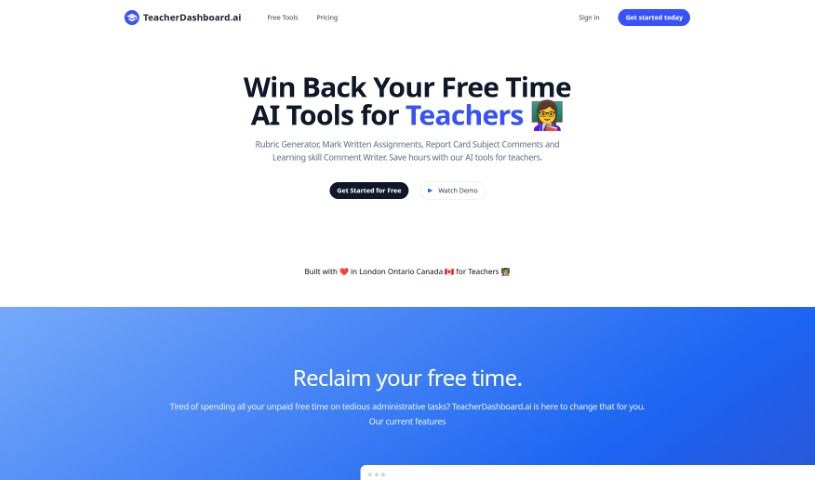
Screenshot of Teacherdashboard

Teacherdashboard

Discover what Teacherdashboard is and learn how to use it effectively in 2025. We'll explore its features and see how it stacks up against other teacher tools.

Screenshot

What is Teacherdashboard?

TeacherDashboard.ai is an AI tool built to make a teacher’s life easier by automating those time-consuming administrative jobs. Think generating rubrics, marking written assignments, and crafting personalized report card comments – it handles all that. The goal here is to help teachers save precious time and energy, giving them back some of their free time from all those repetitive tasks. You’ll find features like a handy Rubric Generator, an AI tool that helps mark assignments, and a way to create personalized comments about students’ learning skills based on how they’re doing. Teachers in Canada have really liked it, saying it’s easy to use and saves them a ton of time.

Who created Teacherdashboard?

A team based in London, Ontario, Canada is behind TeacherDashboard. They launched it on July 5, 2024, with a clear mission: to help teachers save time by automating administrative tasks. This includes things like creating rubrics, marking written work, and generating personalized report card comments. The company’s aim is to simplify and smooth out the teaching workflow for educators all across Canada.

What is Teacherdashboard used for?

  • Personalized Learning Skill Comments: Generate comments for students based on their performance and classroom behavior.
  • Rubric Generation: Create rubrics in seconds using the AI rubric generator and editor.
  • AI-Assisted Marking: Mark written assignments more quickly with an AI tool that helps you assess them.
  • Automating Admin Tasks: Handles various administrative duties for teachers.
  • Report Card Comments: Creates personalized comments for report cards.
  • Streamlining Workflow: Makes the overall teaching process more efficient.
  • Consistent Rubrics: Eliminates the need to manually create rubrics, ensuring assessment criteria are consistent.
  • Faster, Accurate Feedback: Provides feedback to help teachers mark assignments more quickly and accurately.
  • Saving Time: Significantly cuts down the time spent during report card season.
  • Reclaiming Free Time: Helps teachers get back their free time by simplifying and automating administrative tasks.

Who is Teacherdashboard for?

  • Teachers

How to use Teacherdashboard?

TeacherDashboard.ai is an AI tool designed to help teachers streamline their work by automating various administrative tasks. Here’s a simple, step-by-step guide to get you started:

  1. See What It Offers:
    • TeacherDashboard has features for generating personalized learning skill comments, quickly creating rubrics, and helping with marking written assignments.
  2. Use the Rubric Generator:
    • You can create custom rubrics in just seconds using the AI-powered generator.
  3. Try the AI-Assisted Marking Tool:
    • Speed up how you mark written assignments. This AI tool compares assignments against set criteria and offers feedback.
  4. Generate Report Card Subject Comments:
    • Automatically create personalized learning skill comments for students. These are based on their performance and behavior in class.
  5. Getting Started:
    • You can sign up for a 3-day free trial to explore everything TeacherDashboard can do.
  6. Look at Pricing Plans:
    • There are different pricing options, including an annual plan that offers a 50% discount. This gives you unlimited report card comments, rubric generations, AI-powered marking, and priority support.
  7. Read What Other Teachers Say:
    • Check out the positive feedback from teachers who have already saved time using TeacherDashboard’s features.
  8. It’s Easy to Use:
    • Teachers across Canada really appreciate how simple and effective the tool is for reducing their administrative workload.
  9. Get Your Time Back:
    • TeacherDashboard’s main goal is to help teachers reclaim their free time by efficiently simplifying and automating administrative tasks.

By following these steps, teachers can really make the most of TeacherDashboard to improve their teaching experience and save valuable time on administrative duties.

Related AI Tools

Discover more tools in similar categories that might interest you

Academic Help Free Essay Generator

Education Academic Writing
Learn More

Stay Updated with AI Tools

Get weekly updates on the latest AI tools, trends, and insights delivered to your inbox

Join 25,000+ AI enthusiasts. No spam, unsubscribe anytime.