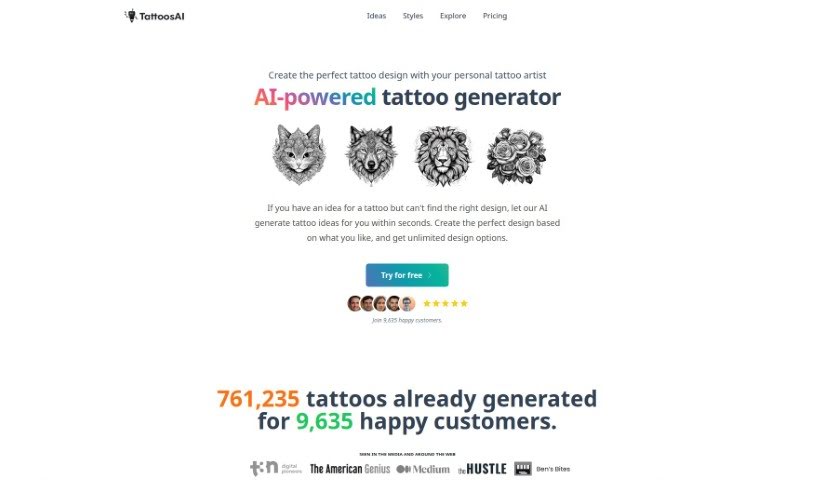
What is TattoosAI?
TattoosAI is a cool tool that uses artificial intelligence to help you come up with unique tattoo designs. You just tell it what you’re dreaming of for your tattoo, pick a style and color, and the AI will whip up a bunch of different design options for you. What’s great is that these designs are totally original, and you can tweak them however you like. Plus, TattoosAI offers a huge variety of styles – think geometric, watercolor, traditional, portraits, and so much more. You can generate as many designs as you want, and if you upgrade to the pro plan, you can keep them all to yourself. They’re also always working on making the AI even better, with plans to add a simulator so you can see how your tattoo would look on your skin before you commit. Nick Berns, based in New Zealand, is the person behind TattoosAI.
Who created TattoosAI?
Nick Berns, who lives in New Zealand, is the creator of TattoosAI. He manages the operations for Tattoos AI, an app that uses artificial intelligence to help people who love tattoos find and customize unique designs that really match their personal style and preferences. This platform offers a really personalized way to design tattoos, helping users out no matter where they are in their tattoo journey – whether they’re just starting, are already big fans, or are even tattoo artists themselves.
What is TattoosAI used for?
- It helps you figure out the best spot for a tattoo on your body.
- It generates tattoo designs based on what you tell it.
- There’s a ‘surprise me’ button for styles, which adds a fun, spontaneous element.
- You can create totally unique tattoos based on your ideas and favorite styles.
- It helps everyone, from total beginners to seasoned experts, find just the right tattoo design.
- You can even work with your own personal tattoo artist to create the perfect design.
- It lets you customize designs to perfectly match your preferences.
- You can explore all sorts of different tattoo styles to find the one that suits you best.
- You can add your own designs to a gallery for others to explore.
- Upgrading to the pro plan lets you keep your designs private.
- It helps you discover the right tattoo design.
- It makes navigating the whole process of choosing a tattoo much easier.
- You can create unique tattoos based on your ideas.
- You can customize designs to match your favorite styles.
- It generates tattoo ideas in mere seconds.
- You get unlimited design options.
- It acts like your own personal digital tattoo designer.
- You can customize and modify the designs it creates.
- It handles a wide variety of tattoo styles.
- It ensures your AI-generated tattoos are 100% unique.
- You can create the perfect tattoo design based on your personal preferences.
- Generate tattoo ideas in seconds.
- Get unlimited design options.
- Work with your own tattoo artist.
- Sign in with Google for a super smooth experience.
- Customize designs based on your personal style and color preferences.
- Get unique tattoo designs with no repeats.
- Get help with different tattoo styles like traditional, tribal, watercolor, and more.
- You’ll be able to preview tattoos on your body using a virtual simulator soon.
- Keep your designs private by upgrading to the pro plan.
- It helps tattoo enthusiasts discover the right tattoo design.
- It assists you in selecting the right tattoo design.
- You can create unique tattoos based on your ideas and preferences.
- It uses AI to generate tattoo ideas based on what you like.
- It provides unlimited tattoo design options.
- You can work with a personal tattoo artist to create the perfect design.
- It generates tattoo ideas quickly, in just seconds.
- It personalizes tattoo designs based on your preferences.
- It offers various tattoo styles to match what you like.
- It creates completely unique tattoo designs.
Who is TattoosAI for?
- Tattoo artists
- Tattoo enthusiasts
- Tattoo beginners
- Tattoo experts
How to use TattoosAI?
Using TattoosAI is pretty straightforward. Just follow these simple steps:
- Enter Your Idea: Type your tattoo idea into the prompt box. Don’t hold back – you can be as detailed and imaginative as you want, because no idea is too complex for the AI.
- Select Style and Color: Pick your favorite tattoo style from the dropdown menu. There’s a huge range to choose from, including geometrical, watercolor, dotwork, old school, and many others.
- Get Your Tattoo Design: Now, let the AI work its magic! Give it a moment, and the AI tattoo artist will present you with unique concepts based on what you entered.
- Customize and Modify: You’re not stuck with the first design you get. You can customize or modify the AI’s creations. Feel free to tweak them until your final tattoo is as unique and awesome as you are.
- Preview and Finalize: While there isn’t a preview feature just yet, you can keep generating designs until you find the perfect one. If you’re using the basic plan, your designs might show up in the exploration gallery, but upgrading lets you keep them private.
- Request Changes: Didn’t quite get what you wanted? Just try a different prompt in the input field. Giving the AI more descriptive input really helps it create better designs.
- Explore Surprise Designs: While there isn’t a button for a completely random tattoo generator, you can pick the ‘surprise me’ option for style selection. This adds a fun element of spontaneity to your design process.
By following these steps, you can use TattoosAI’s AI-powered features to create a unique and personalized tattoo design that perfectly suits your style and preferences. Have fun exploring endless tattoo design options and bring your ink dreams to life!